13
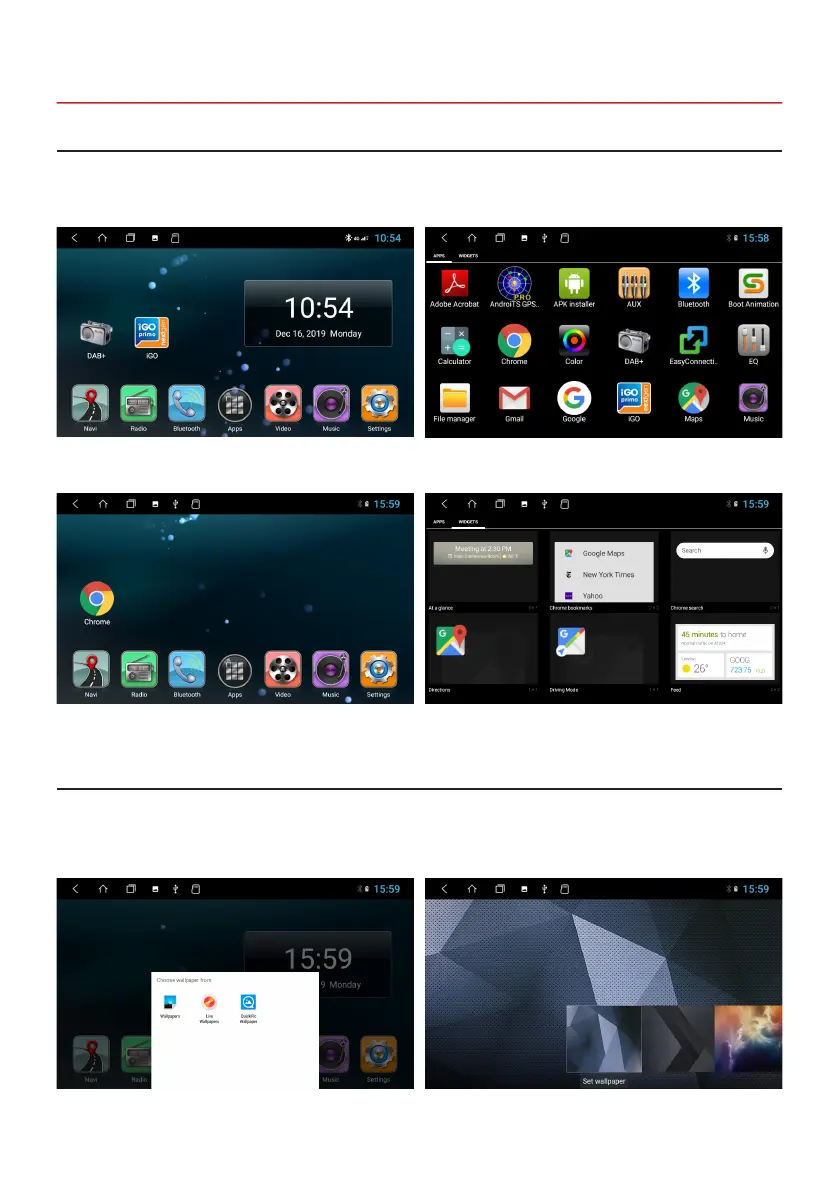
Click the blank area of the Main Menu
> Click on Wallpapers, Live Wallpapers or QuickPic Wallpaper
> Chose an image
BASIC SETTINGS
2.1 CUSTOM MAIN / MENU HOME SCREEN
2.2 WALLPAPERS
You can freely arrange any app or widget on the ve main menus by holding down the app icon and then moving it. The
seven apps at the bottom of the screen cannot be changed and are always displayed in the ve main menus.
Main Menu 1 with DAB + and iGO symbol.
Main Menu 2 with Chrome symbol. You can access the Widgets Menu by swiping to the left
in the Apps menu.
The apps are always displayed in alphabetical order in the
Apps menu.



 To Next Page