19
At rst you need to activate the Bluetooth® function on your mobile phone or mobile device. Then click on “Bluetooth”
in the main menu or the regarding phone button on the device if given.
2.9.2 PAIRING
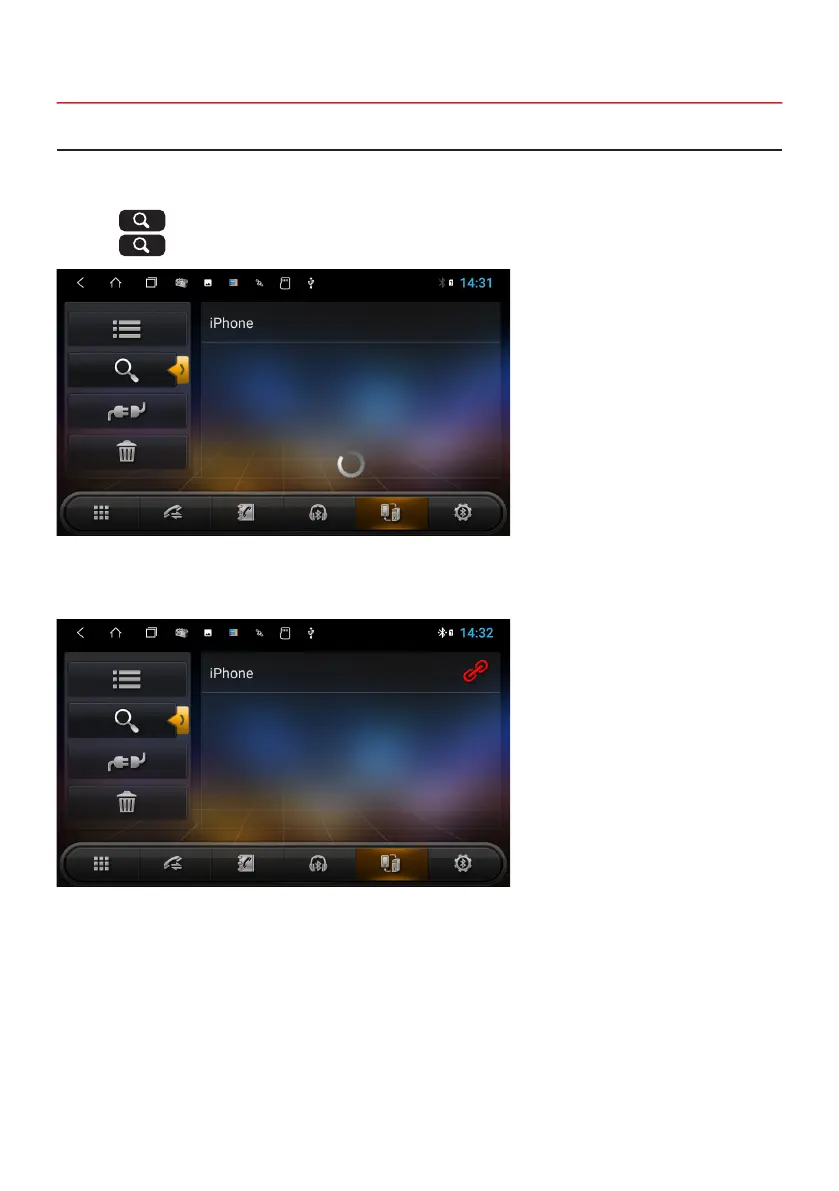
Press on , , to start the pairing and the device is searching for Bluetooth
®
devices in your area.
Press on , to stop the searching process.
Choose the desired Bluetooth® device name in the searching results to start the pairing. After the successful pairing,
a Bluetooth
®
icon in the upper status bar is visible.
The default passkey is 0000.
Note: The following operations are performed when Bluetooth
®
pairing was successful and the connection
between both devices is enabled.



 To Next Page