System Basics 113
Recording to Targets Using Direct Selects
You may store a command line selection directly to a target's direct selects by pressing
[Record] and the desired direct select key.
You can record decimal inserts to a direct select, which will add additional buttons to your
direct select grid. All recorded targets will appear in numerical order in a direct select grid,
including those with decimals in their number.
Example:
Open a color palettes direct select bank with color palette 1 on button 1 and
color palette 2 on button 2. Record color palette 1.5. A direct select button
will be inserted between buttons 1 and 2.
Use the {Increment} setting in the
Configuring Direct Selects (on the next page)
to set the
granularity for displaying empty target buttons. Stored decimal targets will always be
displayed, regardless of increment setting.
Direct Select Button Indication
The appearance of direct select buttons will change depending on what is selected via the
command line.
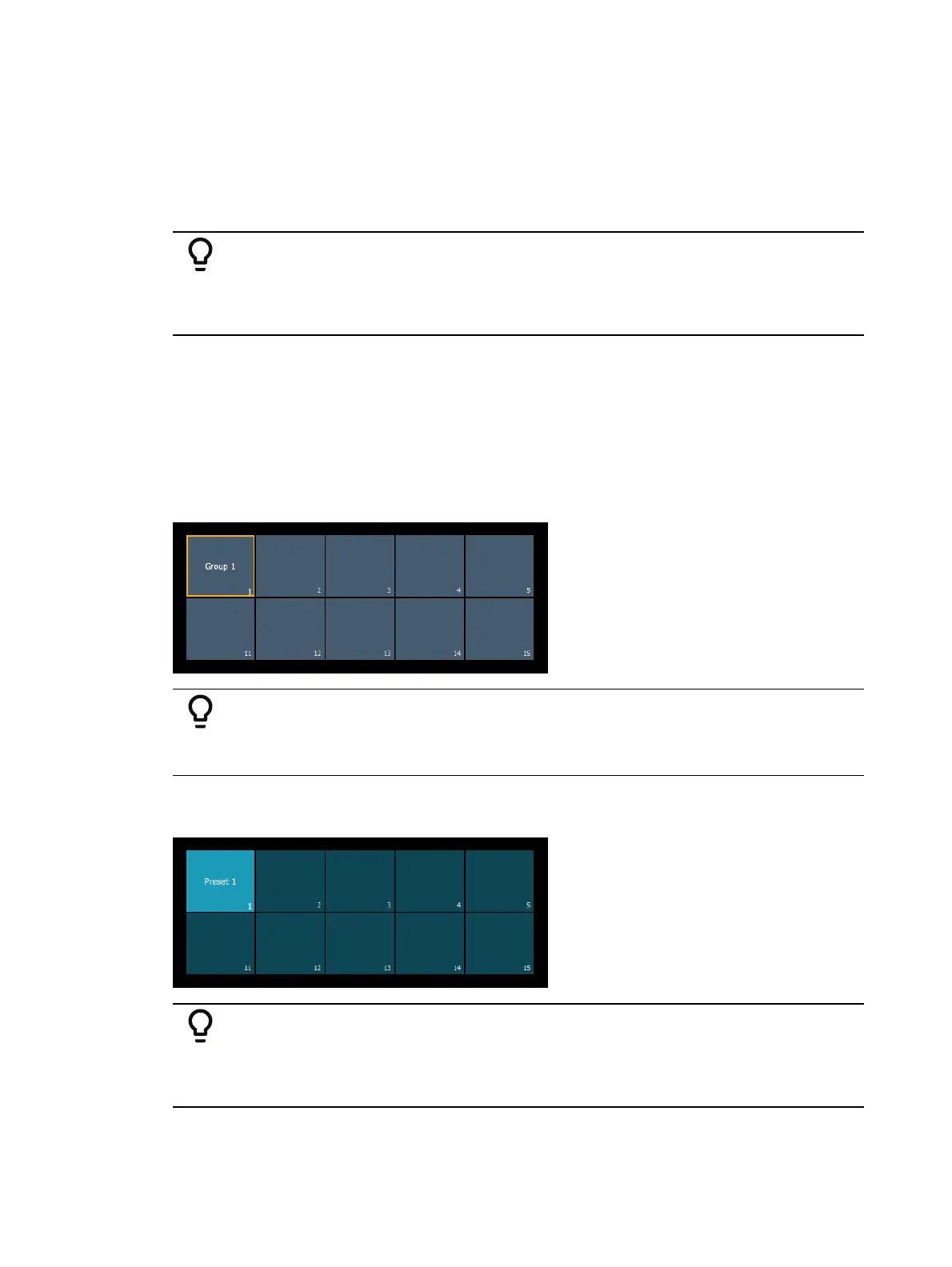
If a target is on the command line, the corresponding direct select tile will be outlined in gold.
Example:
Open a direct select bank displaying groups. Type [Group] [1] [Enter]. The
group 1 direct select button will be outlined in gold.
If channels are selected via the command line, and any direct select targets contain all of those
channels, the direct select button(s) will be highlighted.
Example:
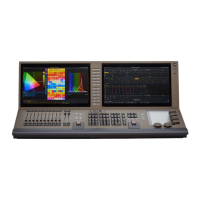
Record preset 1, containing channels 1-10. Open a direct select bank
displaying presets. Type [1] [Thru] [10] [Enter]. The preset 1 direct select
button will be highlighted gray.


 To Next Page