114 Ion Classic User Manual
If channels are selected via the command line, and any direct select targets contain some but
not all of those channels, the direct select button(s) will be highlighted with a gradient.
Example:
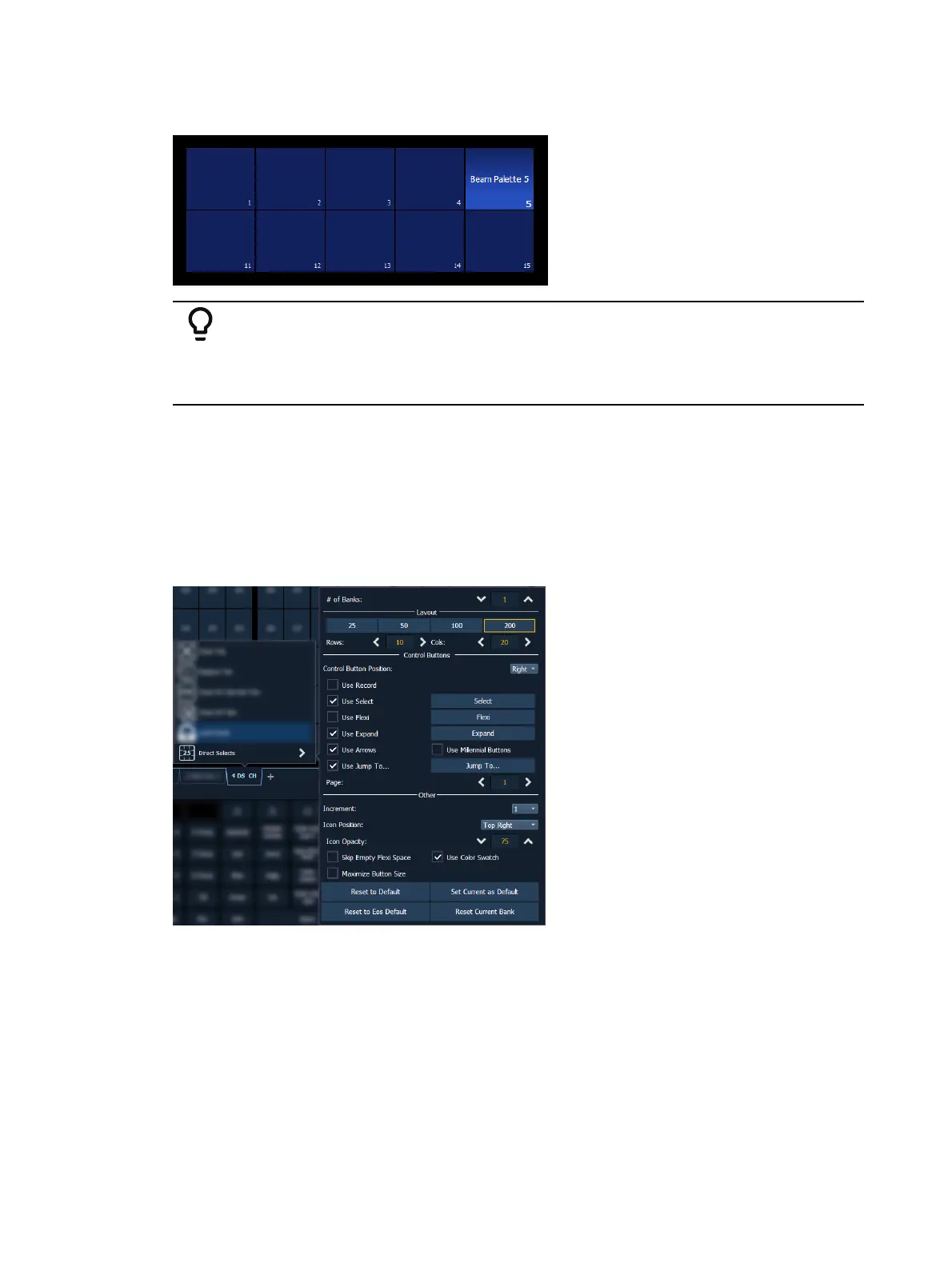
Record beam palette 5, containing channels 10-20. Open a direct select bank
displaying beam palettes. Type [1] [Thru] [20] [Enter]. The beam palette 5
direct select button will be highlighted with a gradient.
Configuring Direct Selects
The appearance of direct selects onscreen is highly customizable.
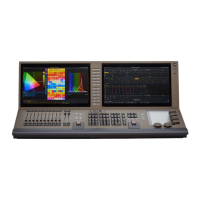
Direct Selects ConfigurationMenu
The primary way to configure direct selects is via the direct selects configuration menu. To
access the menu, right-click or tap on the direct selects tab, or use the gear icon on the left of
the tab bar.
The following options are available:
# of Banks - sets the number of direct select banks that will display in the tab.
If multiple banks are selected, a drop-down menu will appear, allowing you to apply all of the
additional configuration options below to a specific bank, or all open banks. Asterisks next to
any of the additional configuration options indicate functions that are only enabled for
specific banks.
Layout
This section allows you to configure the layout of the direct selects grid.


 To Next Page