234 Ion Classic User Manual
For the HSWheel and HSB color spaces, the vertical encoder is always brightness.
Gel Picker
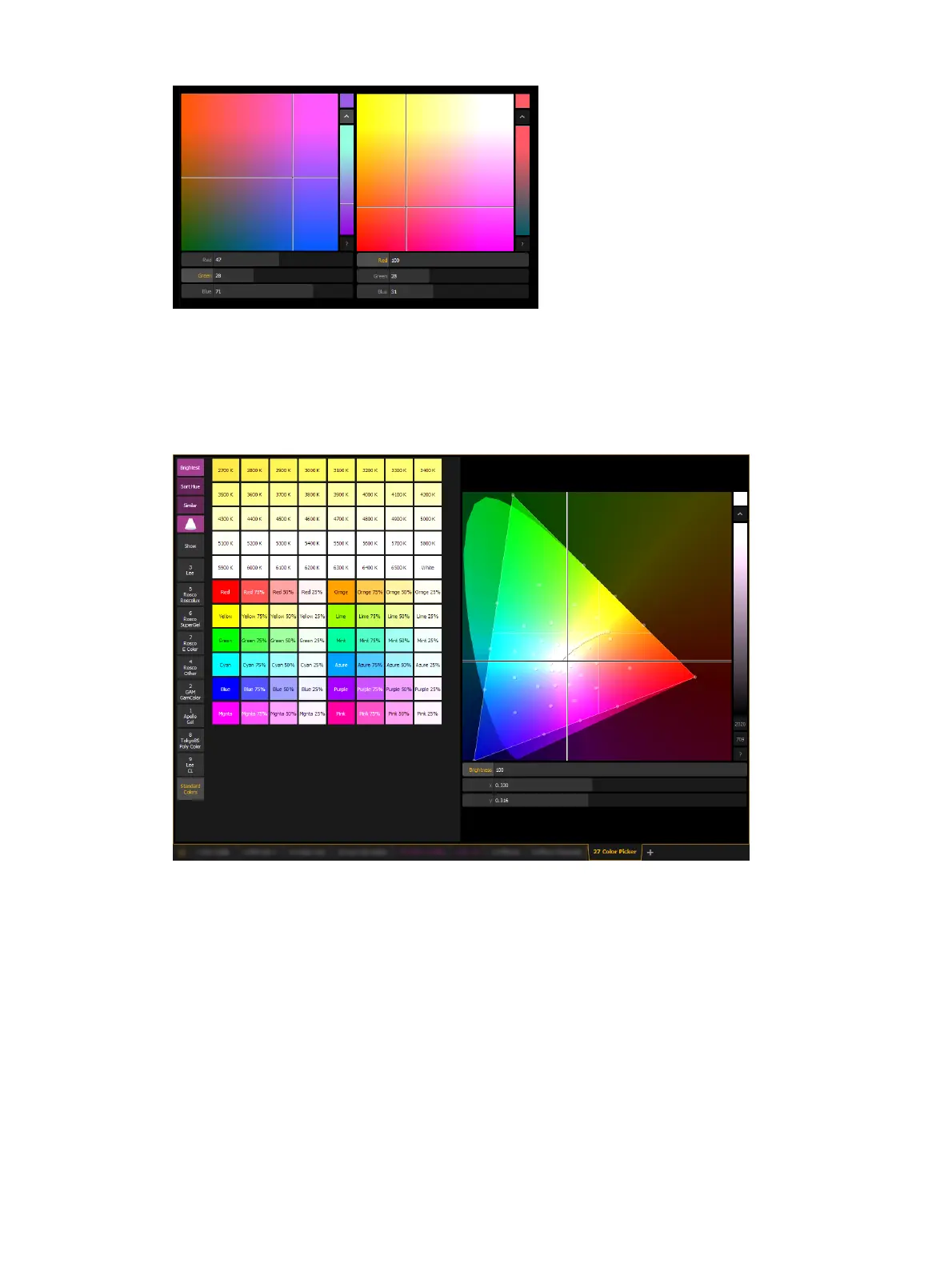
When the gel picker is opened up with a color space, dots will display on the color space.
These dots represent the gels in the currently selected gel book. Hovering over a dot with a
mouse will display the gel's name and a color swatch.
The following buttons are also available:
{Brightest} - determines the color match used. This is helpful when working with fixtures
that have more than three color components, such as RGBA, RGBWm or ETC's fixtures.
Pressing {Brightest} or {Shift} +a gel from the picker will cycle through the three modes.
{Brightest} - matches to the brightest match of that chromaticity.
{Spectral} -matches to the best spectral match chromaticity. However, this mode can
remove a lot of the intensity. This is based off of a 575w long life Source Four
®
.
{Hybrid} - halfway between the brightest and the best spectral match. In the channel
display, a single dot shows best spectral match, 2 dots indicates hybrid, and no dot
shows brightest.
{Sort Hue} - takes the selected gel library and sorts it by hue instead of by gel number.



 To Next Page