Manual Control 235
{Similar} - will show gels that are in the same selected area of the color picker. Only gels
in the same selected gel book will display. You can switch to another gel book though to
discover gels in that area.
{Show Gels as Gel Against White Background} displays the raw gel color as it would
look against a white background. This option toggles with {Show Gels as Gel + Lamp
Output}.
{Show Gels as Gel + Lamp Output} displays the gel swatch color as if it was being used
with a tungsten lamp.
{Show} - displays all of the static gels in the show file. This populates from Patch.
{Standard Colors} - shows a range of White Point from 2700K to 6500K. Also shown are
colors located around the triangle and variations of those colors at 25% increments.
How the Gel Picker Affects Scroller and Color Wheel
When possible the Gel Picker will select the closest gel as defined in a scroller or color wheel.
Note:
Some devices contain manufacturer specified gel mixes, and will only allow
selection from the Gel Picker of the exact gels in their list.
The channel display will show the frame number and the corresponding label that is defined
for that frame.
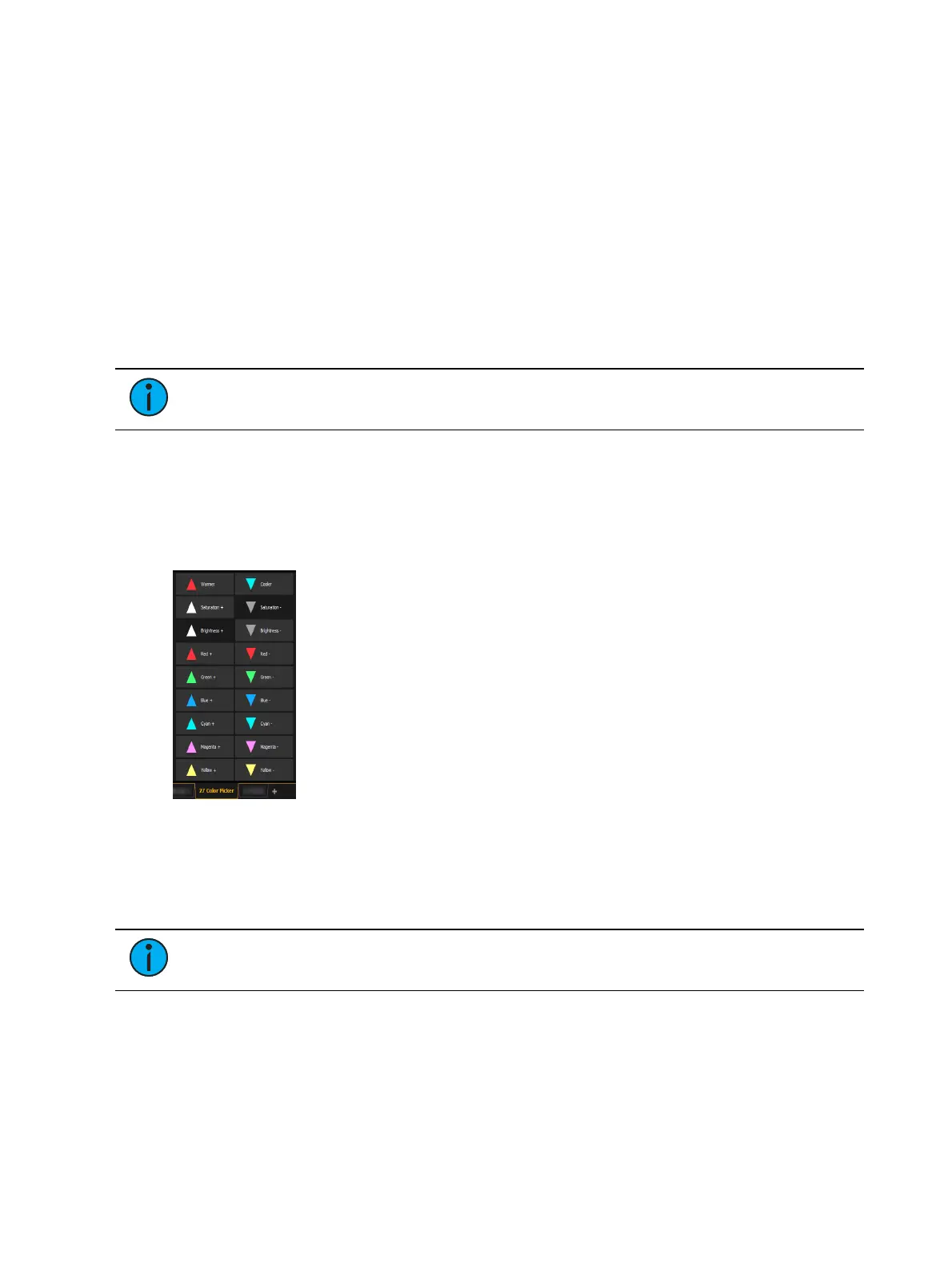
Tinting Tools
The Tinting Tools option is found by right-clicking on the Color Picker tab (
Using the Color
Picker (on page232)
).
Tint allows you to easily adjust color regardless of the color space that you're working in.
You can increase or decrease the saturation and brightness. You can make a color warmer or
cooler, and you can add or remove colors.
Color Path
Note:
Color path is only applicable for additive mixing systems.
Color Path is a option for controlling color fades between cues. By default, color fades happen
in the native space of the fixture. If you want a fade that resembles a fade in a different color
space, you can do that using color paths. There are eight preprogrammed color paths, and you
can also record your own . Up to 1000 color paths are supported.



 To Next Page