Eos Configuration Utility 555
{Reset to Defaults}
CAUTION:
This button will restore all network settings on the selected port
to their ETC defaults. This includes factory-default IPaddresses and settings.
Remote Startup / Shutdown
It is possible to remotely power on and off some Eos devices, such as RVIs, RPUs, and client
consoles. Windows or macOSwith ETCnomad cannot be remotely powered on and off.
{Remote Startup} and {Remote Shutdown} must be enabled on each device before it can
receive the power on and off commands. The default setting for both is Disabled.
The Remote Power commands are sent from the browser. The command for Power On is sent
from Browser > Network > Power On MultiConsole System, and the command for Power Off
is from Browser > Network > Power Off MultiConsole System.
Note:
Only devices that synchronize with the primary will be available for Remote
Power On and Off.
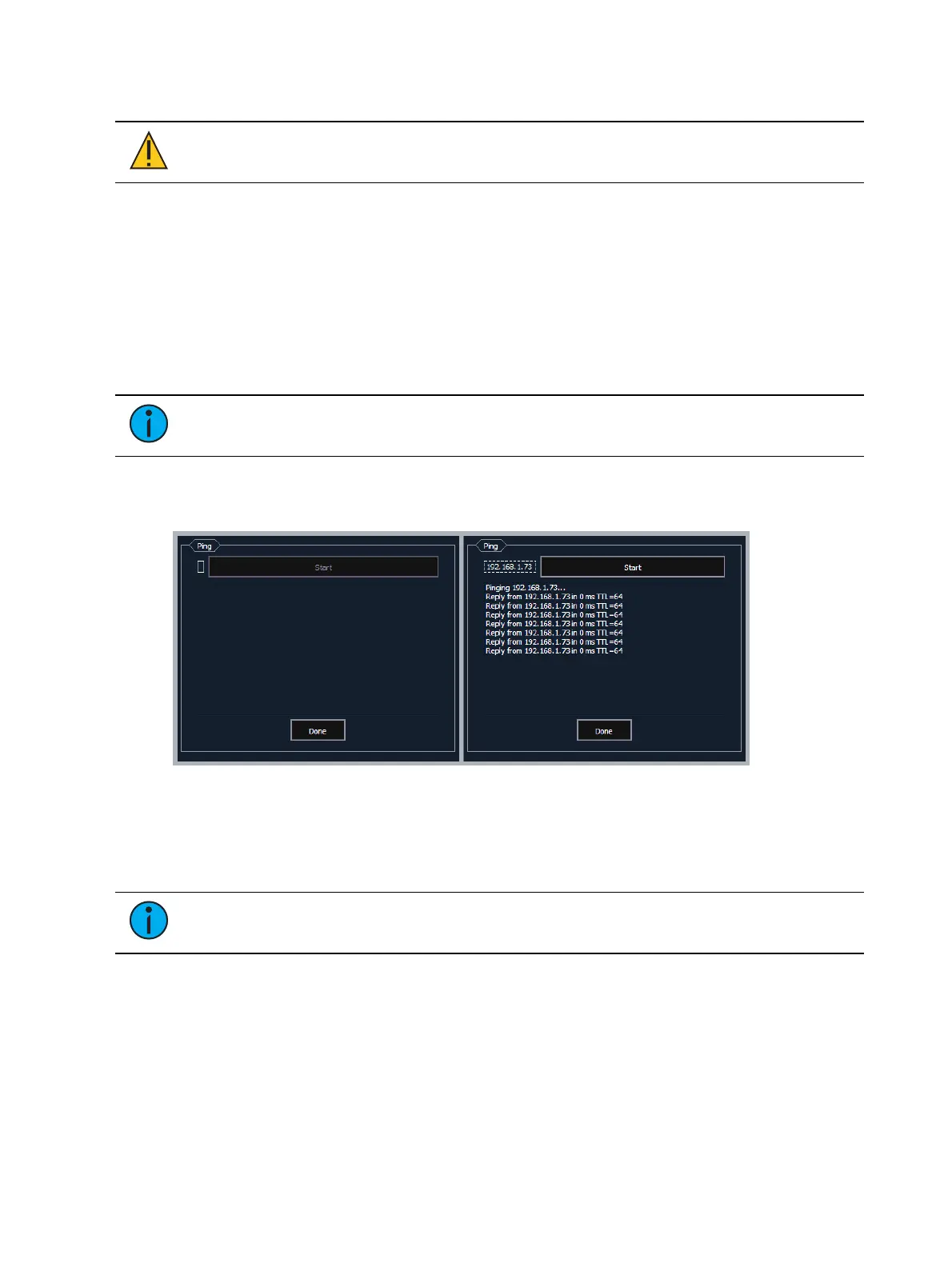
{Ping}
Ping is used to test the network connection between two devices.
1. Click the empty box on the left, and enter the IP address of the device you want to ping.
2. Press Start. You will either see replies from the device, or "response timed
out,"indicating the device is not responding to the ping.
Output Protocols
Note:
Apex consoles, Windows 10 consoles, and ETCnomad software do not
support draft sACN, Net2, or AVABUDP output protocols.
This is for selecting which protocols the console will output and which ones are included in the
default.



 To Next Page