554 Ion Classic User Manual
If "Obtain an IPAutomatically"is enabled, this field will display the IP address that is being
used by the console (whether it is served via DHCP or a self-generated link-local IP address).
Subnet Mask
If "Obtain an IPAutomatically"is disabled, you set the subnet mask here. This is a static
setting and will remain set until changed by a user. The default subnet mask is 255.255.0.0.
If "Obtain an IPAutomatically"is enabled, this field will display the subnet mask that is being
used by the console (whether it is served via DHCP or a self-generated link-local IP address).
Gateway
If "Obtain an IPAutomatically"is disabled, you set the gateway IP address here. This is a static
gateway IP address and will remain set until changed by a user.
Eos consoles controlling a Net2 system should use the static IP address as the default gateway.
All other consoles should default to 10.101.1.1.
If "Obtain an IPAutomatically"is enabled, this field will display the gateway IP address that is
being used by the console (whether it is served via DHCP or a self-generated link-local IP
address).
Physical Address
The physical address is the MAC address. This address is a unique identifier and cannot be
modified.
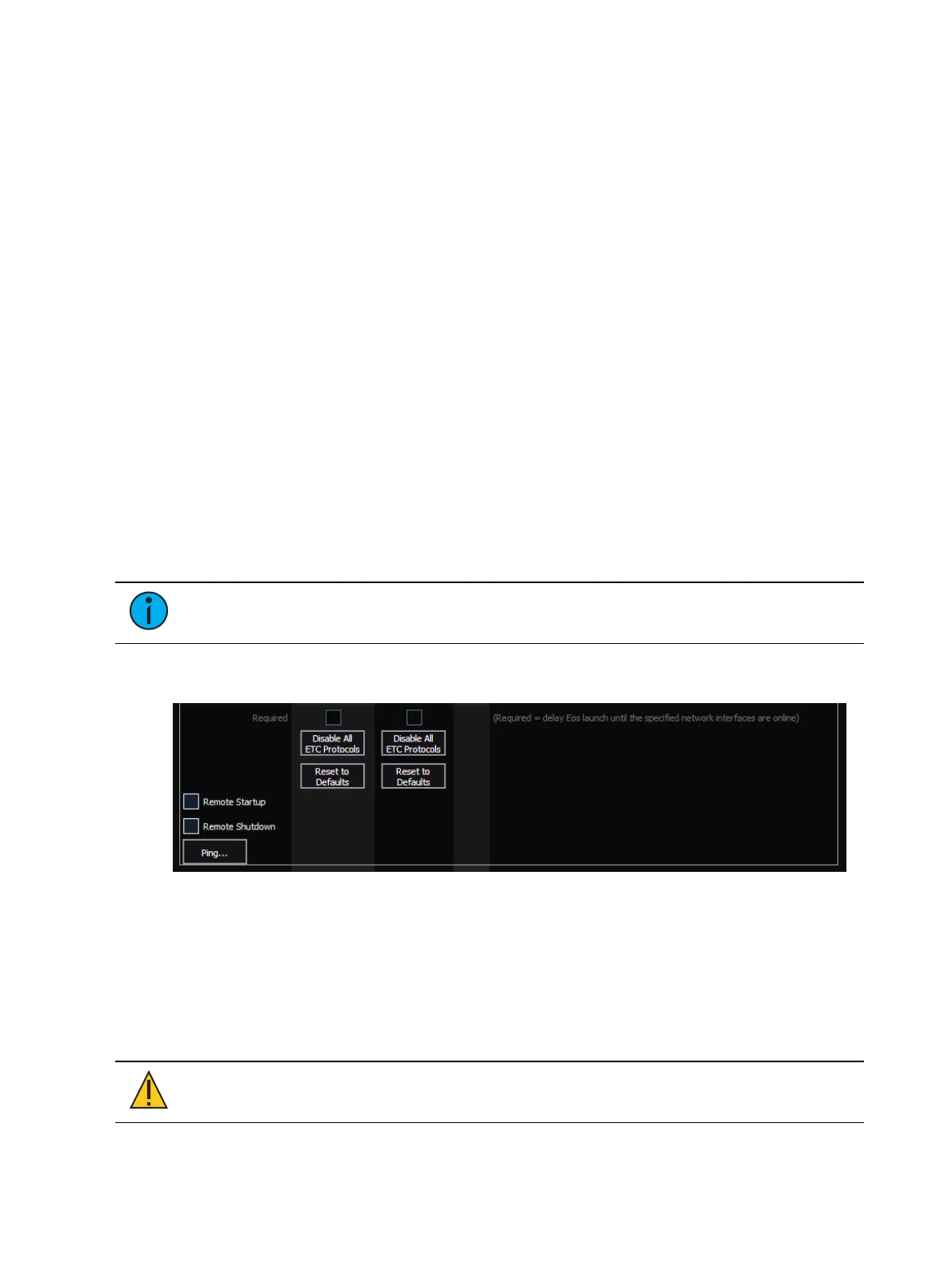
Network Interface Delay
Note:
This option is not available on ETCnomad.
When {Required} is enabled, the console will wait for the network connection to be fully
initialized before launching the Eos application.
When enabled, a launching window will display on start-up. If a network connection is not
made, you will have the option to {Start Anyway}, {Start Offline}, or to {Cancel}.
{Start Anyway} - launches without a network interface. Only User 1 is displayed above
the CIA.
{Start Offline} - starts in offline mode.
{Cancel} - remains in start-up without launching into the Eos application.
{Disable All ETCProtocols}
CAUTION:
This button will uncheck all boxes for currently-enabled output,
interface, DHCP, and SNTP protocols for the selected network port.


 To Next Page