APOLLO user manual
Issue G
62
Specifying I/O device configuration settings
The system communicates with external devices (such as printers) through Input/Output
ports (I/O ports). You can configure the settings of these ports. For example, you can
specify the I/O address or the interrupt line to be used by the I/O port.
These settings are often configured automatically by the BIOS or the operating system.
Sometimes, however, you must set them up manually. This is often because a device is
not ‘plug and play’.
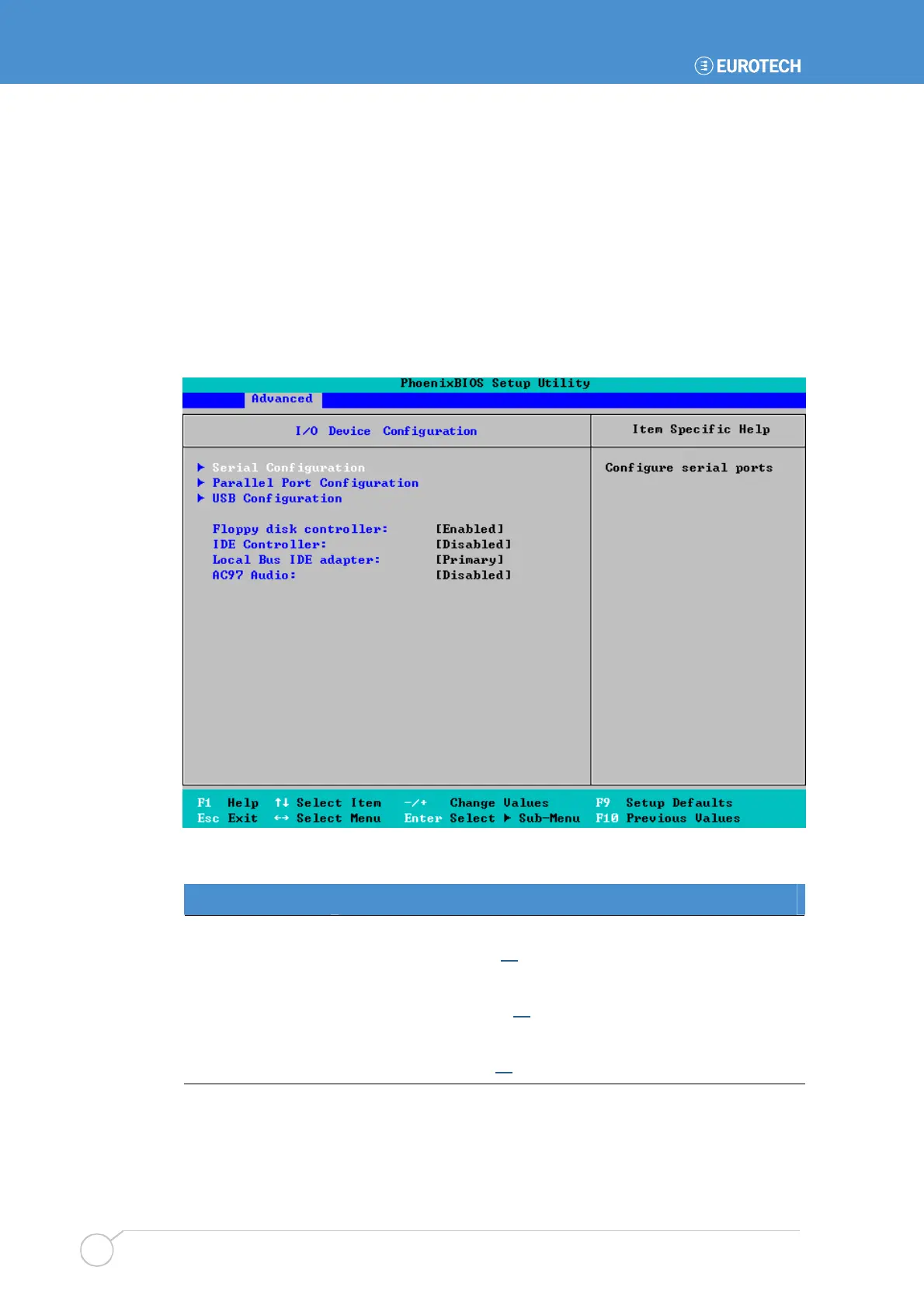
To specify I/O device configuration settings, highlight I/O Device Configuration in the
Advanced menu and press Enter. The following screen is displayed:
The details you are prompted to specify are explained in the following table:
Field Explanation
Serial Configuration
Displays a sub-menu containing options you can use to configure
serial ports. See page 64
for details.
Parallel Port
Configuration
Displays a sub-menu containing options you can use to configure
parallel ports. See page 66
for details.
USB Configuration
Displays a sub-menu containing options you can use to configure
USB ports. See page 67
for details.



 To Next Page