EasyManua.ls Logo

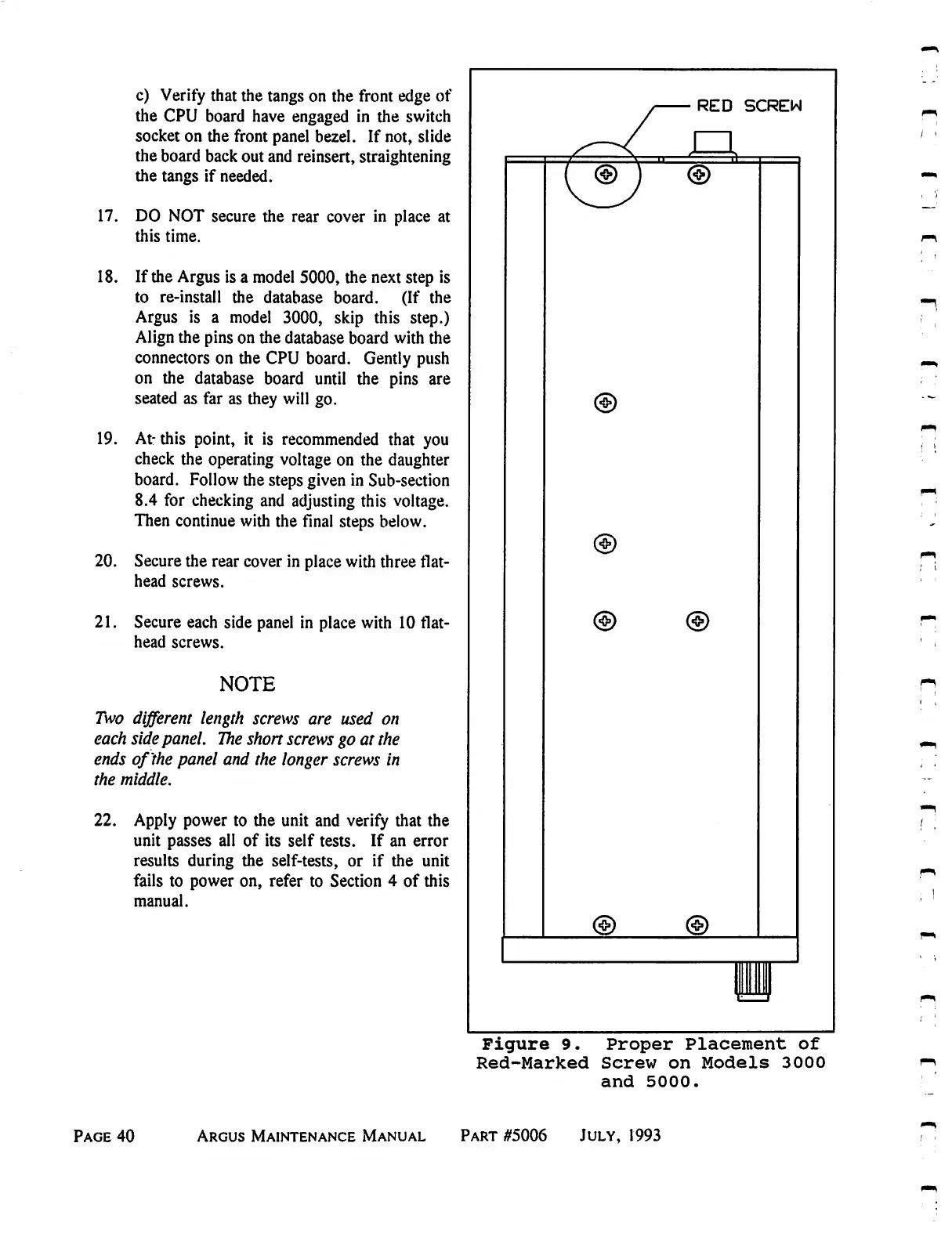
Eventide ARGUS 3000 - Proper Placement of Red-Marked Screws on 3000 and 5000

Eventide ARGUS 3000
68 pages
Print Icon
To Next Page IconTo Next Page
To Previous Page IconTo Previous Page
Loading...
c)
Verity
that
the
tangs
on
the
front
edge
of
the
CPU
board
have
engaged
in
the
switch
socket
on
the
front
panel
bezel.
If
not, slide
the
board
back
out
and
reinsert,
straightening
the
tangs
if
needed.
17.
DO
NOT
secure
the
rear
cover
in
place
at
this
time.
18.
If
the
Argus
is
a
model
5000,
the
next
step
is
to
re-install
the
database
board.
(If
the
Argus
is
a
model
3000,
skip
this
step.)
Align
the pins
on
the
database
board
with
the
connectors
on
the
CPU
board.
Gently
push
on
the
database
board
until
the pins are
seated
as
far
as
they
will
go.
19.
At-
this
point,
it
is
recommended
that
you
check
the
operating
voltage
on
the
daughter
board.
Follow
the
steps
given
in
Sub-section
8.4
for
checking
and
adjusting
this
voltage.
Then
continue
with
the
final
steps
below.
20.
Secure
the
rear
cover
in
place
with
three
flat-
head
screws.
21.
Secure
each
side
panel
in
place
with
10
flat-
head
screws.
NOTE
Two
different
length
screws
are
used
on
each
side
panel.
The
short
screws
go
at the
ends
of
the
panel
and
the
longer
screws
in
the
middle.
22.
Apply
power
to
the
unit
and
verity
that
the
unit
passes
all
of
its
self
tests.
If
an
error
results
during
the
self-tests,
or
if
the
unit
fails
to
power
on,
refer
to
Section
4
of
this
manual.
Figure
9.
Proper
Placement
of
Red-Marked
Screw
on
Models
3000
and
5000.
Page
40
Argus
Maintenance
Manual
Part
#5006
July,
1993

Table of Contents

Related product manuals