EasyManua.ls Logo

Eventide ARGUS 3000 - Swash Plates on Yoke

Eventide ARGUS 3000
68 pages
Print Icon
To Next Page IconTo Next Page
To Previous Page IconTo Previous Page
Loading...
3.
Remove
the
screws
securing
the
bottom
cover
to
the
front
bezel
and
rear
cover,
and
remove
the
bottom
cover.
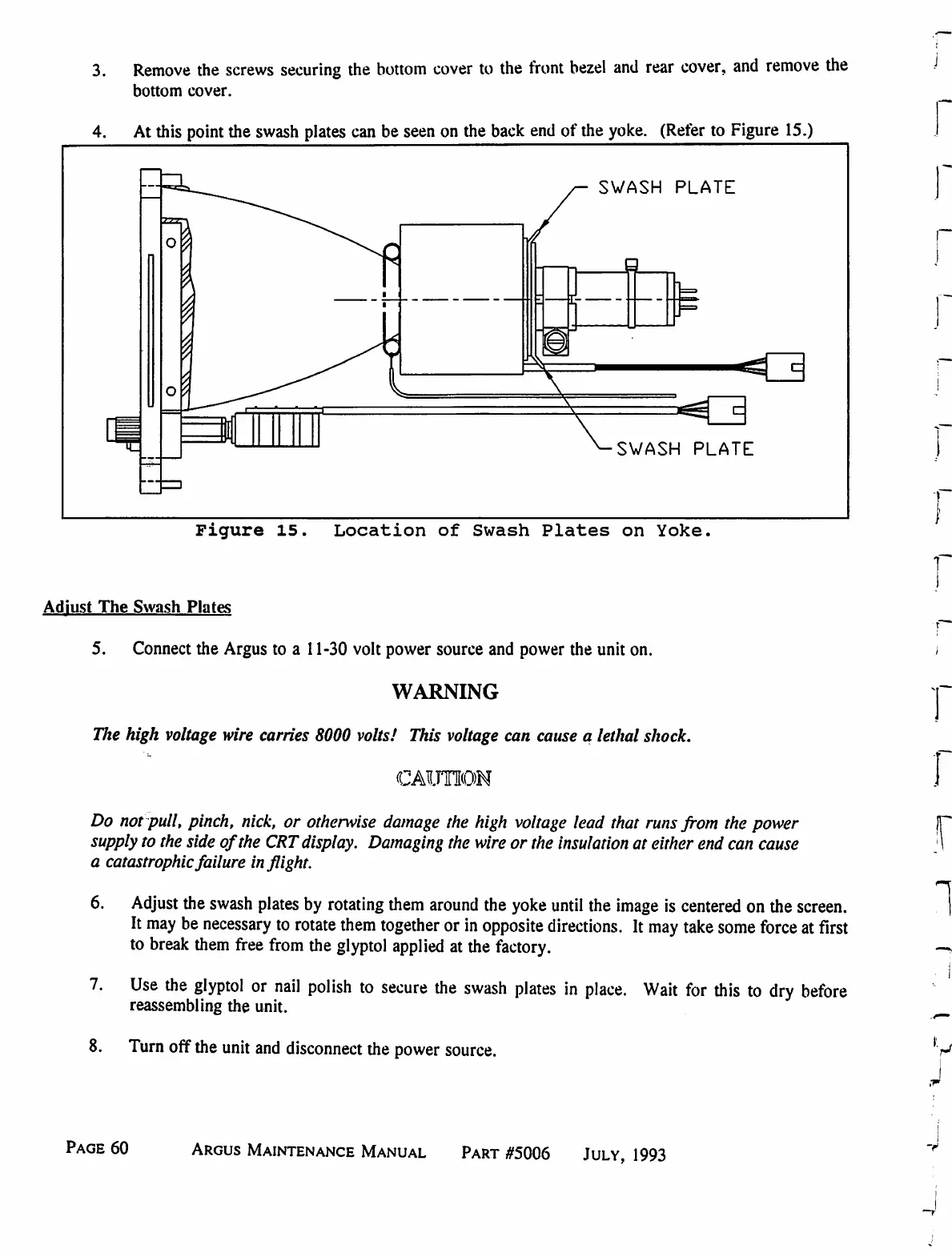
4.
At
this
point the
swash
plates
can
be
seen
on
the
back
end
of
the
yoke.
(Refer
to
Figure
15.)
SWASH
PLATE
L-
SWASH
PLATE
Figure
15.
Location
of
Swash
Plates
on
Yoke.
Adjust
The
Swash
Plates
5.
Connect
the
Argus
to
a
11-30
volt
power
source
and
power
the
unit
on.
WARNING
The
high
voltage
wire
carries
8000
volts/
This
voltage
can
cause
a
lethal
shock.
CAUTION
Do
not
pull,
pinch,
nick,
or
otherwise
damage
the
high
voltage
lead
that
runs
from
the
power
supply
to
the
side
of
the
CRT
display.
Damaging
the
wire
or
the
insulation
at
either
end
can
cause
a
catastrophic
failure
inflight.
6.
Adjust
the
swash
plates
by
rotating
them
around
the
yoke
until
the
image
is
centered
on
the
screen.
It
may
be
necessary
to
rotate
them
together
or
in
opposite
directions.
It
may
take
some
force
at
first
to
break
them
free
from
the
glyptol
applied
at
the
factory.
7.
Use
the
glyptol
or
nail
polish
to
secure
the
swash
plates
in
place.
Wait
for
this
to
dry
before
reassembling
the
unit.
8.
Turn
off the
unit
and
disconnect
the
power
source.
Page
60
Argus
Maintenance
Manual
Part
#5006
July,
1993

Table of Contents

Related product manuals