EasyManua.ls Logo

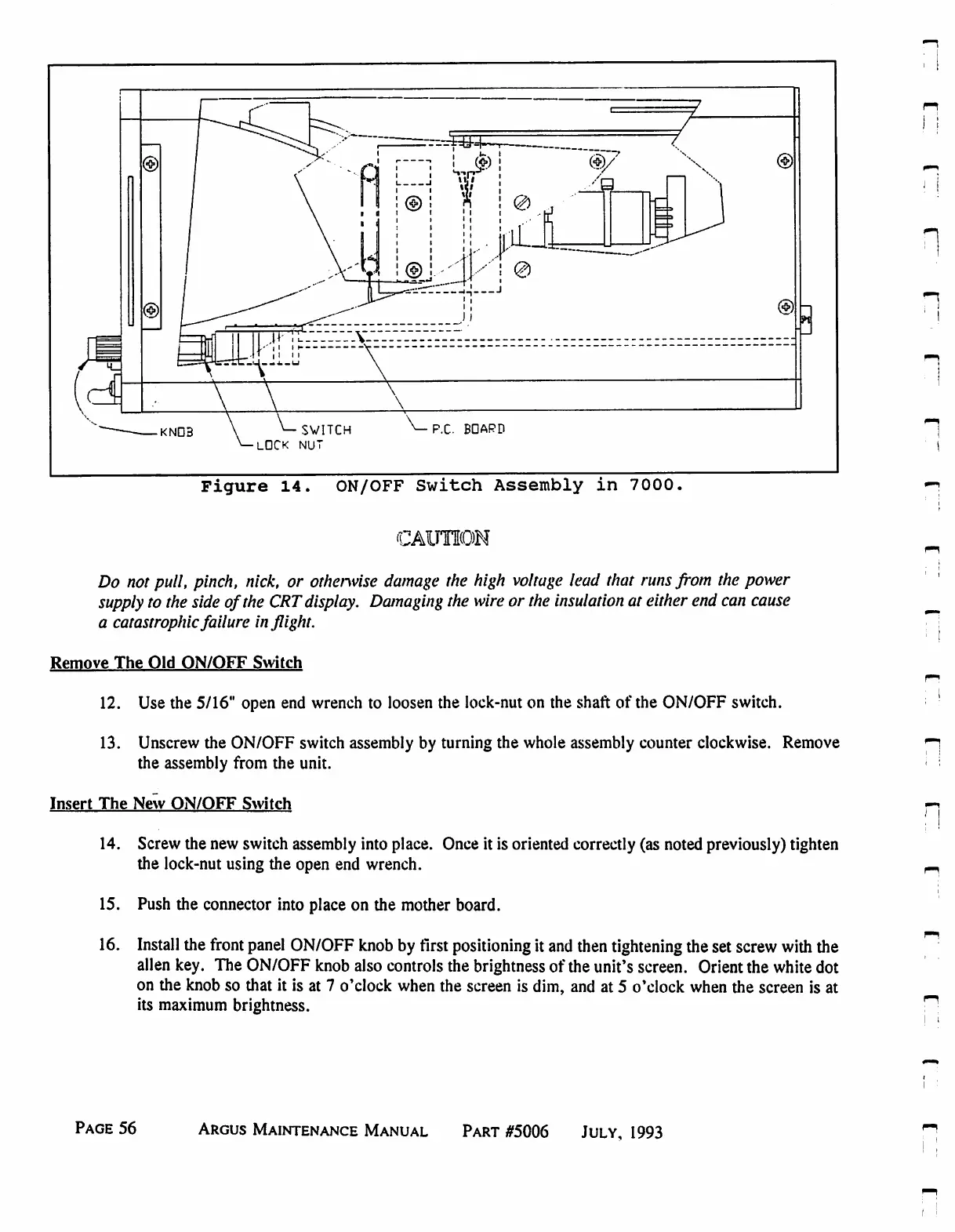
Eventide ARGUS 3000 - ON;OFF Switch Assembly in 7000

Eventide ARGUS 3000
68 pages
Print Icon
To Next Page IconTo Next Page
To Previous Page IconTo Previous Page
Loading...
©
KND3
SWITCH
LOCK
NUT
P.C.
BDAPD
Figure
14.
ON/OFF
Switch
Assembly
in
7000.
CAUTION
Do
not
pull,
pinch,
nick,
or
otherwise
damage
the
high
voltage
lead
that
runs
from
the
power
supply
to
the
side
of
the
CRT
display.
Damaging
the
wire
or
the
insulation
at
either
end
can
cause
a
catastrophic
failure
inflight.
Remove
The
Old
ON/OFF
Switch
12.
Use
the
5/16"
open
end
wrench
to
loosen
the
lock-nut
on
the
shaft
of
the
ON/OFF
switch.
13.
Unscrew
the
ON/OFF
switch
assembly
by
turning
the
whole
assembly
counter
clockwise.
Remove
the
assembly
from
the
unit.
Insert
The
New
ON/OFF
Switch
14.
Screw
the
new
switch
assembly
into
place.
Once
it
is
oriented
correctly
(as
noted
previously)
tighten
the lock-nut
using
the
open
end
wrench.
15.
Push
the
connector
into
place
on
the
mother
board.
16.
Install
the
front
panel
ON/OFF
knob
by
first
positioning
it
and
then
tightening
the
set
screw
with
the
alien
key.
The
ON/OFF
knob
also
controls
the
brightness
of
the
unit's
screen.
Orient
the
white
dot
on
the
knob
so
that
it
is
at
7
o'clock
when
the
screen
is
dim,
and
at
5
o'clock
when
the
screen
is
at
its
maximum
brightness.
n
Page
56
Argus
Maintenance
Manual
Part
#5006
July,
1993

Table of Contents

Related product manuals