EasyManua.ls Logo

Eventide ARGUS 5000 - Airport Traffic Areas; Latitude;Longitude Display

Eventide ARGUS 5000
237 pages
Print Icon
To Next Page IconTo Next Page
To Previous Page IconTo Previous Page
Loading...
Airport
Traffic
Areas
An
airport
with
a
control
tower
is
surrounded
by
a
five
(statute)
mile
airport
traffic
area
when
the
control
tower
is
active.
In
addition
to
tower
frequencies
being
shown
on
the
INFO
pages,
the
map
itself
designates
airports
with
AT
As
by
underlining
the
identifier.
The
Argus
gives
no
indication
of
when
the
tower
is
active.
Note
that
colocated
VOR
identifiers
will
not
be
underlined.
(This
feature
is
not
shown
in
most
illustrations,
as
it
was
added
recently.
For
an
example,
refer
to
the
section
on
ground
navigation
using
TEB
as
an
exemplar.)
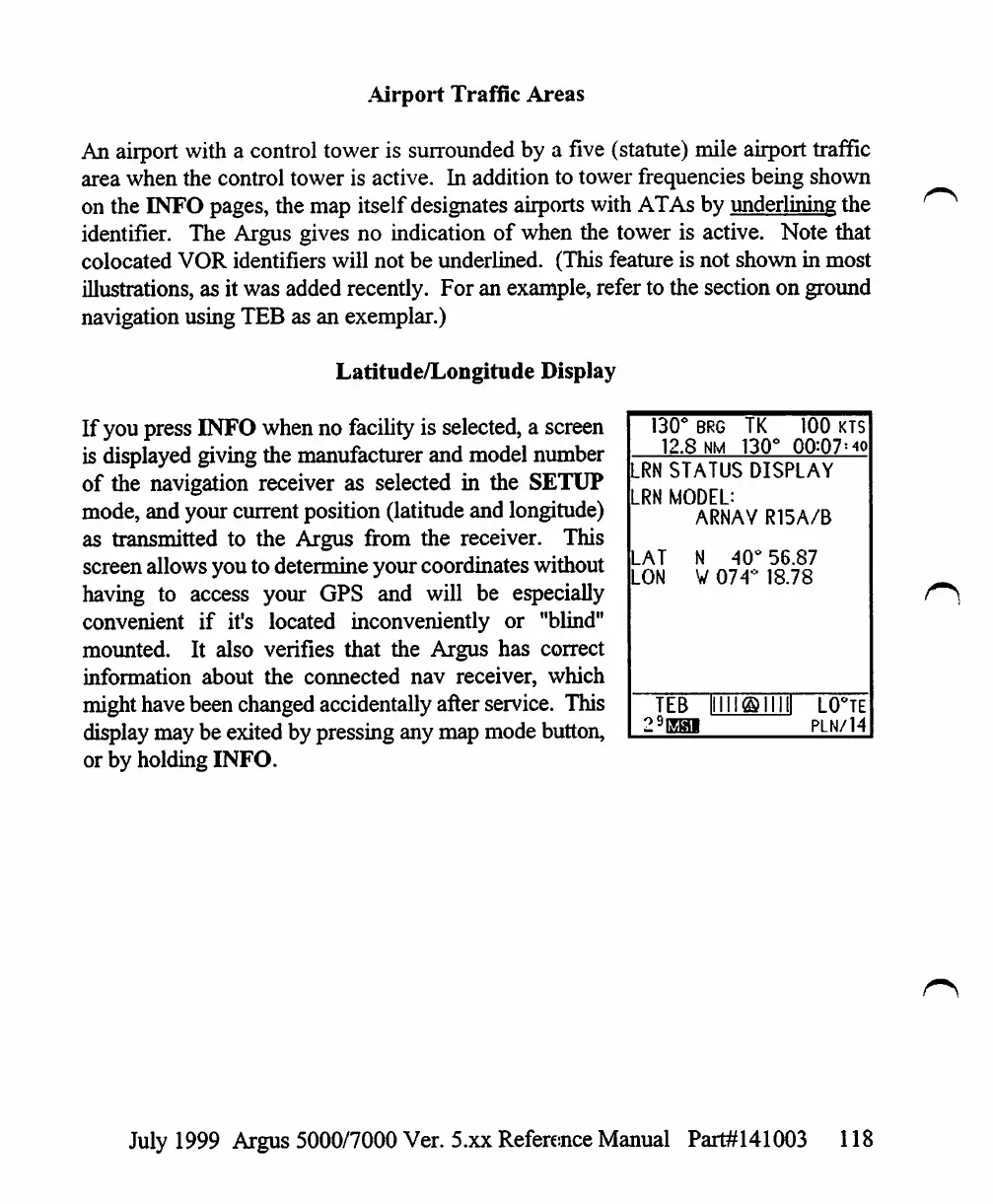
Latitude/Longitude
Display
If
you
press
INFO
when
no
facility
is
selected,
a
screen
is
displayed
giving
the
manufacturer
and
model
number
of
the
navigation
receiver
as
selected
in
the
SETUP
mode,
and
your
current
position
(latitude
and
longitude)
as
transmitted
to
the
Argus
from
the
receiver.
This
screen
allows
you
to
determine
your
coordinates
without
having
to
access
your
GPS
and
will
be
especially
convenient
if
it's
located
inconveniently
or
"blind"
mounted.
It
also
verifies
that
the
Argus
has
correct
information
about
the
connected
nav
receiver,
which
might
have
been
changed
accidentally
after
service.
This
display
may
be
exited
by
pressing
any
map
mode
button,
or
by
holding
INFO.
130°
BRG
12.8
NM
TK
130(
100
KTS
00:Q7!
40
LRN
STATUS
DISPLAY
RN
MODEL:
ARNAV
R15A/B
.AT
N
40°
56.87
.ON
V
074°
18.78
TEB
LO°TE
PLN/14
July
1999
Argus
5000/7000
Ver. 5.xx
Reference
Manual
Part#141003
118

Table of Contents

Other manuals for Eventide ARGUS 5000

Related product manuals