EasyManua.ls Logo

Eventide ARGUS 5000 - Heliports

Eventide ARGUS 5000
237 pages
Print Icon
To Next Page IconTo Next Page
To Previous Page IconTo Previous Page
Loading...
have
admitted
WATER
runways
in
the
AMEND
mode.
If
you
are
flying
an
AMPHIBIOUS
aircraft,
ALL
aiiports
with
runways
that
meet
your
length
and
lighting
criteria
are
depicted,
regardless
of
runway
type
selection.
And,
if
you
are
flying
a
WATER-based
aircraft,
ONLY
airports
with
water
runways
that
meet
your
length
and
lighting
criteria
are
depicted.
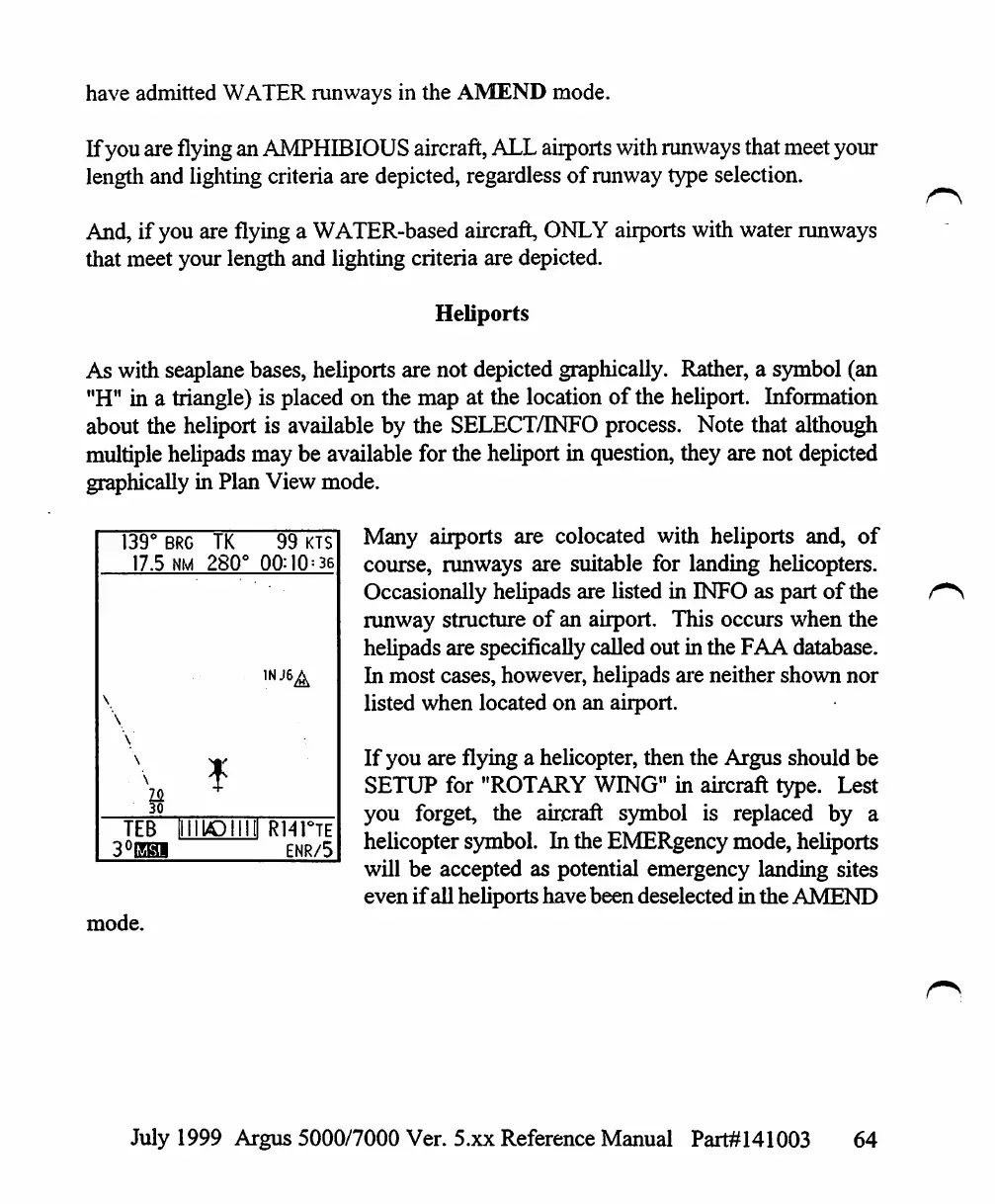
Heliports
As
with
seaplane
bases,
heliports
are
not
depicted
graphically.
Rather,
a
symbol
(an
"H"
in
a
triangle)
is
placed
on
the
map
at
the
location
of
the
heliport.
Information
about
the
heliport
is
available
by
the
SELECT/INFO
process.
Note
that
although
multiple
helipads
may
be
available
for
the
heliport
in
question,
they
are
not
depicted
graphically
in
Plan
View
mode.
Many
airports
are
colocated
with
heliports
and,
of
course,
runways
are
suitable
for
landing
helicopters.
Occasionally
helipads
are
listed
in
INFO
as
part
of
the
runway
structure
of
an
airport.
This
occurs
when
the
helipads
are
specifically
called
out
in
the
FAA
database.
In
most
cases,
however,
helipads
are
neither
shown
nor
listed
when
located
on
an
airport.
If
you
are
flying
a
helicopter,
then
the
Argus
should
be
SETUP
for
"ROTARY
WING"
in
aircraft
type.
Lest
you
forget,
the
aircraft
symbol
is
replaced
by
a
helicopter
symbol.
In
the
EMERgency
mode,
heliports
will
be
accepted
as
potential
emergency
landing
sites
even
if
all
heliports
have been
deselected
in
the
AMEND
139°
17.5
\
\
\
\
\
TEB
3°EH1
BRG
TK
nm
280°
IIIII/OIIIII
1
99
KTS
00:10=36
R14HE
ENR/5
mode.
July
1999
Argus
5000/7000
Ver.
5.xx
Reference
Manual
Part#141003
64

Table of Contents

Other manuals for Eventide ARGUS 5000

Related product manuals