EasyManua.ls Logo

Eventide ARGUS 5000 - Control Redefinition in Emergency

Eventide ARGUS 5000
237 pages
Print Icon
To Next Page IconTo Next Page
To Previous Page IconTo Previous Page
Loading...
shows
how
long
it
will
take
to
get
there.
(Track
and
groundspeed
are
still
relevant
and
haven't
changed.)
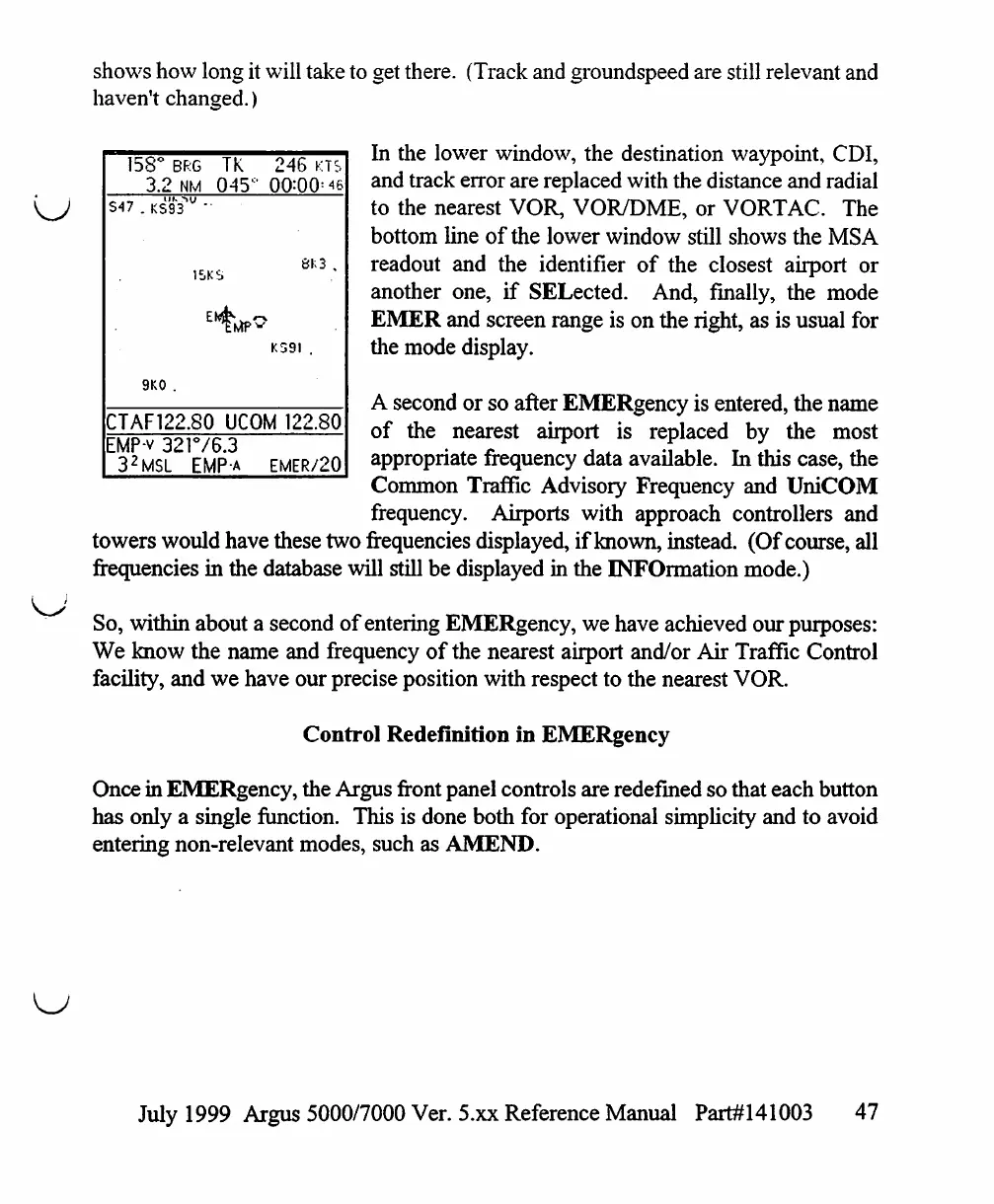
In
the
lower
window,
the
destination
waypoint,
CDI,
and
track
error
are
replaced
with
the
distance
and
radial
to
the
nearest
VOR,
VOR/DME,
or
VORTAC.
The
bottom
line
of
the
lower
window
still
shows
the
MSA
readout
and
the
identifier
of
the
closest
airport
or
another
one,
if
SELected.
And,
finally,
the
mode
EMER
and
screen
range
is
on
the
right,
as
is
usual
for
the
mode
display.
A
second
or
so
after
EMERgency
is
entered,
the
name
of
the
nearest
airport
is
replaced
by
the
most
appropriate
frequency
data
available.
In
this
case,
the
Common
Traffic
Advisory
Frequency
and
UniCOM
frequency.
Airports
with
approach
controllers
and
towers
would
have
these
two
frequencies
displayed,
if
known,
instead.
(Of
course,
all
frequencies
in
the
database
will
still
be
displayed
in
the
INFOrmation
mode.)
So,
within
about
a
second
of
entering
EMERgency,
we
have
achieved
our
purposes:
We
know
the
name
and
frequency
of
the
nearest
airport
and/or
Air
Traffic
Control
facility,
and
we
have
our
precise
position
with
respect
to
the
nearest
VOR.
Control
Redefinition
in
EMERgency
Once
in
EMERgency,
the
Argus
front
panel
controls
are
redefined
so
that
each
button
has only a
single
function.
This
is
done
both
for
operational
simplicity
and
to
avoid
entering
non-relevant
modes,
such
as
AMEND.
158°
BRG
TK
3.2
NM
045c
15KS
9K0
.
246
KTS
00:00=46
SK3
.
KS9I
.
CTAF122.80
UCOM
122.80
EMP-v
321V6.3
32MSL
EMP-a
EMER/20
July
1999
Argus
5000/7000
Ver. 5.xx
Reference
Manual
Part#141003
47

Table of Contents

Other manuals for Eventide ARGUS 5000

Related product manuals