EasyManua.ls Logo

Eventide ARGUS 5000 - Navigation Data Display

Eventide ARGUS 5000
237 pages
Print Icon
To Next Page IconTo Next Page
To Previous Page IconTo Previous Page
Loading...
Navigation
Data
Display
...
The
Upper
and
Lower
Windows
In
addition
to
the
main
graphics
screen,
the
Argus
has
two
"windows"
used
for
the
display
of
data
supplementary
to
the
moving
map
itself.
Some
of
the
data
is
sent
from
the
GPS,
and
some
of
it
is
calculated
or
presented
by
the
Argus.
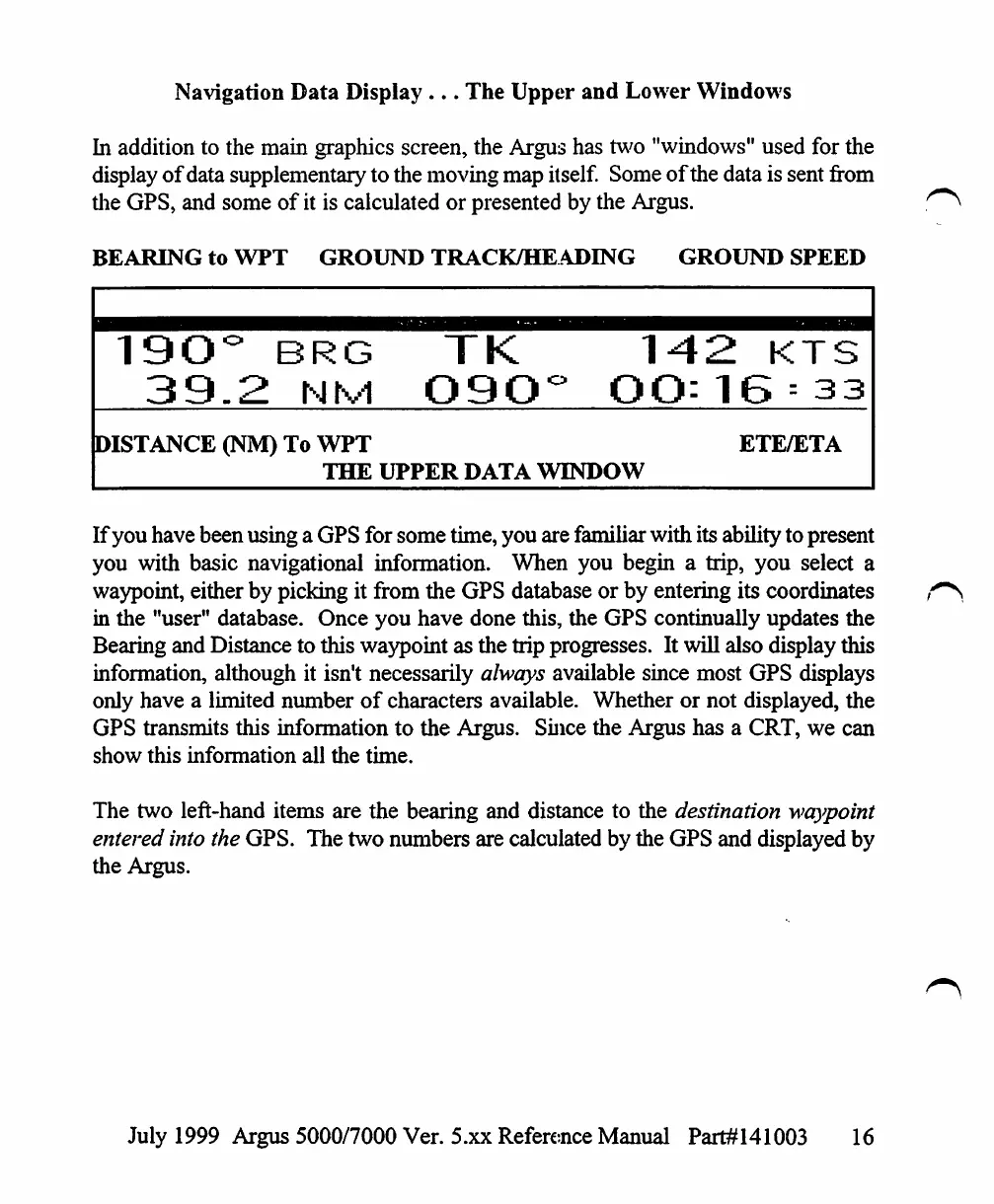
BEARING
to
WPT
GROUND
TRACK/HEADING
GROUND
SPEED
19O°
BRG
TK
142
KTS
39.2
nm
O9O°
00:16
=
33
DISTANCE
(NM)
To
WPT
ETE/ETA
THE
UPPER
DATA
WINDOW
If
you
have
been
using
a
GPS
for
some
time,
you
are
familiar
with
its
ability
to
present
you
with
basic
navigational
information.
When
you
begin
a
trip,
you
select
a
waypoint,
either
by
picking
it
from
the
GPS
database or
by
entering
its
coordinates
in
the
"user"
database.
Once
you
have done
this,
the
GPS
continually
updates
the
Bearing
and
Distance
to
this
waypoint
as
the
trip
progresses.
It
will
also
display
this
information,
although
it
isn't
necessarily
always
available
since
most
GPS
displays
only
have
a
limited
number
of
characters
available.
Whether
or
not
displayed,
the
GPS
transmits
this
information
to
the
Argus.
Since
the
Argus
has
a
CRT,
we
can
show
this
information
all
the
time.
The
two
left-hand
items
are
the
bearing
and
distance
to
the
destination
waypoint
entered
into
the
GPS.
The
two
numbers
are
calculated
by
the
GPS
and
displayed
by
the
Argus.
July
1999
Argus
5000/7000
Ver.
5.xx
Reference
Manual
Part#141003
16

Table of Contents

Other manuals for Eventide ARGUS 5000

Related product manuals