EasyManua.ls Logo

Eventide ARGUS 5000 - Remote Switch Operation

Eventide ARGUS 5000
237 pages
Print Icon
To Next Page IconTo Next Page
To Previous Page IconTo Previous Page
Loading...
Holding
AUX
while
pressing
ENR
causes
INFOnnation
on
the
facility
picked
in
the
SELect
mode
to
be
displayed
in
text
form.
Holding
both
keys
for
one
second
exits
INFO
and
returns
to
the
map.
Holding
AUX
while
pressing
ARR
places
the
Argus
in
the
EMERgency
mode.
(Or
if
in
EMERgency,
back
in
normal
operation.)
Pressing
AUX
quickly
three
times
or
holding
it
for
five
seconds
places
the
Argus
in
the
AMEND/FP
menu.
AMEND
is
exited
by
an
AUX
stroke.
Remote
Switch
Operation
In
addition
to
the
Argus
front
panel
controls,
there
is
provision
for
external
switches
to
be
connected.
They
individually
perform
the
same
functions
as
AUX/DEP
and,
AUX/ENR.
They
can
also
be
used
to
enter
alphanumeric
data
in
waypoint
and
flight
planning
operations.
These
switches
may
be
installed
on
the
aircraft
panel
or
on
the
control
yoke.
A
major
advantage
of
having
them
is
that
only
one
switch
each
need
be
activated
to
SELect
a
facility
for
on-screen
bearing
or
radial
and
distance
data
or
for
tabular
INFOnnation.
On
a
crowded
screen
this
can
take
a
while,
and
can
be even
more
tricky
in
turbulence.
Having
individual
switches
to
toggle,
or
a
yoke-mounted
two-position
switch,
makes
the
job
a
lot
easier.
If
you
do
not
have
remote
switches
for
the
SELect
and
INFOnnation
functions,
they
can
probably
be
installed
fairly
easily.
See
your
avionics
shop
or
installation
agency
for
details.
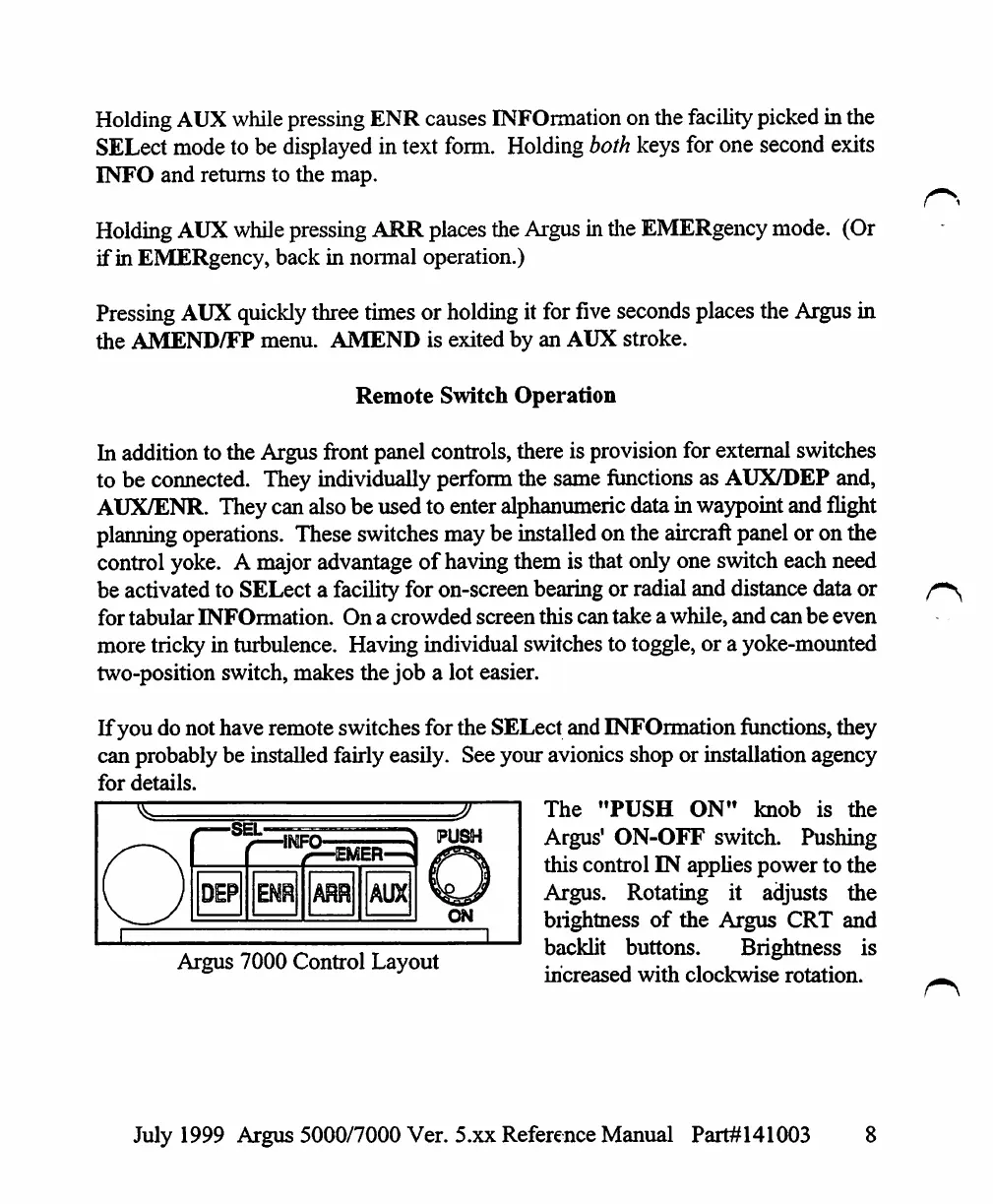
The
"PUSH
ON"
knob
is
the
Argus'
ON-OFF
switch.
Pushing
this
control
IN
applies
power
to
the
Argus.
Rotating
it
adjusts
the
brightness
of
the
Argus
CRT
and
Argus
7000
Control
Layout
backlit
buttons.
Brightness
is
increased
with
clockwise
rotation.
July
1999
Argus
5000/7000
Ver. 5.xx
Reference
Manual
Part#141003
8

Table of Contents

Other manuals for Eventide ARGUS 5000

Related product manuals