EasyManua.ls Logo

Eventide ARGUS 5000 - Selftest; Troubleshooting

Eventide ARGUS 5000
237 pages
Print Icon
To Next Page IconTo Next Page
To Previous Page IconTo Previous Page
Loading...
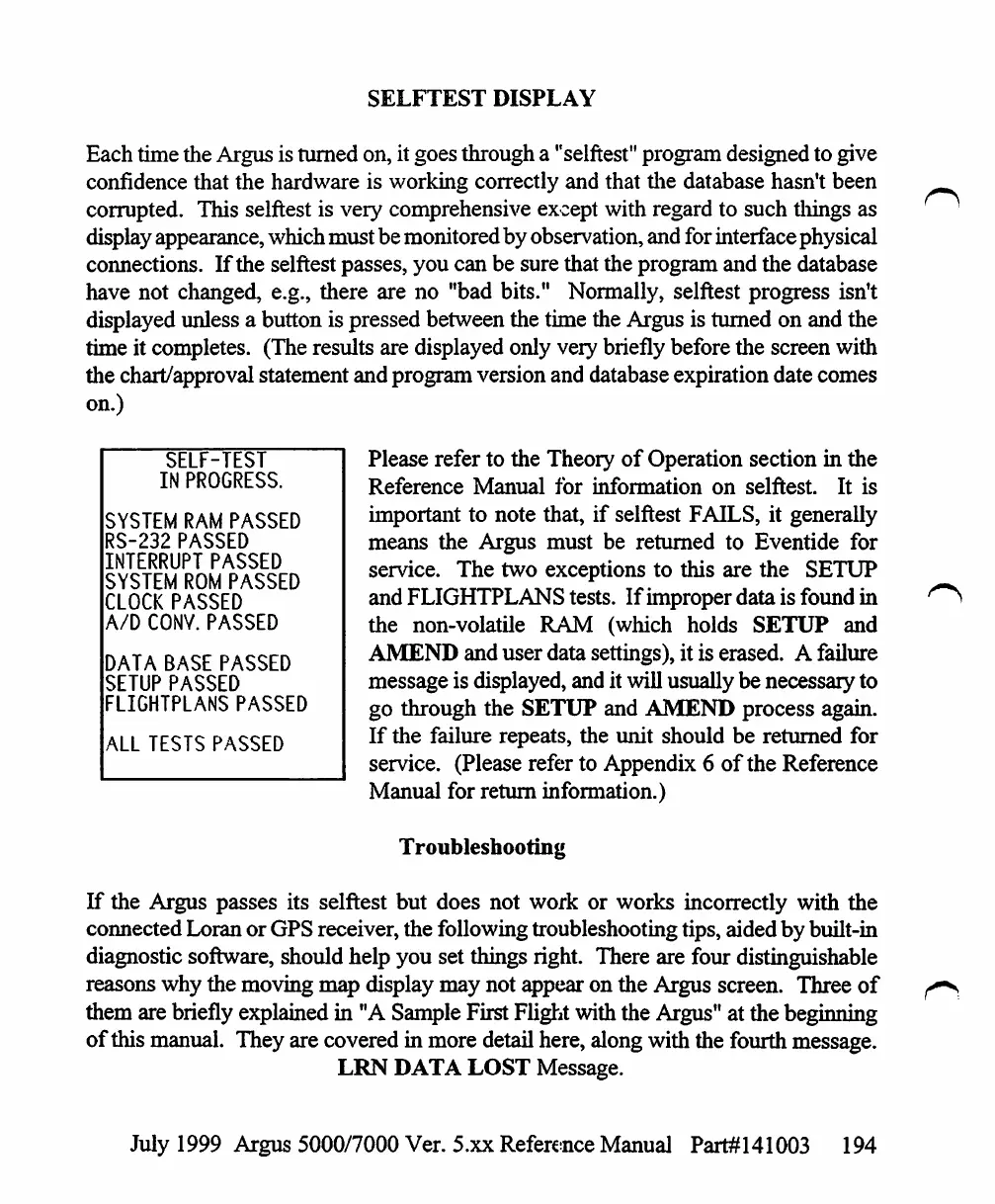
SELFTEST
DISPLAY
Each
time
the
Argus
is
turned
on,
it
goes
through
a
"selftest"
program
designed
to
give
confidence
that
the
hardware
is
working
correctly
and
that
the
database
hasn't
been
corrupted.
This
selftest
is
very
comprehensive
except
with
regard
to
such
tilings
as
display
appearance,
which
must
be
monitored
by
observation,
and
for
interface
physical
connections.
If
the
selftest
passes,
you
can be
sure
that
the
program
and
the
database
have
not
changed,
e.g.,
there
are
no
"bad
bits."
Normally,
selftest
progress
isn't
displayed
unless
a
button
is
pressed
between
the
time
the
Argus
is
turned
on
and
the
time
it
completes.
(The
results
are
displayed
only
very
briefly
before
the
screen
with
the
chart/approval
statement
and
program
version
and
database
expiration
date
comes
on.)
SELF-TEST
IN
PROGRESS.
SYSTEM
RAM
PASSED
RS-232
PASSED
INTERRUPT
PASSED
SYSTEM
ROM
PASSED
CLOCK
PASSED
A/D
CONV.
PASSED
DATA
BASE
PASSED
SETUP
PASSED
FLIGHTPLANS
PASSED
ALL
TESTS
PASSED
Please
refer
to
the
Theory
of
Operation
section
in
the
Reference
Manual
for
information
on
selftest.
It
is
important
to
note
that,
if selftest
FAILS,
it
generally
means
the
Argus must
be
returned
to
Eventide
for
service.
The
two
exceptions
to
this
are
the
SETUP
and
FLIGHTPLANS
tests.
If
improper
data
is
found
in
the
non-volatile
RAM
(which
holds
SETUP
and
AMEND
and
user
data
settings),
it
is
erased.
A
failure
message
is
displayed,
and
it
will
usually
be
necessary
to
go
through
the
SETUP
and
AMEND
process
again.
If
the
failure
repeats,
the
unit
should
be
returned
for
service.
(Please
refer
to
Appendix
6
of
the
Reference
Manual
for
return
information.)
Troubleshooting
If
the
Argus
passes
its
selftest
but
does
not
work
or
works
incorrectly
with
the
connected
Loran
or
GPS
receiver,
the
following
troubleshooting
tips,
aided
by
built-in
diagnostic
software,
should
help
you
set
things
right.
There
are
four
distinguishable
reasons
why
the
moving
map
display
may
not
appear
on
the
Argus
screen.
Three
of
them
are
briefly
explained
in
"A
Sample
First
Flight
with
the
Argus"
at
the
beginning
of
this
manual.
They
are
covered
in
more
detail
here,
along
with
the
fourth
message.
LRN
DATA
LOST
Message.
July
1999
Argus
5000/7000
Ver.
5.xx
Reference
Manual
Part#141003
194

Table of Contents

Other manuals for Eventide ARGUS 5000

Related product manuals