EasyManua.ls Logo

Eventide ARGUS 5000 - Waypoint Display on the Argus

Eventide ARGUS 5000
237 pages
Print Icon
To Next Page IconTo Next Page
To Previous Page IconTo Previous Page
Loading...
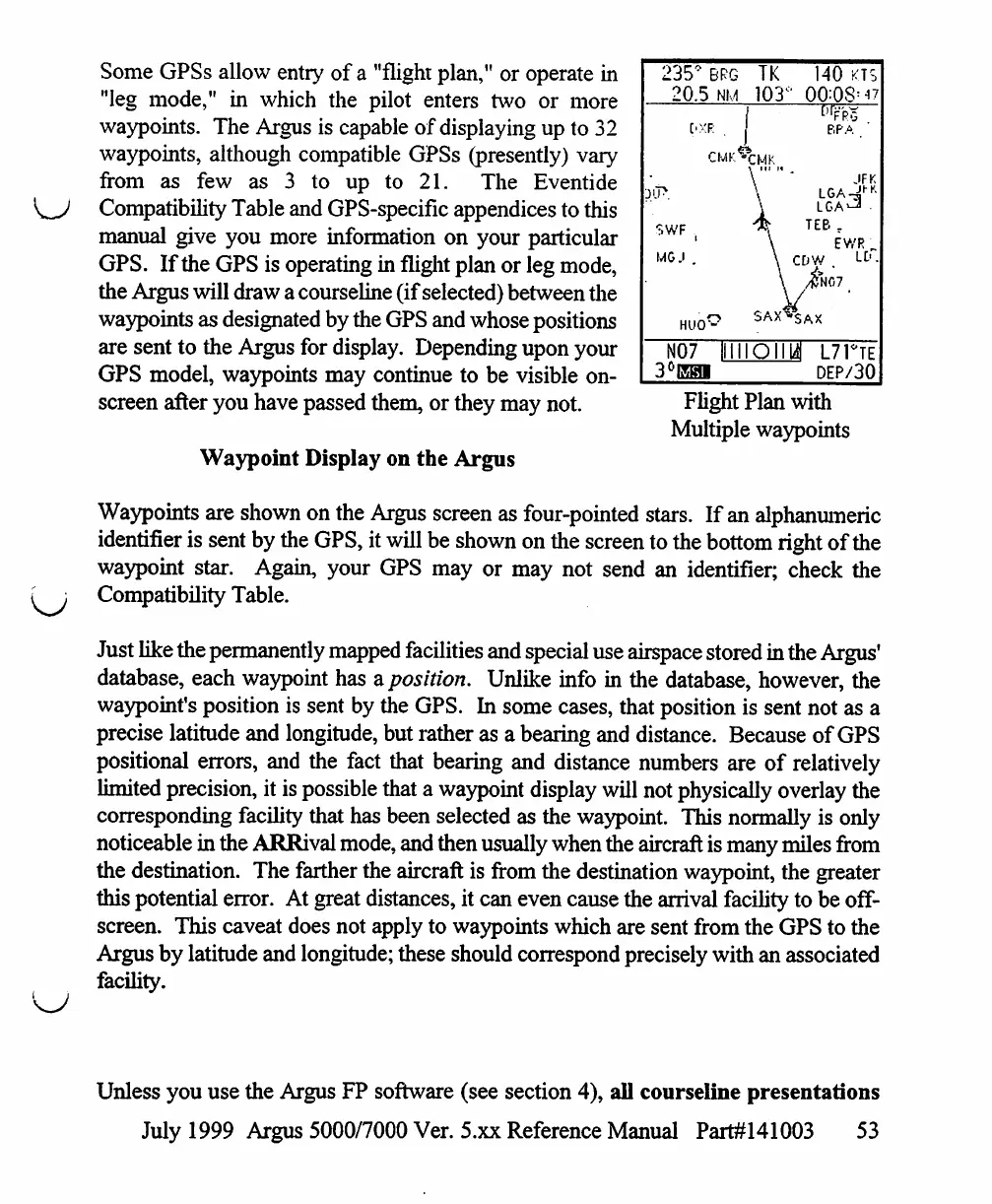
Some
GPSs
allow
entry
of
a
"flight
plan,"
or
operate
in
"leg
mode,"
in
which
the
pilot
enters
two
or
more
waypoints.
The
Argus
is
capable
of
displaying
up
to
32
waypoints,
although
compatible
GPSs
(presently)
vary
from
as
few
as 3
to
up
to
21.
The
Eventide
Compatibility
Table
and
GPS-specific
appendices
to
this
manual
give
you more
information
on
your
particular
GPS.
If
the
GPS
is
operating
in
flight
plan
or
leg
mode,
the
Argus
will
draw
a
courseline
(if
selected)
between
the
waypoints
as
designated
by
the
GPS
and
whose
positions
are
sent
to
the
Argus
for
display.
Depending
upon
your
GPS
model,
waypoints
may
continue
to
be
visible
on
screen
after
you
have
passed
them,
or
they
may
not.
Waypoint
Display
on
the
Argus
235°
BRG
20.5
NM
T.WF
.(
MGJ
.
N07
til
3°nsi
TK
103
(
\
i
SAX'
ION
140
KTS
°
00=08'"
["FRG
BPA
JFK
L
G
A
*-"
TEB
ff
EWR
CDW
.
LD.
/j?N07
^AX
"
JJ
L7TTE
DEP/30
Flight
Plan
with
Multiple
waypoints
Waypoints
are
shown
on
the
Argus
screen
as
four-pointed
stars.
If
an
alphanumeric
identifier
is
sent
by
the
GPS,
it
will
be
shown
on
the
screen
to
the
bottom
right
of
the
waypoint
star.
Again,
your
GPS
may
or
may
not
send
an
identifier;
check
the
[
;
Compatibility
Table.
Just
like
the
permanently
mapped
facilities
and
special
use
airspace
stored
in
the
Argus'
database,
each
waypoint
has
a.
position.
Unlike
info
in
the
database,
however,
the
waypoint's
position
is
sent
by
the
GPS.
In
some
cases,
that
position
is
sent
not
as
a
precise
latitude
and
longitude,
but
rather
as
a
bearing
and
distance.
Because
of
GPS
positional
errors,
and
the
fact
that
bearing
and
distance
numbers
are
of
relatively
limited
precision,
it
is
possible
that
a
waypoint
display
will
not
physically
overlay
the
corresponding
facility
that
has
been
selected
as
the
waypoint.
This
normally
is
only
noticeable
in
the
ARRival
mode,
and
then
usually
when
the
aircraft
is
many
miles
from
the
destination.
The
farther
the
aircraft
is
from
the
destination
waypoint,
the
greater
this
potential
error.
At
great
distances,
it
can
even
cause
the
arrival
facility
to
be
off
screen.
This
caveat
does
not
apply
to
waypoints
which
are sent
from
the
GPS
to
the
Argus
by
latitude
and
longitude;
these
should
correspond
precisely
with
an
associated
facility.
Unless
you
use
the
Argus
FP
software
(see
section
4),
all
courseline
presentations
July
1999
Argus
5000/7000
Ver.
5.xx
Reference
Manual
Part#141003
53

Table of Contents

Other manuals for Eventide ARGUS 5000

Related product manuals