EasyManua.ls Logo

Eventide ARGUS 5000 - Page 24

Eventide ARGUS 5000
237 pages
Print Icon
To Next Page IconTo Next Page
To Previous Page IconTo Previous Page
Loading...
264°
BRG
TK
113
KT'f.
7.5
nm 285°
00:03=58
[
ae^.e
j
\
/
ABE
[llll@lllll
R22°TE
34EHI
Q93/8
245°
bf:g
TK
98
kts
4.9
NM
248*
OO:O3:oo
*
/
..-—•
—j^
19.'
\
ABE*&
J
/
\
/
\
22
ABE
IIHMDIIIII
L15°TE
3^E@1
H33/6
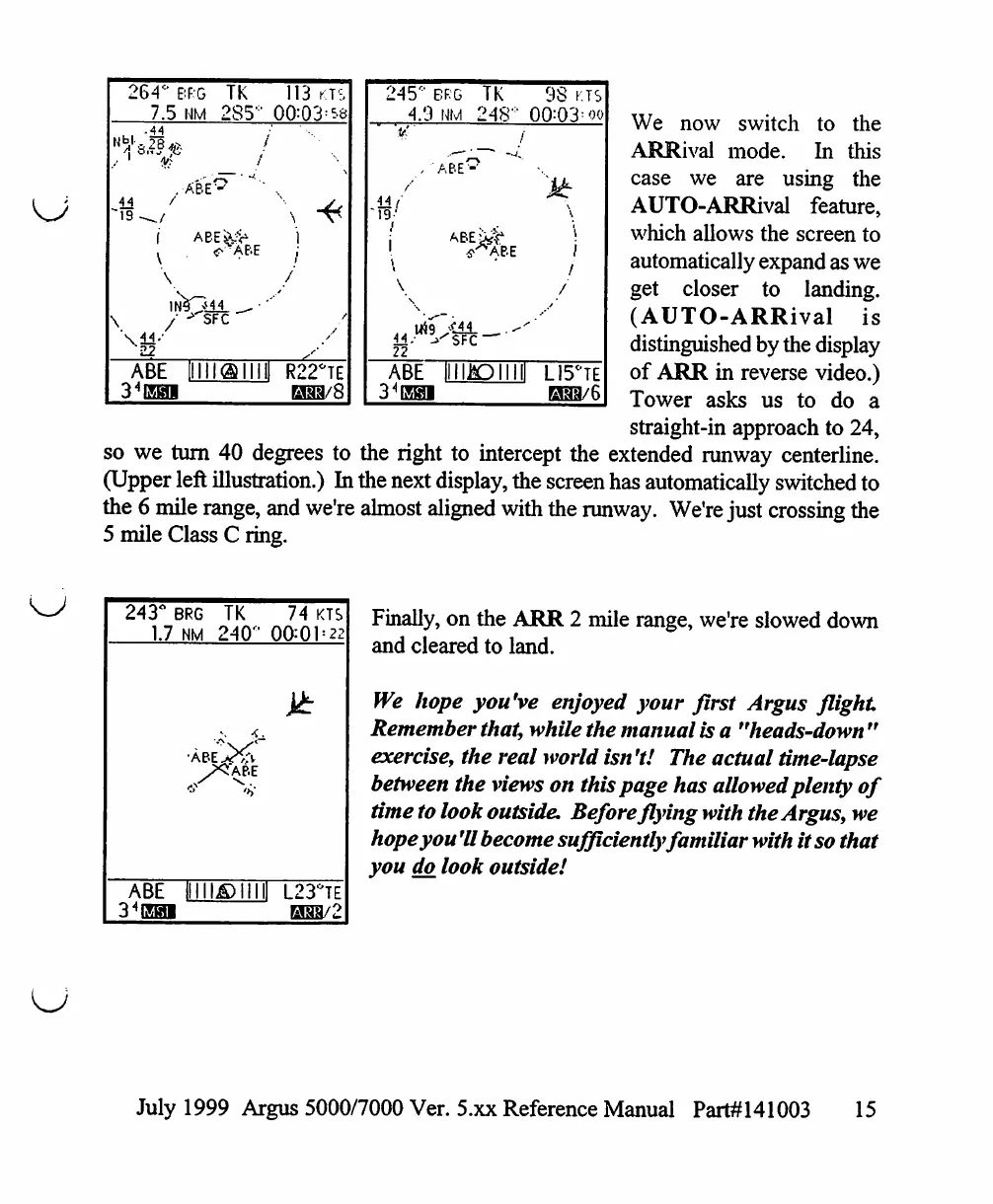
We
now
switch
to
the
ARRival
mode.
In
this
case
we
are
using
the
AUTO-ARRival
feature,
which
allows
the
screen
to
automatically
expand
as
we
get
closer
to
landing.
(AUTO-ARRival
is
distinguished
by
the
display
of
ARR
in
reverse
video.)
Tower
asks
us
to
do
a
straight-in
approach
to
24,
so
we
turn
40
degrees
to
the
right
to
intercept
the
extended
runway
centerline.
(Upper
left
illustration.)
In
the
next
display,
the
screen
has
automatically
switched
to
the
6
mile
range,
and
we're
almost
aligned
with
the
runway.
We're
just
crossing
the
5
mile
Class
C
ring.
243°
1.7
ABE
34EH1
BRG
NM
•ABE
s
Illll
TK
240°
K.
<5ABE
©mi
74
KTS
00:01
=
22
L23°TE
H33/2
Finally,
on
the
ARR
2
mile
range,
we're
slowed
down
and
cleared
to
land.
We
hope
you've
enjoyed
your
first
Argus
flight
Remember
that,
while
the
manual
is
a
"heads-down
"
exercise,
the
real
world
isn
't!
The
actual
time-lapse
between
the
views
on
this
page
has
allowed
plenty
of
time
to
look
outside.
Before
flying
with the
Argus,
we
hope
you
'II
become
sufficiently
familiar
with
it
so
that
you
do.
look
outside!
July
1999
Argus
5000/7000
Ver. 5.xx
Reference
Manual
Part#141003
15

Table of Contents

Other manuals for Eventide ARGUS 5000

Related product manuals