EasyManua.ls Logo

Eventide ARGUS 5000 - Page 133

Eventide ARGUS 5000
237 pages
Print Icon
To Next Page IconTo Next Page
To Previous Page IconTo Previous Page
Loading...
AMEND
PAGE
11:
Flight
Recorder
FLIGHT
RECORDER
-*Y
DISPLAY
TRIP
DISPLAY
LIMITS
START
TIME
20:31:16
18-DEC-96
END
TIME
CURRENT
REC.
INTERVAL
5
SECONDS
N
ERASE
RECORD
PAGE
LINE
CHG
RTN
FLIGHT
REC.
END
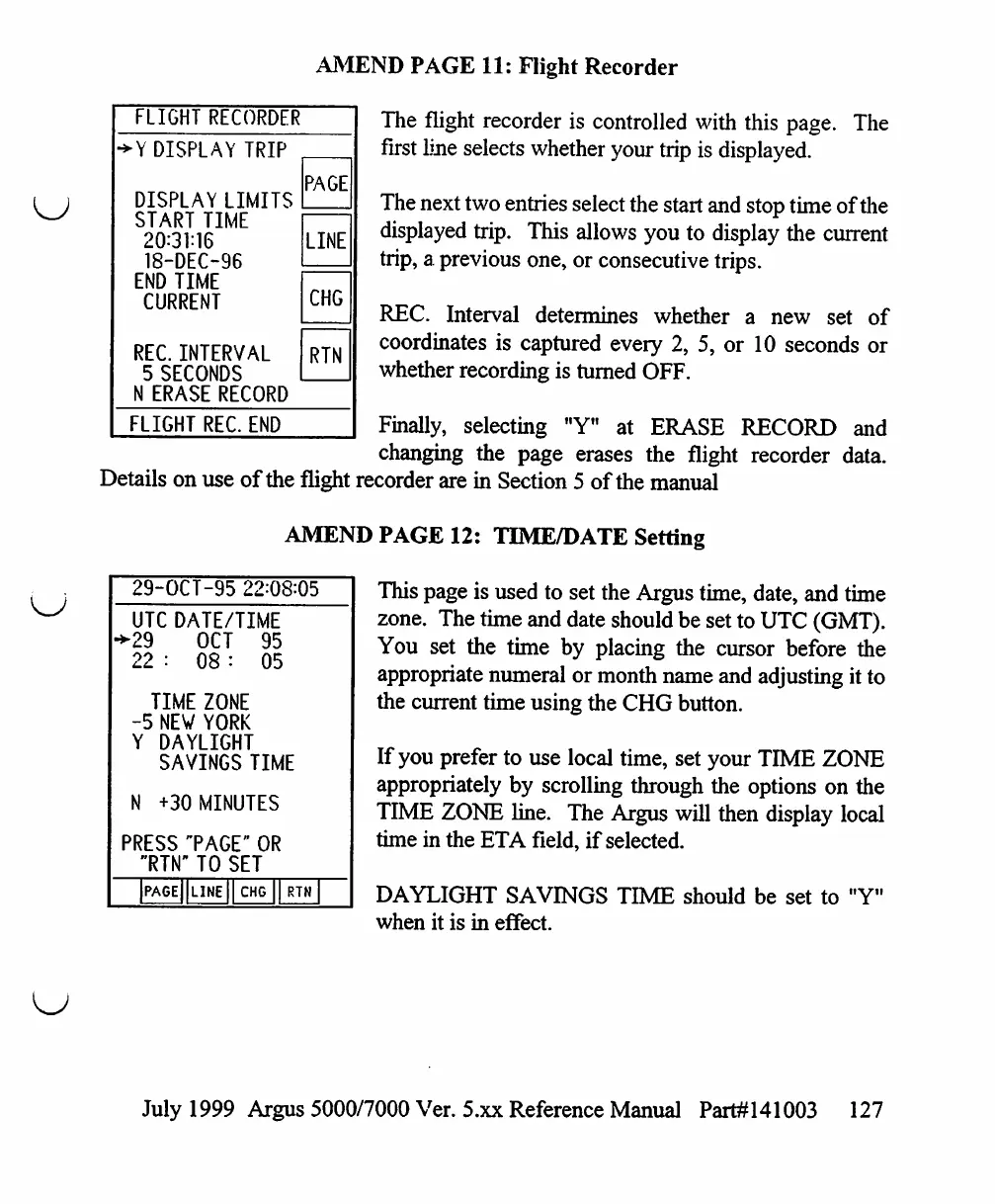
The
flight
recorder
is
controlled
with
this
page.
The
first
line
selects
whether
your
trip
is
displayed.
The
next
two
entries
select
the
start
and
stop
time
of
the
displayed
trip.
This
allows
you
to
display
the
current
trip,
a
previous
one,
or
consecutive
trips.
REC.
Interval
determines
whether
a
new
set
of
coordinates
is
captured
every
2,
5,
or
10
seconds
or
whether
recording
is
turned
OFF.
Finally,
selecting
"Y"
at
ERASE
RECORD
and
changing
the
page
erases
the
flight
recorder
data.
Details
on
use
of
the
flight
recorder
are
in
Section
5
of
the
manual
AMEND
PAGE
12:
TOME/DATE
Setting
29-OCT-95
22:08=05
UTC
DATE/TIME
>29 OCT
95
22
:
08
:
05
TIME
ZONE
-5
NEW
YORK
Y
DAYLIGHT
SAVINGS
TIME
N
+30
MINUTES
PRESS
"PAGE"
OR
"RTN-
TO
SET
]PAGE||LINE
[I
CHG
||
RTN
This
page
is
used
to
set
the
Argus
time,
date,
and
time
zone.
The
time
and
date
should
be
set
to
UTC
(GMT).
You
set
the
time
by
placing
the
cursor
before
the
appropriate
numeral
or
month
name
and
adjusting
it
to
the
current
time
using
the
CHG
button.
If
you
prefer
to
use
local
time,
set
your
TIME
ZONE
appropriately
by
scrolling
through
the
options
on
the
TIME
ZONE
line.
The
Argus
will
then
display
local
time
in
the
ETA
field,
if
selected.
DAYLIGHT
SAVINGS
TIME
should
be
set
to
"Y"
when
it
is
in
effect.
July
1999
Argus
5000/7000
Ver.
5.xx
Reference
Manual
Part#141003
127

Table of Contents

Other manuals for Eventide ARGUS 5000

Related product manuals