EasyManua.ls Logo

Eventide ARGUS 5000 - Page 42

Eventide ARGUS 5000
237 pages
Print Icon
To Next Page IconTo Next Page
To Previous Page IconTo Previous Page
Loading...
355°
brg
TK
421
kt
222.6
nm
023"
00:31
=
\
SPA
111
HOW
R2S°TE
15BH1
PLAN/240
327°
i
117.1
A
"liPA
\
\
3RG
TK
nm 022"
\
'*'
SPA
25MSL
\
\
\
525
r
00:13
IL54.0NMI
R28V
PLAN/1
'IS
:
22
'TE
20
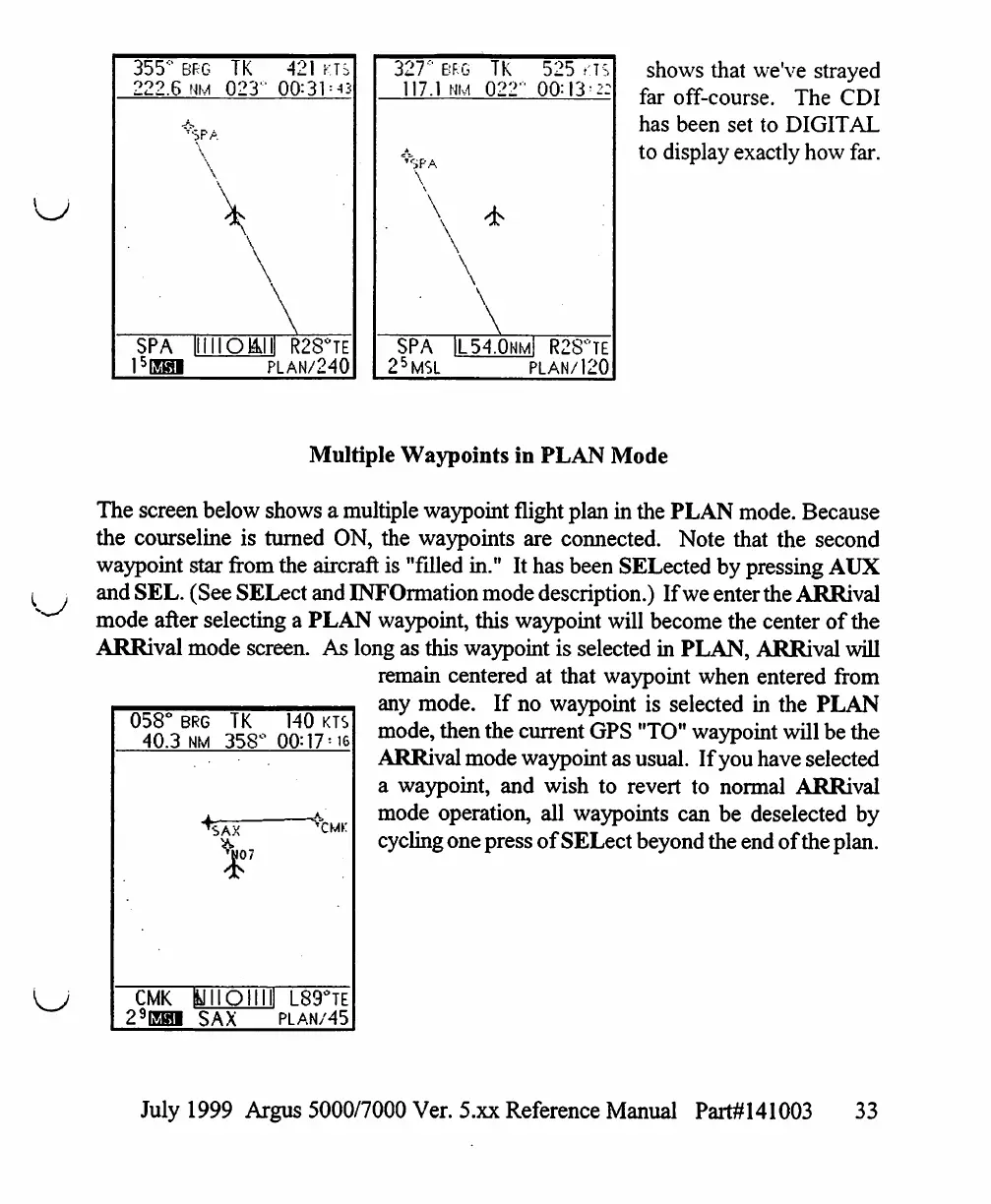
shows
that
we've
strayed
far
off-course.
The
CDI
has
been
set
to
DIGITAL
to
display
exactly
how
far.
Multiple
Waypoints
in
PLAN
Mode
The
screen
below
shows
a
multiple
waypoint
flight
plan
in
the
PLAN
mode.
Because
the
courseline
is
turned
ON,
the
waypoints
are
connected.
Note
that
the
second
waypoint
star
from
the
aircraft
is
"filled
in."
It
has
been
SELected
by
pressing
AUX
and
SEL.
(See
SELect
and
INFOrmation
mode
description.)
If
we
enter
the
ARRival
mode
after
selecting
a
PLAN
waypoint,
this
waypoint
will
become
the
center
of
the
ARRival
mode
screen.
As
long
as
this
waypoint
is
selected
in
PLAN,
ARRival
will
remain
centered
at
that
waypoint
when
entered
from
any
mode.
If
no
waypoint
is
selected
in
the
PLAN
mode,
then
the
current
GPS
"TO"
waypoint
will
be
the
ARRival
mode
waypoint
as
usual.
If
you
have
selected
a
waypoint,
and
wish
to
revert
to
normal
ARRival
mode
operation,
all
waypoints can
be
deselected
by
cycling
one
press
of
SELect
beyond
the
end
of
the
plan.
058°
40.3
CMK
29EH1
BRG
TK
nm
358°
A
^SAX
A07
ftJIIOIIIII
1
SAX
140
KTS
00:17=16
L89°TE
PLAN/45
July
1999
Argus
5000/7000
Ver.
5.xx
Reference
Manual
Part#141003
33

Table of Contents

Other manuals for Eventide ARGUS 5000

Related product manuals