EasyManua.ls Logo

Eventide ARGUS 5000 - Page 46

Eventide ARGUS 5000
237 pages
Print Icon
To Next Page IconTo Next Page
To Previous Page IconTo Previous Page
Loading...
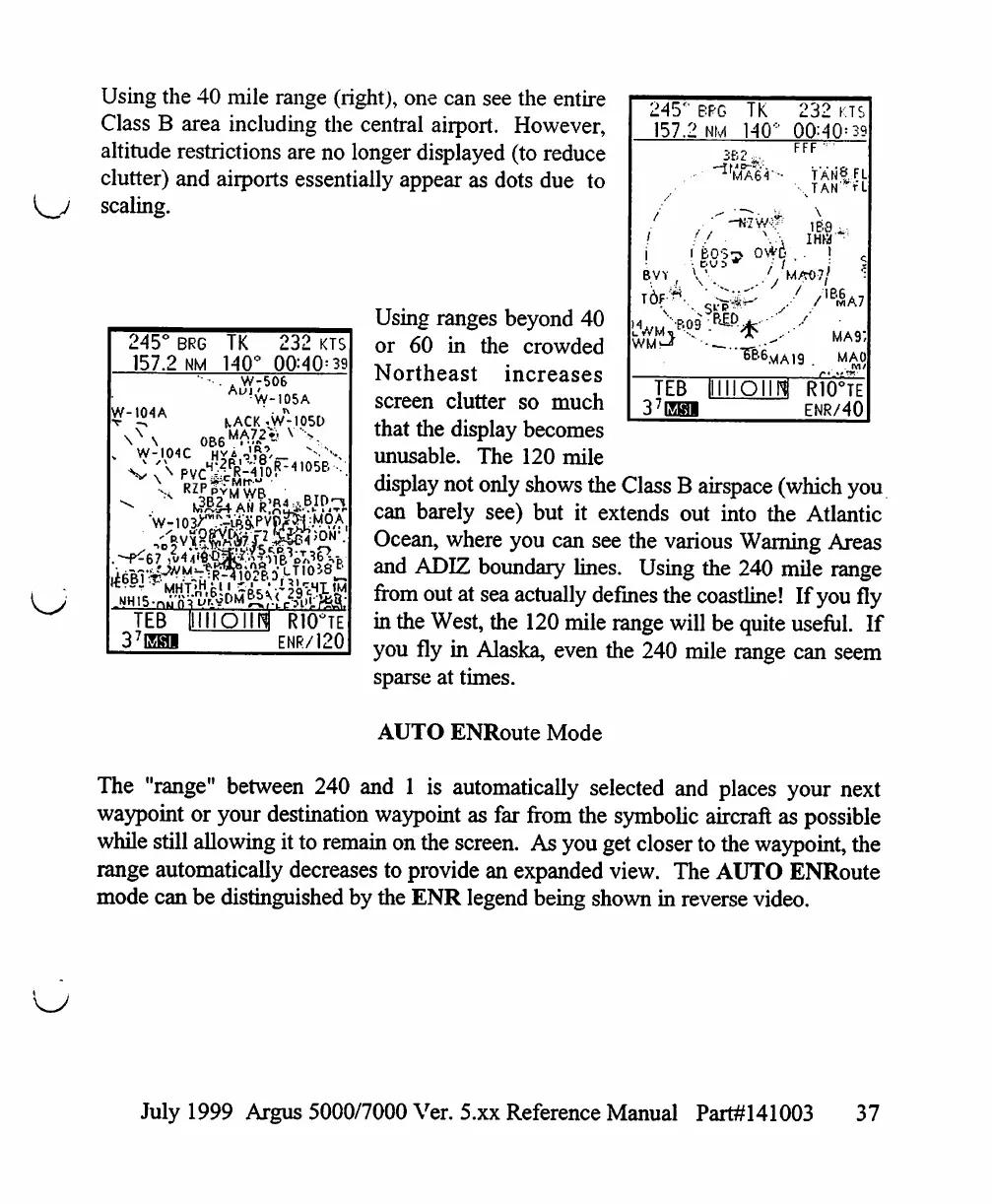
Using
the
40
mile
range
(right),
one
can
see
the
entire
Class
B
area
including
the
central
airport.
However,
altitude
restrictions
are
no
longer
displayed
(to
reduce
clutter)
and
airports
essentially
appear
as
dots
due
to
scaling.
245°
BRG
TK
232
KTS
157.2
NM
140°
00=40=39
W-506
W-
104
A
W-I04C
KACK^W-1050
RZP*
MHTjHfcM
^ci'/
«^u'r?»?DM^<
TEB
I11I1OIIH
R10°TE
37EHI
ENR/120
245°
BPG
TK
232
kts
157.2
NM
140"
00:40=
39
3b:
FFF
TAN|:FL
JAN'
r"L
BVY
I
BOS-
DU5
MM)?/
■B09
•}
MA
9",
MAO
TEB
IHIIOIIH
R10°TE
37EBI
ENR/40
Using
ranges
beyond
40
or
60
in
the
crowded
Northeast
increases
screen
clutter
so
much
that
the
display
becomes
unusable.
The
120
mile
display
not
only
shows
the
Class
B
airspace
(which
you
can
barely
see)
but
it
extends
out
into
the
Atlantic
Ocean,
where
you
can
see
the
various
Warning
Areas
and
ADIZ
boundary
lines.
Using
the
240
mile
range
from
out
at
sea
actually
defines the
coastline!
If
you
fly
in
the
West,
the
120
mile
range
will
be
quite
useful.
If
you
fly
in
Alaska,
even
the
240
mile
range
can
seem
sparse
at
times.
AUTO
ENRoute
Mode
The
"range"
between
240
and
1
is
automatically
selected
and
places
your
next
waypoint
or
your
destination
waypoint
as
far
from
the
symbolic
aircraft
as
possible
while
still
allowing
it
to
remain
on
the
screen.
As
you
get
closer
to
the
waypoint,
the
range
automatically
decreases
to
provide
an
expanded
view.
The
AUTO
ENRoute
mode
can
be
distinguished
by
the
ENR
legend
being
shown
in
reverse
video.
July
1999
Argus
5000/7000
Ver. 5.xx
Reference
Manual
Part#141003
37

Table of Contents

Other manuals for Eventide ARGUS 5000

Related product manuals