EasyManua.ls Logo

Eventide ARGUS 5000 - Page 49

Eventide ARGUS 5000
237 pages
Print Icon
To Next Page IconTo Next Page
To Previous Page IconTo Previous Page
Loading...
260°
BPG
9.0
NM
TK
234
KTS
264"
00:02''8
131
\SLC
SLC
128EH1
\\£>\
L2°TE
ARR/2
330°
brg
TK
3.3
NM
324'
172
KTS
00.01
=
09
82
54,
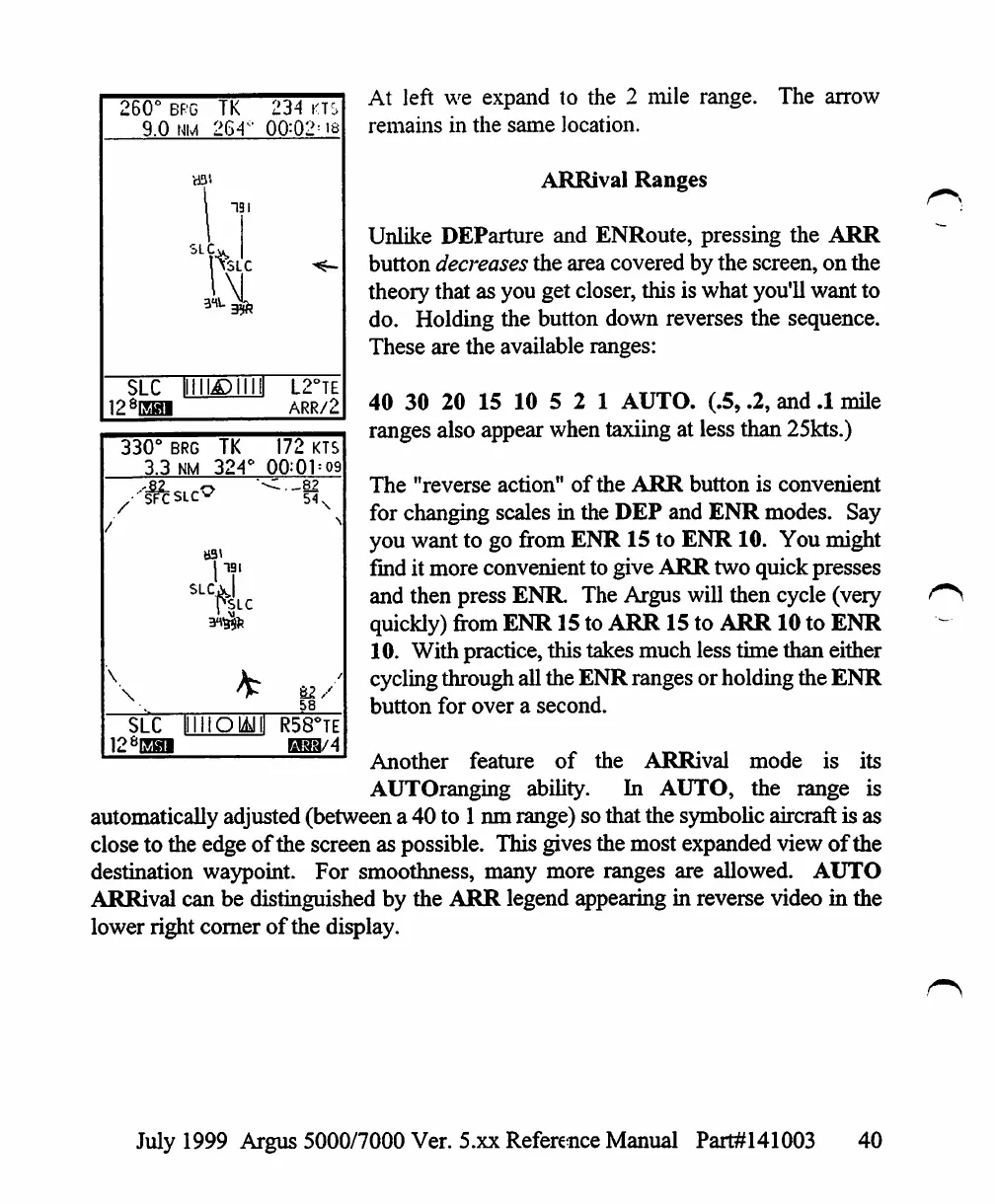
At
left
we
expand
to
the
2
mile
range.
The
arrow
remains
in
the
same
location.
ARRival
Ranges
Unlike
DEParture
and
ENRoute,
pressing
the
ARR
button
decreases
the
area
covered
by
the
screen,
on
the
theory
that
as
you
get
closer,
this
is
what
you'll
want
to
do.
Holding
the
button
down
reverses
the
sequence.
These
are
the
available
ranges:
40
30
20
15
10
5
2
1
AUTO.
(.5,
.2,
and
.1
mile
ranges
also
appear
when
taxiing
at
less
than
25kts.)
The
"reverse
action"
of
the
ARR
button
is
convenient
for
changing
scales
in
the
DEP
and
ENR
modes.
Say
you
want
to
go
from
ENR
15
to
ENR
10.
You
might
find
it
more
convenient
to
give
ARR
two
quick
presses
and
then
press
ENR
The
Argus
will
then
cycle (very
quickly)
from
ENR
15
to
ARR
15
to
ARR
10
to
ENR
10.
With
practice,
this
takes
much
less
time
than
either
cycling
through
all
the
ENR
ranges
or
holding
the
ENR
button
for
over
a
second.
Another
feature
of
the
ARRival
mode
is
its
AUTOranging
ability.
In
AUTO,
the
range
is
automatically
adjusted
(between
a
40
to
1
nm
range) so
that
the
symbolic
aircraft
is
as
close
to
the
edge
of
the
screen
as
possible.
This
gives
the
most
expanded
view
of
the
destination
waypoint.
For
smoothness,
many
more
ranges
are
allowed.
AUTO
ARRival
can
be
distinguished
by
the
ARR
legend
appearing
in
reverse
video
in
the
lower
right
corner
of
the
display.
SLC
131
SLC
\
\
£2
58
SLC
lllliO
128EHI
R58°TE
H33/4
July
1999
Argus
5000/7000
Ver. 5.xx
Reference
Manual
Part#141003
40

Table of Contents

Other manuals for Eventide ARGUS 5000

Related product manuals