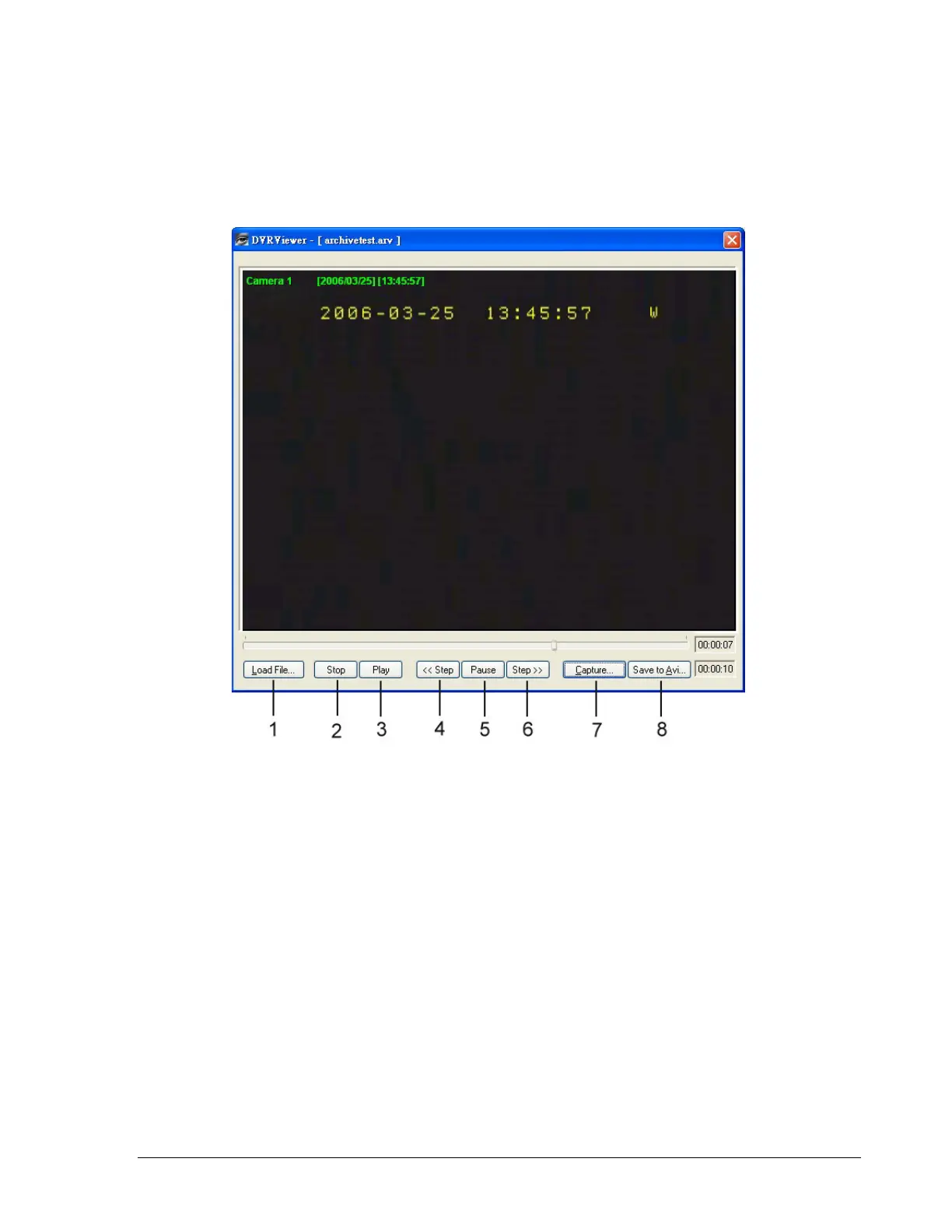
3. Open the DVRViewer.exe for loading the archived EDR MPEG4 Files (.arv)
Detailed explanation of DVRViewer is as follows:
i. Load File: to load the archived EDR MPEG4 Files (.arv).
ii. Stop: to stop playing “.arv” file.
iii. Play: to play “.arv” file.
iv. <<Step: step backward of the playing file.
v. Pause: to pause playing.
vi. Step>>: step forward of the playing file.
vii. Capture: to capture the playing image as “.jpg” file.
viii. Save to Avi: to save the archived EDR MPEG4 File as “.AVI” file.
126













 To Next Page