ThermalRite Blast Chiller Easy Touch Screen Manual
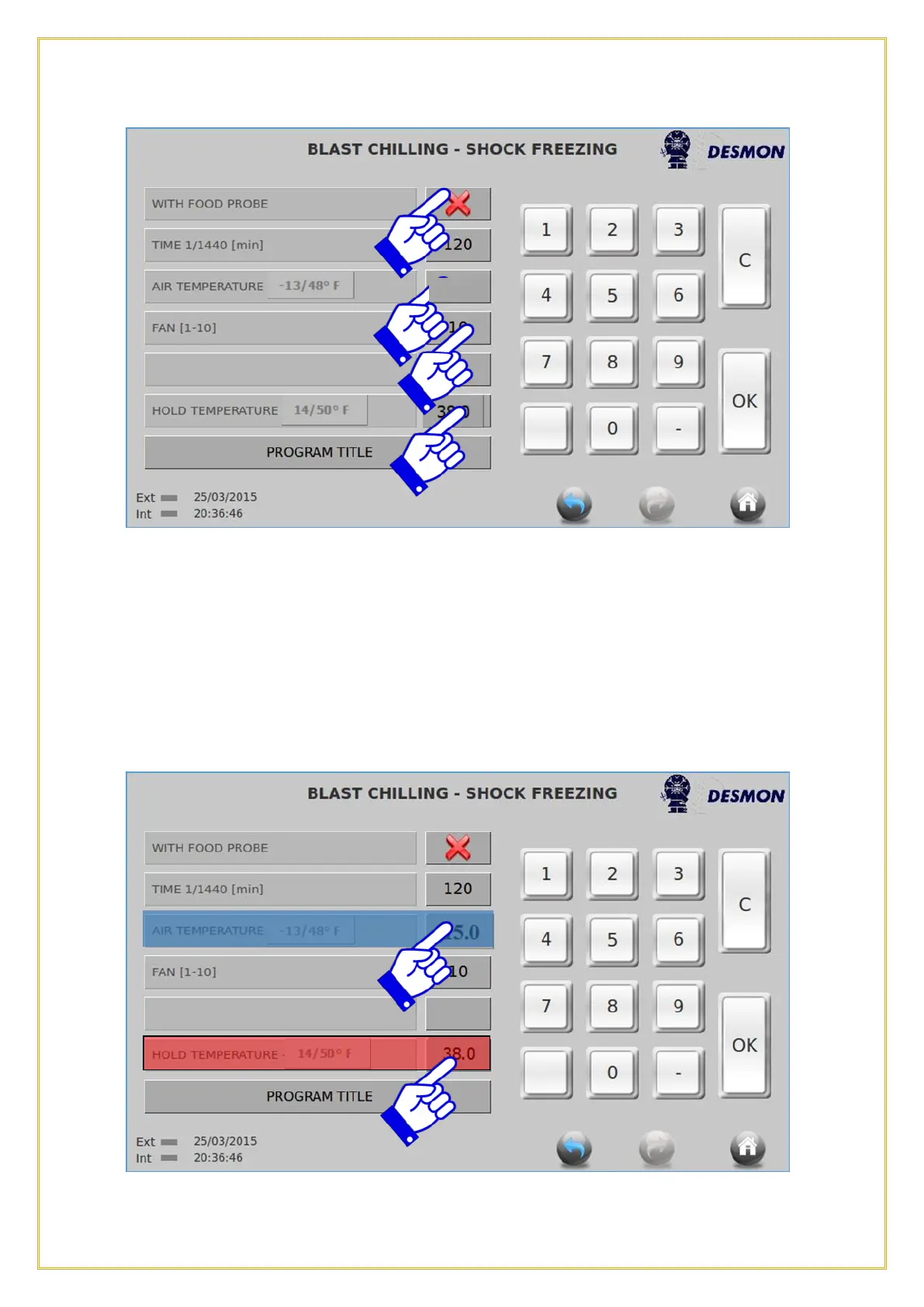
This screen shows that the Product Probe is not being used, so it is a Time and
Temperature cycle. To activate the Product Probe, press on the Red X it will turn to a
Green Checkmark, indication the Product Probe is now being used. The Time tab will
be faded, indicating that the cycle will run until the Product Probe is satisfied. Next set
the cavity Air Temperature you wish to Chill at. Then set the Fan Speed, with 10 being
high speed and 1 being the lowest, depending on the type of product. Finally set the
Hold Temperature, this will be the temperature of the cavity that the product will be
held at after the Chill cycle is completed.



 To Next Page