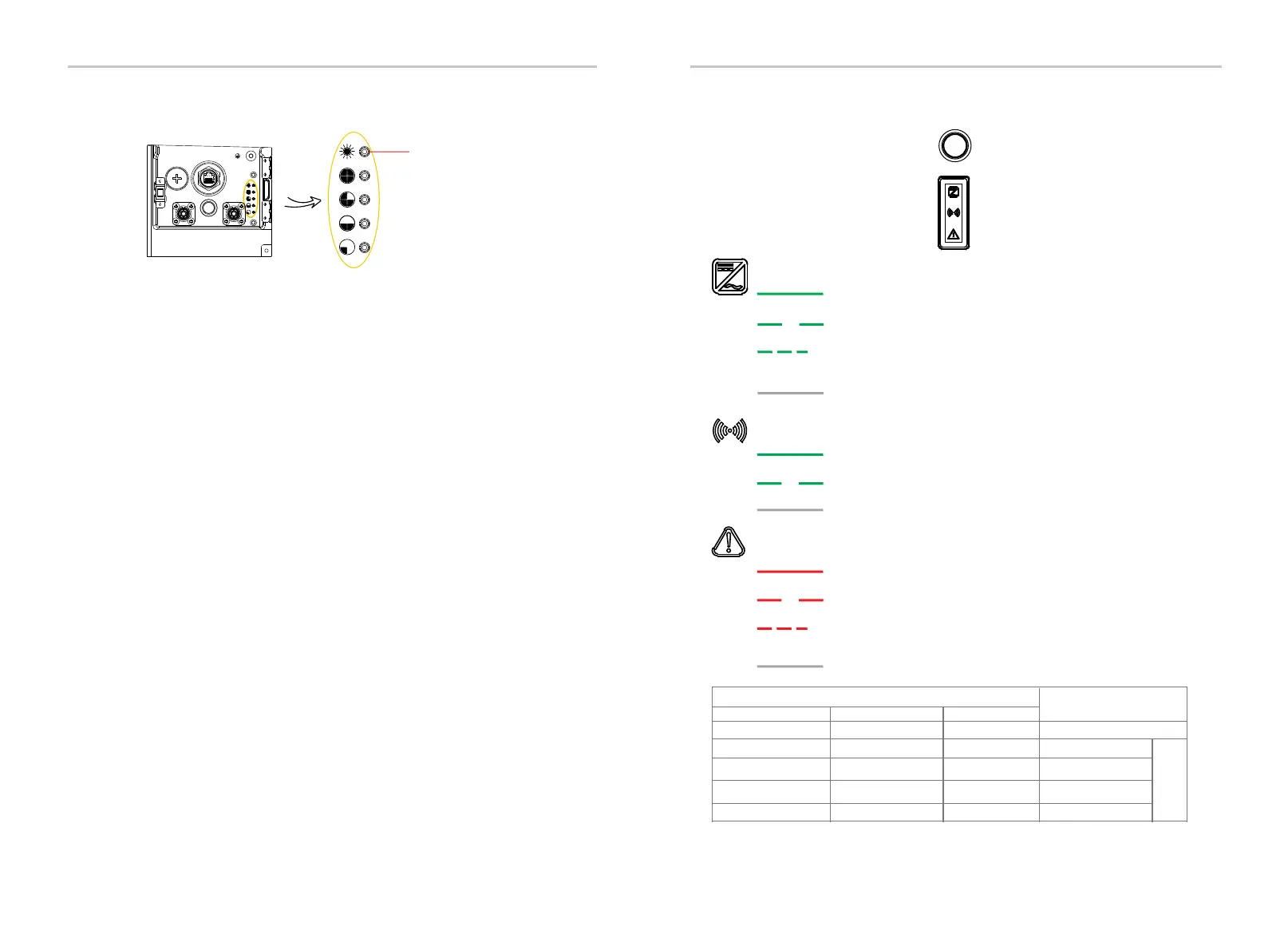
Indicator light and button of battery
DIP
BMS
BAT+
POWER
BAT-
Status light
}
SOC power indicators
L4
L3
L2
L1
Working:
When charging, status light will remain on solid green light; when discharging,
status light will flash green every 0.5 sec.
Fault:
Status light begins on solid red; 10 mins later, the status light will flash red for 1 sec
and turn off for 4 sec, and the SOC power indicators will flash to indicate a
malfunction (for details, refer to the User Manual).
Upgrade:
Status light flashes green, red and yellow; SOC power indicators flash blue every
0.2 sec.
Idle State:
Status light begins on green for 1 sec and turns off for 4 sec; all SOC power
indicators are off.
Power On:
Open air switch’s guard, toggle switch (red background of inspection window),
and press Power for 1 to 2 sec to start system.
Power Off:
Status light and SOC power indicators are off.
Indicator Light and ButtonIndicator Light and Button
103
102
Green when the EV-SB is in on-grid status.
Operation LED
Flashing green (2s on, 2s off) when the EV-SB is in backup status.
Flashing green (0.5s on, 0.5s off) when the EV-SB is in generator
status.
Off when the load port of the EV-SB has no power.
Green when the EV-SB communication is normal.
Flashing green (2s on, 2s off) when the EV-SB RS485 fault occurs.
Off when the EV-SB communication fault occurs.
Communication LED
Fault LED
Red when relay fault or over temperature fault occurs.
Flashing red (2s on, 2s off) when other fault occurs.
Flashing red (0.5s on, 0.5s off) when EV-SB power button is off or
EPO fault occurs.
Off if no Fault occurs.
Color and Status
0.5s on, 0.5s off
OFF
OFF
ON
0.5s on, 0.5s off
OFF
ON
ON
0.5s on, 0.5s off
ON
ON
ON
Firmware upgrading
Upgrade 30%-69%
Upgrade 70%-99%
Upgrade 100%
Cycle
Message Explanation
Indicator light and button of EV-SB
Fault LED
Operation LED
Communication
OFF OFF OFF
Upgrade 0%-29%


 To Next Page