14 Commission the System
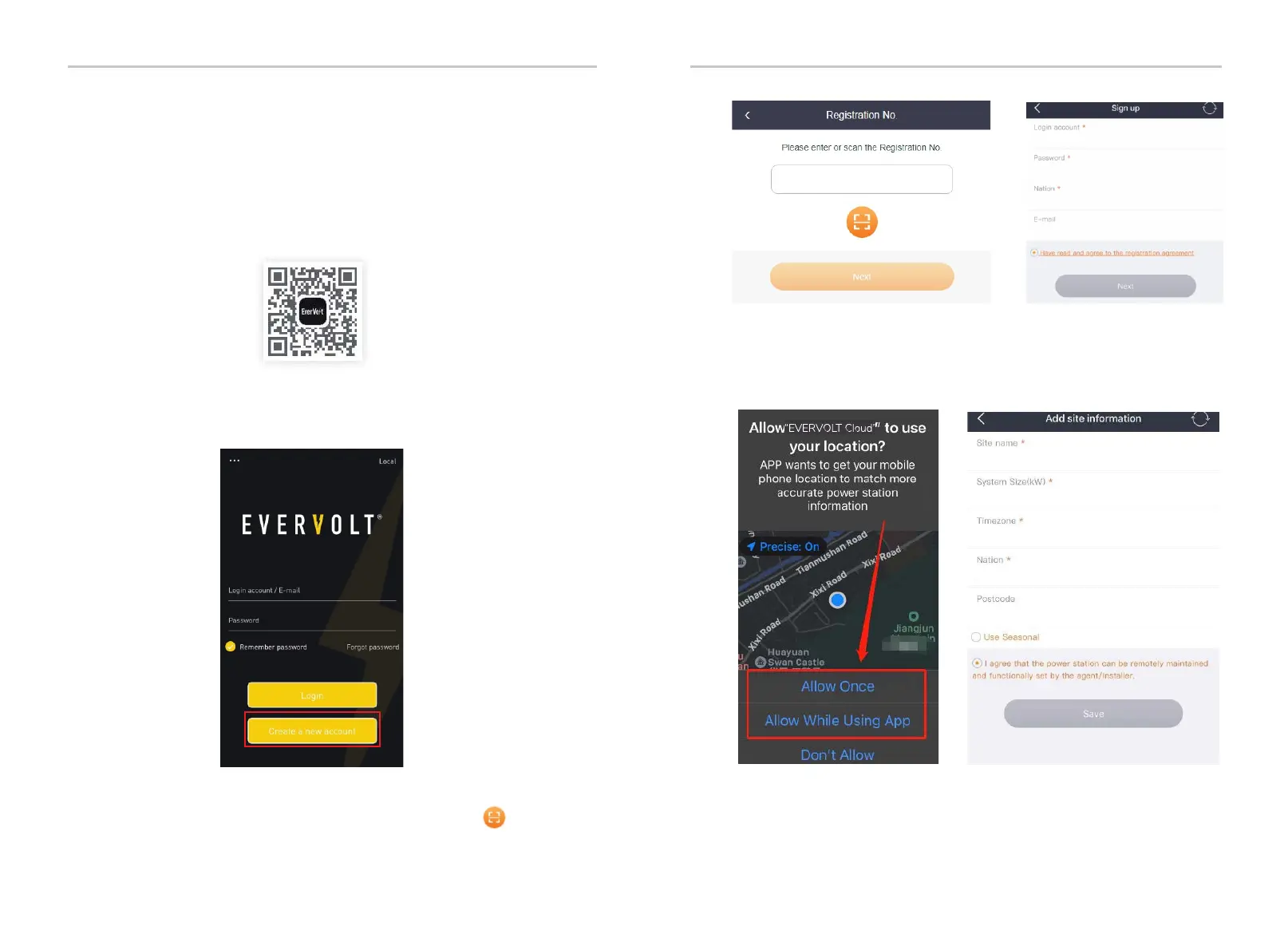
1 Select and scan the QR code below to download myEVERVOLT application. You
can also find the QR code at the left top of the login page of
myevervolt.com or on the user manual of Pocket series
communication module. In addition, you can search for the key word
myEVERVOLT application in APP store or Google Play to download it.
Android
2 Create a new account:
a) Touch “Create a new account” to start the registration.
b) Fill in the Registration No. which is on the label of Pocket WiFi. The
Registration No. consists of 10 digits and letters, starting with “S”. In
addition, you can scan the Registration No. by touch the icon
c) Fill in the information as shown in the figure above, then touch Next.
Allow myEVERVOLT application to use your location. Location information is used to
ensure that the correct device data and environmental data can be safely
transmitted to the server.
.
Commission the System Commission the System
121
120


 To Next Page