exacqVision User Manual
1/24/2011
Each operating system user
account maintains separate settings for
settings include usernames, passwords, and network addresses required for
access exacqVision Servers.
settings which provide administrator access to the instance of
local computer
, which is always via the 127.0.0.1 IP address
below:
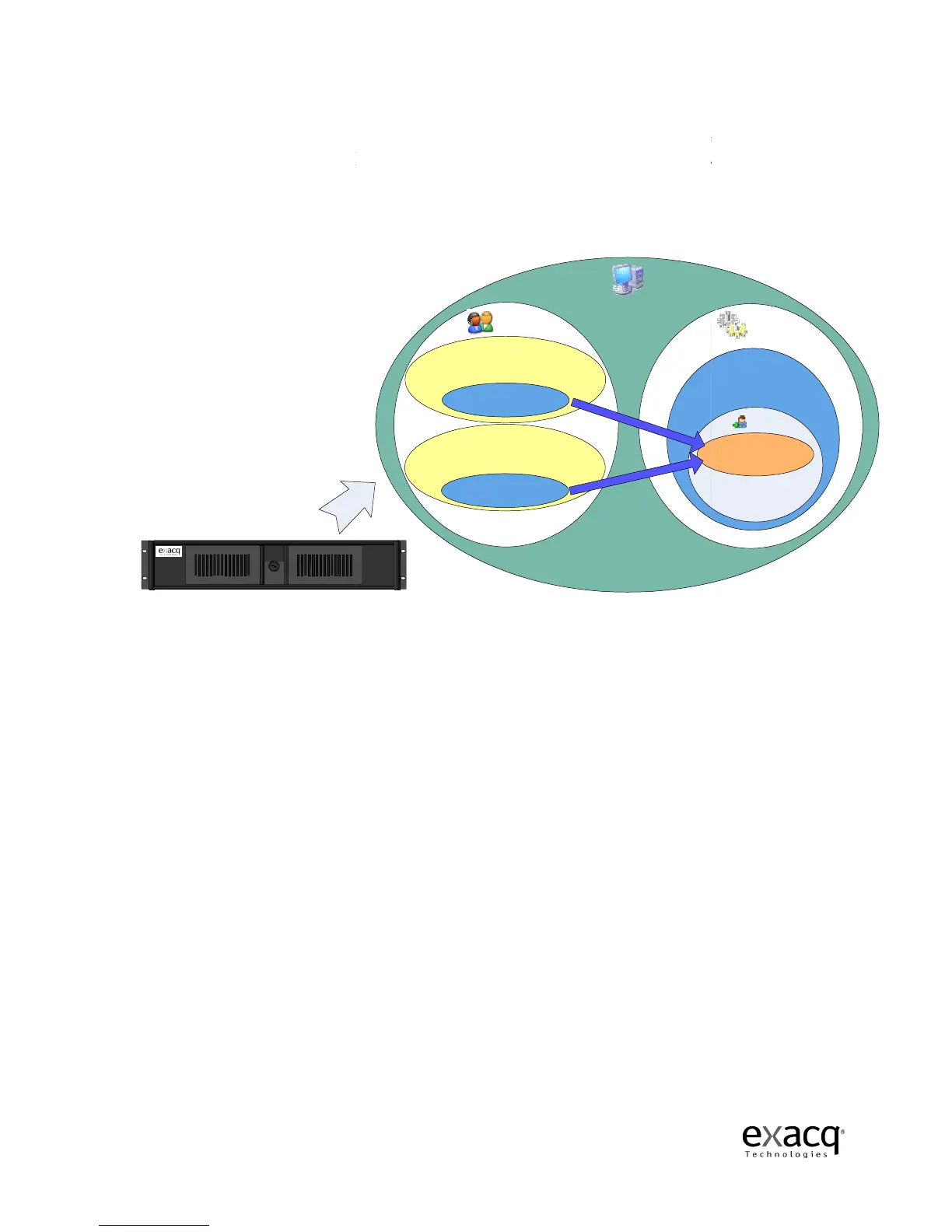
exacqVision system as configured by factory
exacqVision Server
Page 28
account maintains separate settings for
its
settings include usernames, passwords, and network addresses required for
user and admin
operating system accounts have
settings which provide administrator access to the instance of
exacqVision
, which is always via the 127.0.0.1 IP address
.
The factory configuration is shown
admin/ admin256
Computer Administrator
user /user 5710
Limited Account
Locked -down OS functionality
Autologin
Operating
System
Users
exacqVision Client
Autostart
exacqVision Client
exacqVision system as configured by factory
Client. These
Clients to
operating system accounts have
running on the
The factory configuration is shown
Services
Starts upon bootup
Users
admin/admin256
Full Admin



 To Next Page