exacqVision User Manual
1/24/2011
Live Event Monitoring
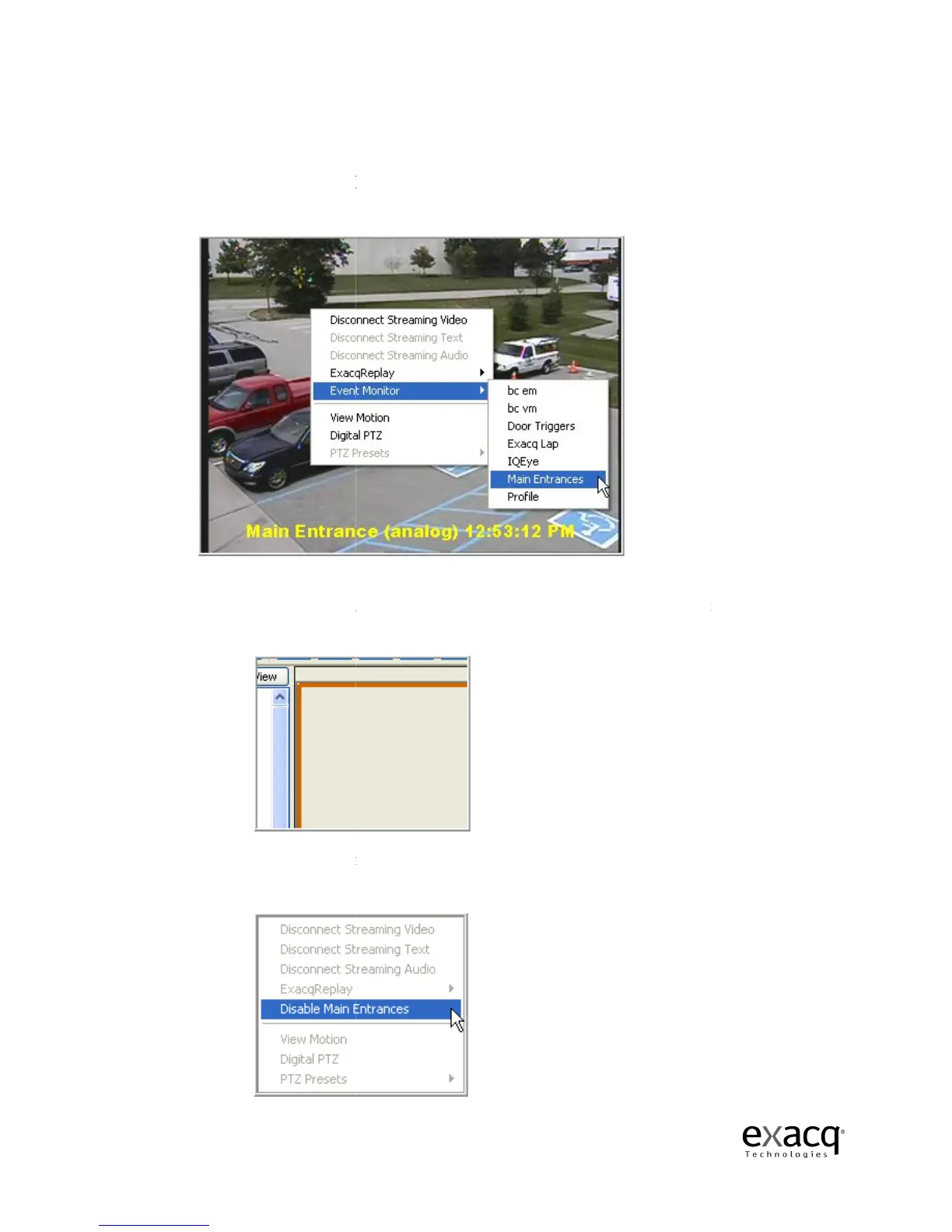
Event Monitoring i
s another feature that can
panels and selecting Event Monitor and then the profile you would like to view.
At this point, an orange border will appear around the video panel and you will probably
not
have any video in the panel until an event triggers.
cameras, it will trigger event monitoring.
You can stop the Event Monitoring
disabling the active event
Page 44
s another feature that can
be activated by right-click
panels and selecting Event Monitor and then the profile you would like to view.
At this point, an orange border will appear around the video panel and you will probably
have any video in the panel until an event triggers.
As motion is triggered on the
cameras, it will trigger event monitoring.
You can stop the Event Monitoring
display by right-click
ing in the active video panel and
disabling the active event
monitoring profile.
in one of the video
panels and selecting Event Monitor and then the profile you would like to view.
At this point, an orange border will appear around the video panel and you will probably
As motion is triggered on the
ing in the active video panel and



 To Next Page