exacqVision User Manual
1/24/2011
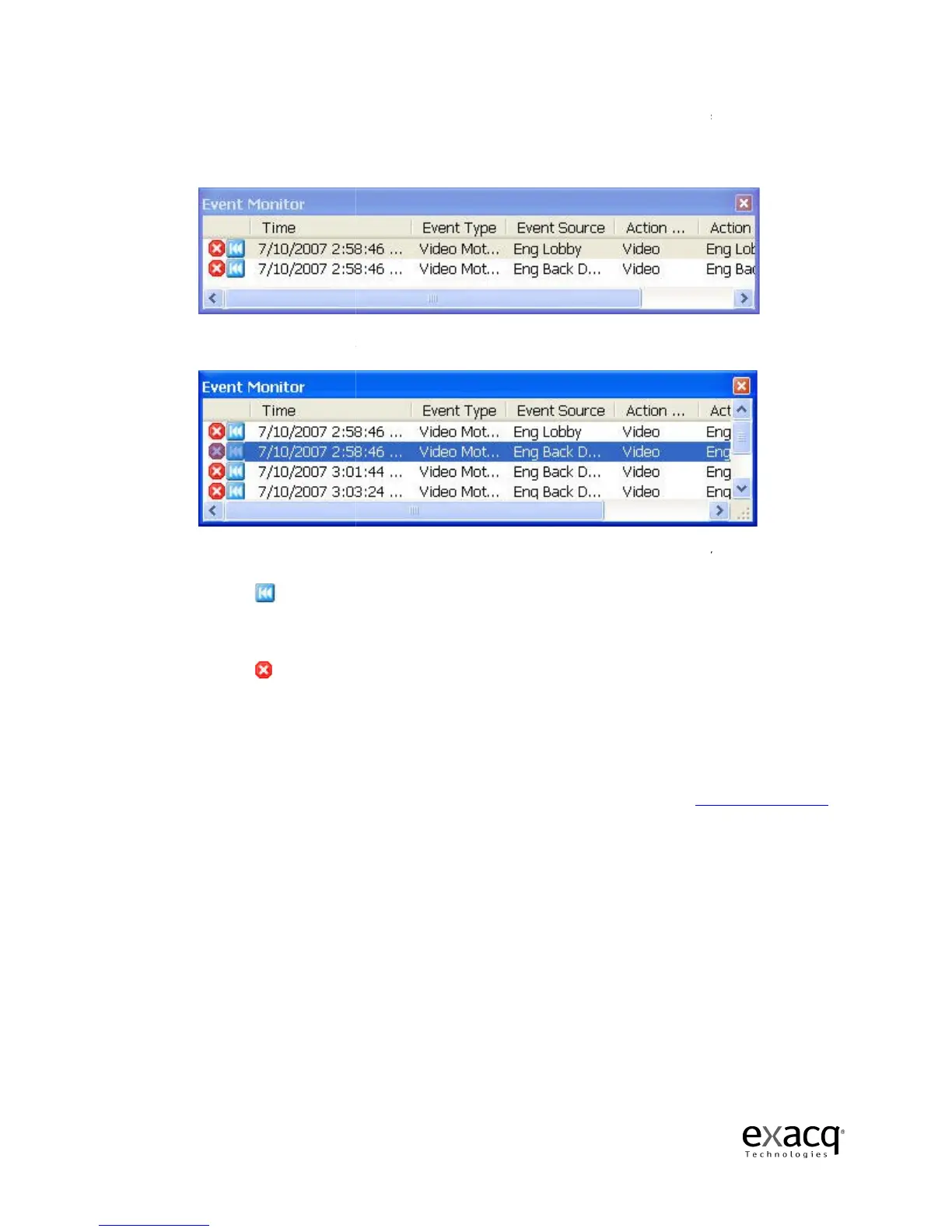
If you configured your profile as an Event Monitoring mode,
appear just below this panel. You can move it and resize it as you need. Once a video event
takes place, it will be autom
Clicking on the event line will switch the video to that camera.
Clicking on the small blue rewind button will replay the event as it was tripped.
Clicking t
he small red ‘X’ acknowledges the event and removes it from the list.
If you
configured your profile in Virtual Matrix Mode, you will not see an Event Monitor box
as motion triggers recording
them into the frame as motion occurs.
NOTE:
For details on how to configure a
108
, in the Setup section of the manual
Page 45
If you configured your profile as an Event Monitoring mode,
the Event Monitor Box will
appear just below this panel. You can move it and resize it as you need. Once a video event
takes place, it will be autom
atically listed in the box.
Clicking on the event line will switch the video to that camera.
Clicking on the small blue rewind button will replay the event as it was tripped.
he small red ‘X’ acknowledges the event and removes it from the list.
configured your profile in Virtual Matrix Mode, you will not see an Event Monitor box
as motion triggers recording
. Instead, it automatically
switches between cameras and pops
them into the frame as motion occurs.
For details on how to configure a
n Event Monitor profile, see
, in the Setup section of the manual
.
the Event Monitor Box will
appear just below this panel. You can move it and resize it as you need. Once a video event
Clicking on the small blue rewind button will replay the event as it was tripped.
he small red ‘X’ acknowledges the event and removes it from the list.
configured your profile in Virtual Matrix Mode, you will not see an Event Monitor box
switches between cameras and pops
, page



 To Next Page