exacqVision User Manual
1/24/2011
Searching Maps
You can search for video from cameras associated with a map. (See
about importing and configuring maps.)
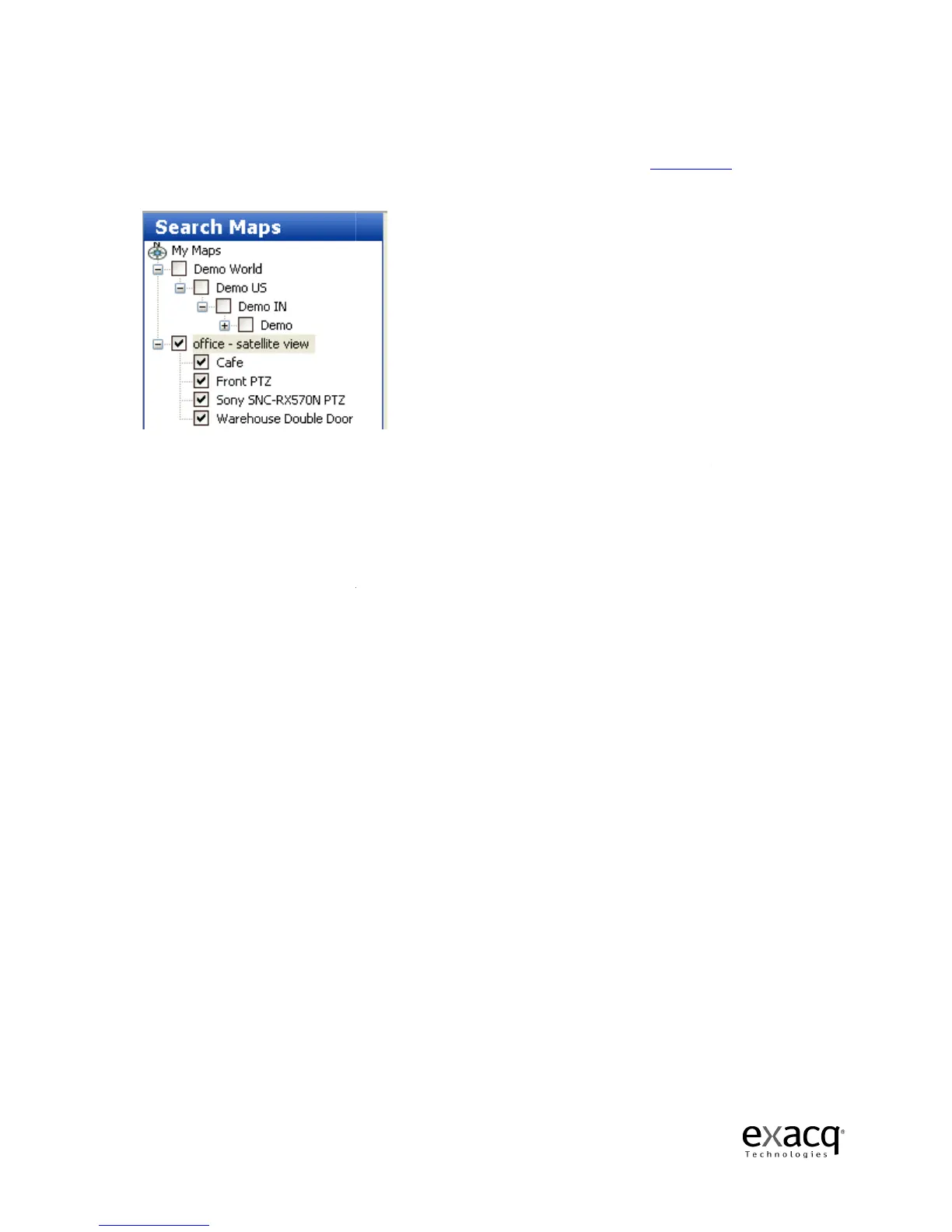
Select Maps
from the Navigation Pane, and then select the
appropriate checkbox.
This selects all cameras associated with the map
deselect any of the cameras to eliminate them from the search. Alternatively, you can expand a
map without selecting its checkbox, and the
You can include cameras from multiple maps in a single search.
Select the date and time you would like to search by using the Calendar and Start Time fields, and
then click the Search button.
Video Playback window.
Page 80
You can search for video from cameras associated with a map. (See
about importing and configuring maps.)
from the Navigation Pane, and then select the
map
This selects all cameras associated with the map
deselect any of the cameras to eliminate them from the search. Alternatively, you can expand a
map without selecting its checkbox, and the
n select individual cameras to include in the search.
You can include cameras from multiple maps in a single search.
Select the date and time you would like to search by using the Calendar and Start Time fields, and
Video from all the selected cameras and maps
for information
rch by clicking the
. You can
deselect any of the cameras to eliminate them from the search. Alternatively, you can expand a
n select individual cameras to include in the search.
Select the date and time you would like to search by using the Calendar and Start Time fields, and



 To Next Page