exacqVision User Manual
1/24/2011
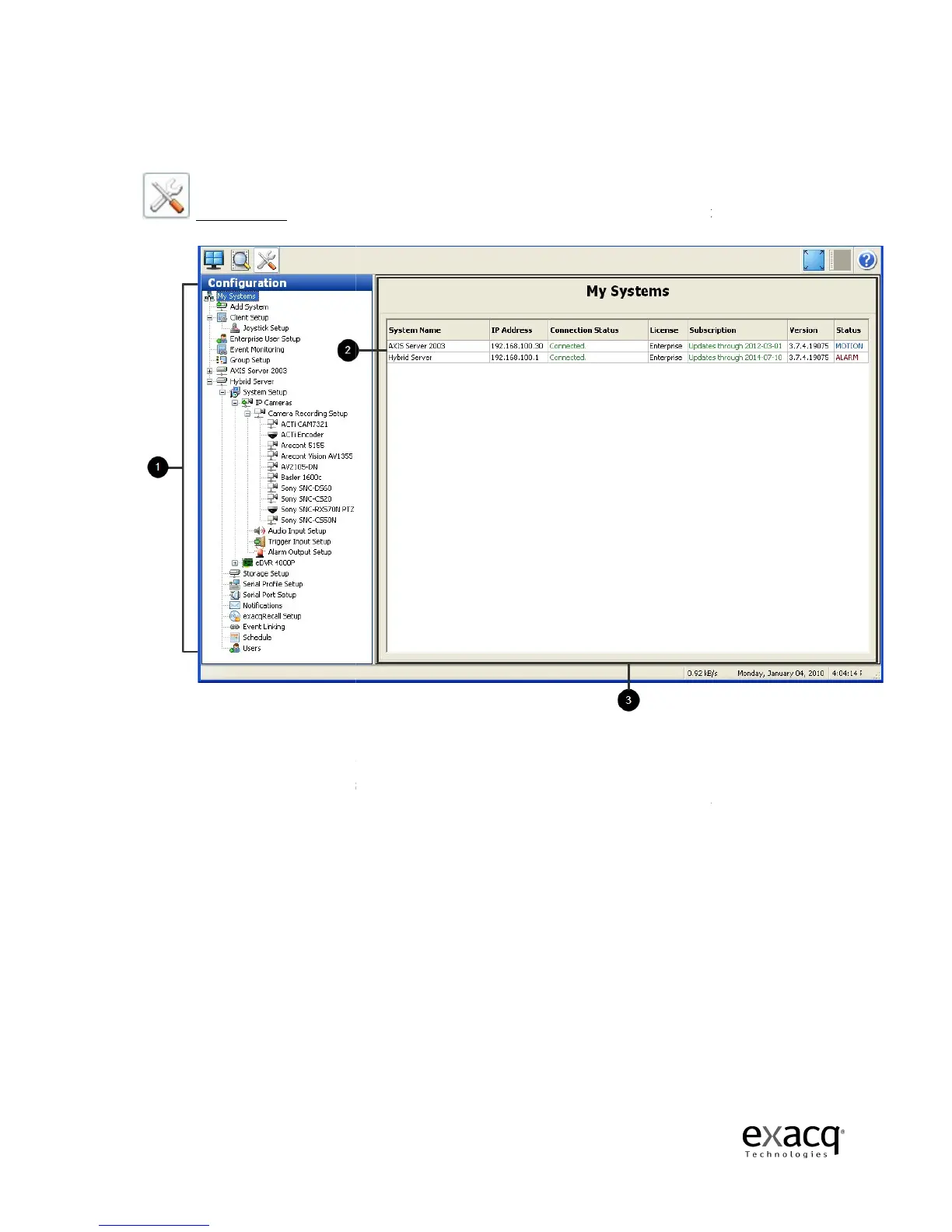
Setup Mode Overview
Setup Mode is where
(1) Setup
new screen
for configuring the item you selected
(2) My Systems –
(3) Setup Screen –
icons in the configuration tree.
Page 91
Administrators and Power Users configure systems.
Tree –
click on any of the icons in the camera tree to take you to
for configuring the item you selected
.
default Setup mode page displays systems
displays various configuration screens
icons in the configuration tree.
Administrators and Power Users configure systems.
click on any of the icons in the camera tree to take you to
a
.



 To Next Page