exacqVision User Manual
1/24/2011
If you wish to cancel the process, click the “Cancel” button.
After clicking the “Burn Disc” button, the Disc Burning Progress window will be displayed.
The system will automatically default to ejecting the disc when the burning process is completed.
You may
also want to uncheck this
exacqVision Server.
It will also automatically delete the
uncheck the appropriate checkbox.
Click the Burn button to initiate the writing process.
upon the amo
unt of video to be written.
Page 90
If you wish to cancel the process, click the “Cancel” button.
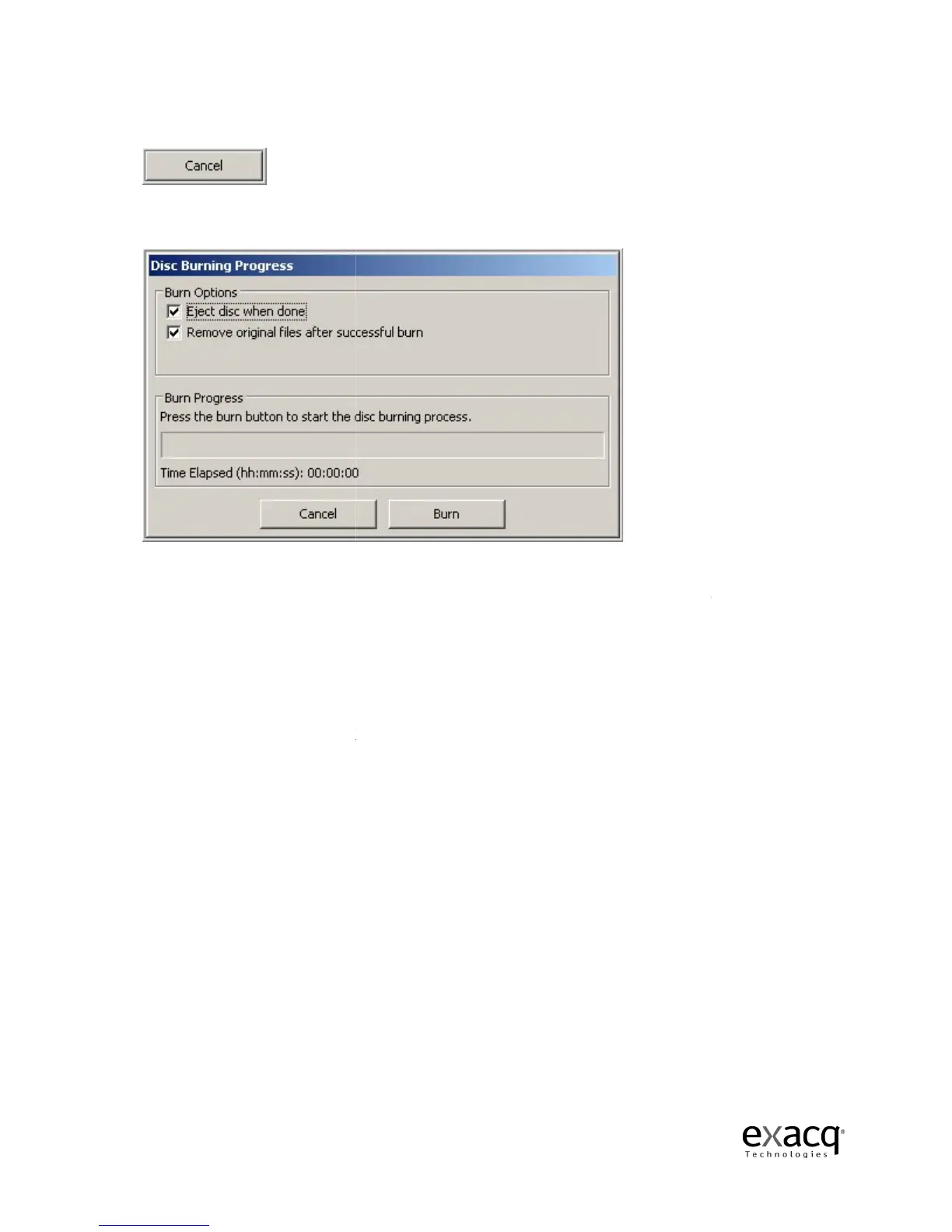
After clicking the “Burn Disc” button, the Disc Burning Progress window will be displayed.
The system will automatically default to ejecting the disc when the burning process is completed.
also want to uncheck this
checkbox if the CD drive is behind closed doors as in the
It will also automatically delete the
files from the hard drive after a successful burn unless you
uncheck the appropriate checkbox.
Click the Burn button to initiate the writing process.
This
unt of video to be written.
After clicking the “Burn Disc” button, the Disc Burning Progress window will be displayed.
The system will automatically default to ejecting the disc when the burning process is completed.
checkbox if the CD drive is behind closed doors as in the
files from the hard drive after a successful burn unless you
, depending



 To Next Page