exacqVision User Manual
1/24/2011
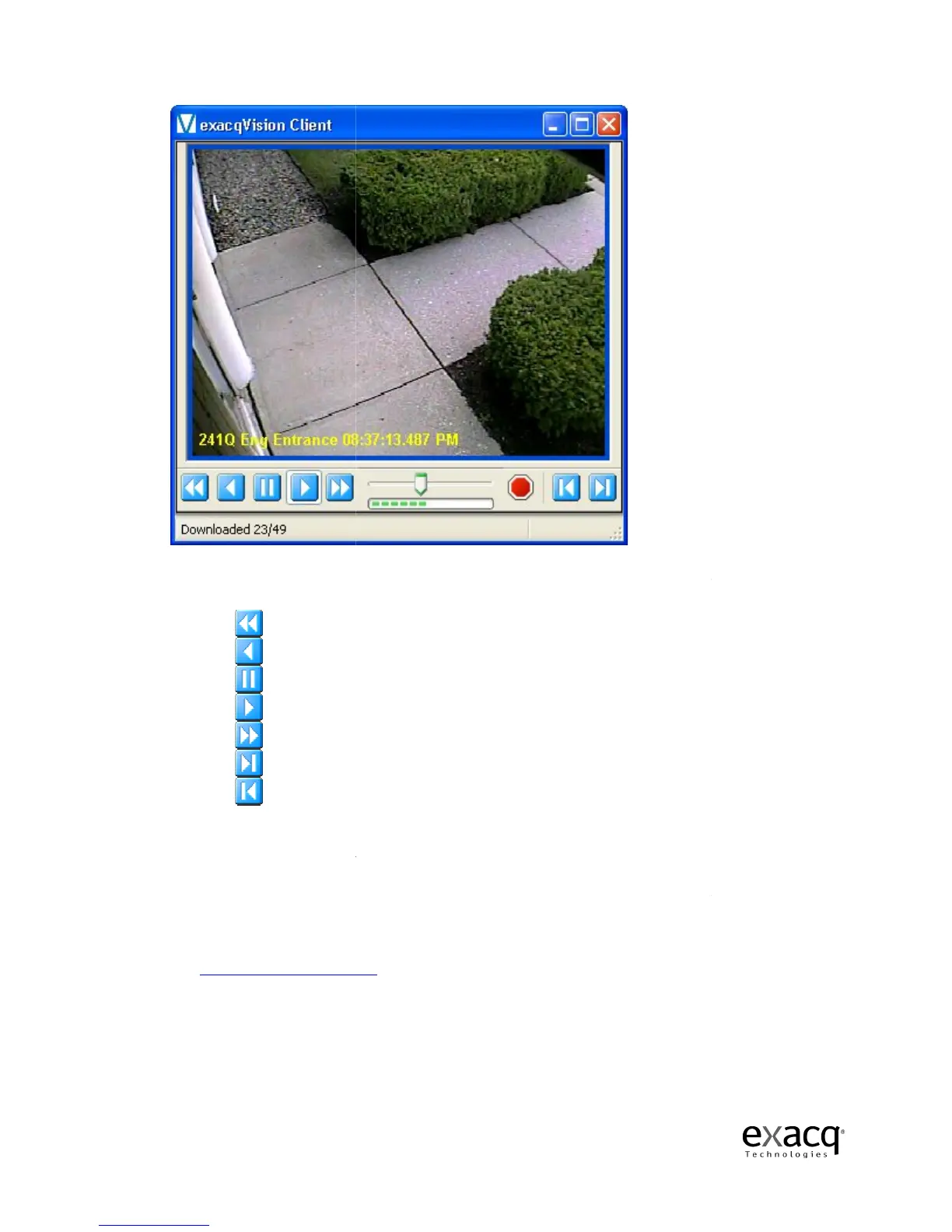
Once the download has started, you can scrub back and forth through the video using the Scrub
Bar & Scrub Handle or the
Play video in reverse fast (double) speed
Play video forward in normal speed
Play video forward in fast (double) speed
Play video forward one frame at a time
Play video backward one frame at a time
You can only scan the portion of the video that has
the entire video segment until the download is complete.
You can also
maximize, minimize, or close the
appropriate icon
See Search Mode
Page 43
Once the download has started, you can scrub back and forth through the video using the Scrub
Bar & Scrub Handle or the
five Video Playback Controls
at the bottom of the window:
Play video in reverse fast (double) speed
normal speed
Play video forward in normal speed
Play video forward in fast (double) speed
Play video forward one frame at a time
Play video backward one frame at a time
You can only scan the portion of the video that has
downloaded.
You will not have access to
the entire video segment until the download is complete.
maximize, minimize, or close the
Video P
layback window by clicking the
-right corner.
, pages 65-84
, for complete instructions on how to search video.
Once the download has started, you can scrub back and forth through the video using the Scrub
at the bottom of the window:
You will not have access to
layback window by clicking the
, for complete instructions on how to search video.


 To Next Page
 Loading...


