exacqVision User Manual
1/24/2011
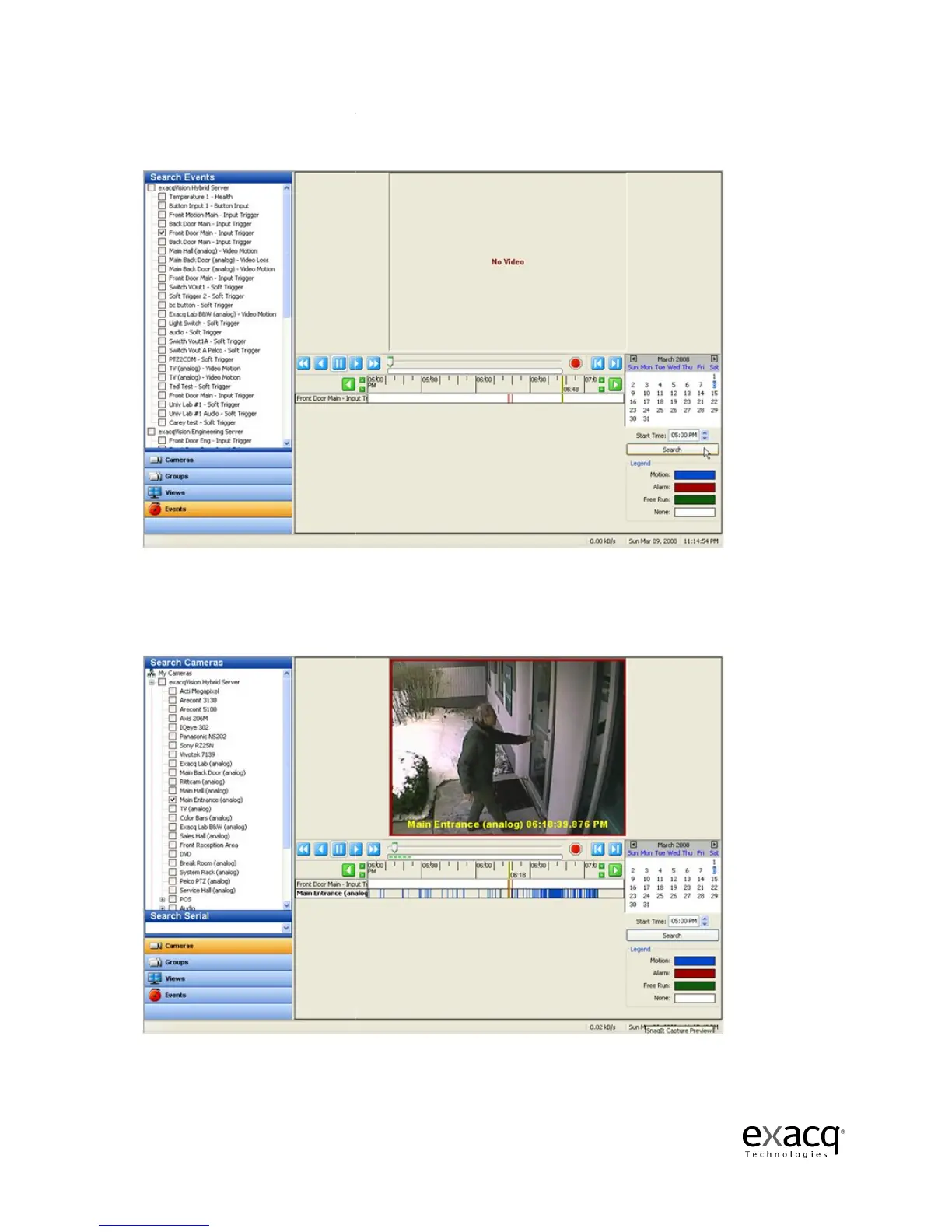
Once you have selected your event or events, select the desired date and time and click the Search
button.
The red bars indicate instances when the event triggered video or audio recording.
the video associated with
this particular event, you’ll need to click the Cameras button in the
Navigation Pane, and then conduct a search on the camera associated with that event.
Page 83
Once you have selected your event or events, select the desired date and time and click the Search
The red bars indicate instances when the event triggered video or audio recording.
this particular event, you’ll need to click the Cameras button in the
Navigation Pane, and then conduct a search on the camera associated with that event.
Once you have selected your event or events, select the desired date and time and click the Search
The red bars indicate instances when the event triggered video or audio recording.
To search for
this particular event, you’ll need to click the Cameras button in the
Navigation Pane, and then conduct a search on the camera associated with that event.



 To Next Page