23
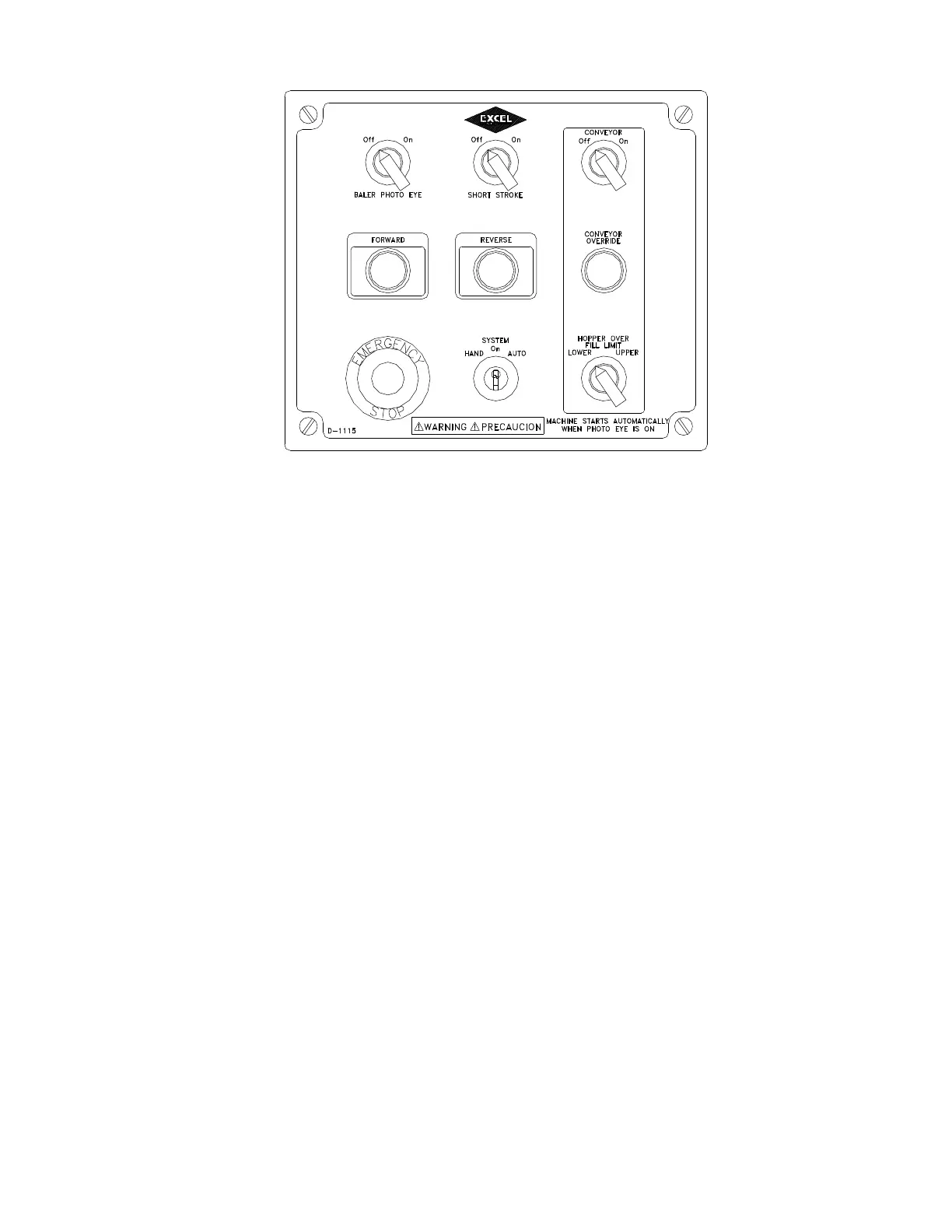
Diagram K. Operating Controls.
START UP ALARM - When the baler disconnect switch is turned on, the emergency stop switch is released and the key switch is
turned to hand or auto, the buzzer will sound and the red light will flash for 20 seconds before the baler and conveyor controls
are unlocked. Any time the baler disconnect switch is turned off then back on or any emergency switch is depressed then
released or the key switch is turned to the off position for more that 7 seconds, the start up alarm will cycle again for 20 seconds.
BALER POWER DISCONNECT SWITCH - Electrical Enclosure and conveyor
This switch controls the main power to the baler. See Diagram F in the INSTALLATION INSTRUCTIONS section of this
manual. Turn the switch to the OFF position and lock it out when baler is not in operation.
LIGHTS BLUE/RED – START UP/AUTOMATIC LIGHT AND BALE COMPLETE LIGHT
Red flashing light indicates machine is going through start up and visual indication that baler is in auto mode.
Blue flashing light indicates a bale is complete and ready to be tied.
EMERGENCY STOP - Red Extended Head Push Button and conveyor emergency stop
Depressing this button stops all baler functions in the event of an emergency. When pushed, the button remains depressed and
the baler will not operate. To restart the baler, twist the EMERGENCY STOP clockwise and follow the proper start up
procedure. Each conveyor is equipped with an emergency stop arm which when activated will stop both the baler and conveyor,
when released this arm will return to original position..
SYSTEM - 3 Position Key Switch
The key switch in the HAND position allows the baler to be operated manually. The key switch in the AUTO position allows
the baler to operate automatically. Turn the key switch to OFF and remove the key to discontinue baling.
SHORT STROKE - 2 Position Selector Switch
When set to ON, the platen partially penetrates into the chamber, approximately 8”. When set to OFF, the platen has full chamber
penetration.
BALER PHOTO EYE - 2 Position Selector Switch
When set to ON, and the SYSTEM is set to AUTO, the photo eye is activated. The baler starts and cycles automatically when
the photo eye beam is broken after the baler feed chamber becomes full. Turn the switch to OFF to bale or for semiautomatic
operation.



 To Next Page