9
3
SAFETY PRECAUTIONS
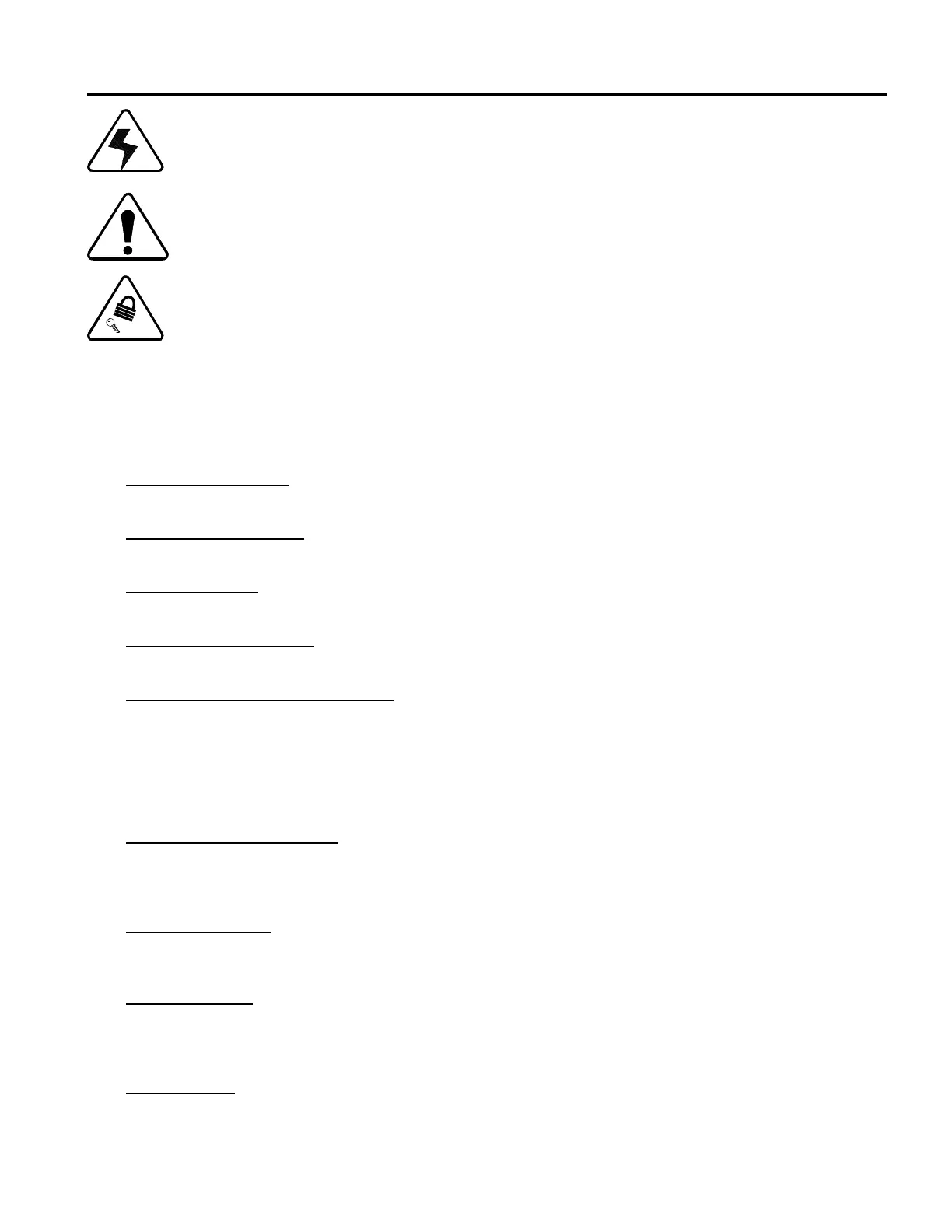
The lightning flash symbol within an equilateral triangle is intended to alert the user to the presence of
uninsulated "dangerous voltage" within the product's enclosure that may be of sufficient magnitude to constitute
a risk of electric shock to persons.
The exclamation point within an equilateral triangle is intended to alert the user to the presence of important
safety reminders, and operating and maintenance (servicing) instructions in the literature accompanying the
equipment.
The key and lock symbol are intended to alert the user to the need of Lock Out/Tag Out procedures.
It is the responsibility of all persons involved in the installation and operation of this equipment to completely understand the function
and operation of the unit, and to understand and adhere to all safety precautions in this manual. It is important to keep watch for any
condition or situation which may affect the safe performance of the equipment. If unsafe conditions are present shut equipment down
using the RED EMERGENCY STOP button or normal shut down procedure. Corrective measures, service, or baler repair must be
performed by trained and authorized personnel only.
1. READ INSTRUCTIONS
Read all safety and operating instructions before operating the baler.
2. RETAIN INSTRUCTIONS
Retain all safety and operating instructions for future reference.
3. OBEY WARNINGS
Obey all warnings on the baler and in the manual.
4. FOLLOW INSTRUCTIONS
Carefully follow all operating and safety instructions.
5. MACHINE OPERATING PERSONNEL
a) Only properly trained operators no less than 18 years old shall operate the unit. It is the responsibility of the employer to see
that operators are properly trained.
b) Do not wear loose clothing or jewelry which could catch on moving parts. Do wear safety glasses and other safety equipment
as required by your employer.
c) Never operate the baler if work ability is impaired by drugs, fatigue, illness or other causes.
d) Do not operate equipment without proper training in Lock Out/Tag Out procedures.
6. EMERGENCY STOP BUTTON
Every unit manufactured by EXCEL has a RED extended head emergency stop button. All personnel should be aware that
depressing this button at any time stops the machine from operating. Emergency Stop button(s) must not be over ridden or
defeated in any way.
7. SAFETY SWITCHES
Safety switches have been provided at certain doors and access covers. They must not be overridden or removed in any manner
which prevents them from functioning properly.
8. ACCESS COVERS
Access covers must be properly maintained and in place at all times.
9. PINCH POINTS
All moving machinery has pinch points. EXCEL has provided guards on them where possible. Some, because of the operating
characteristics, cannot be guarded. Operators must use caution when closing doors, etc.



 To Next Page