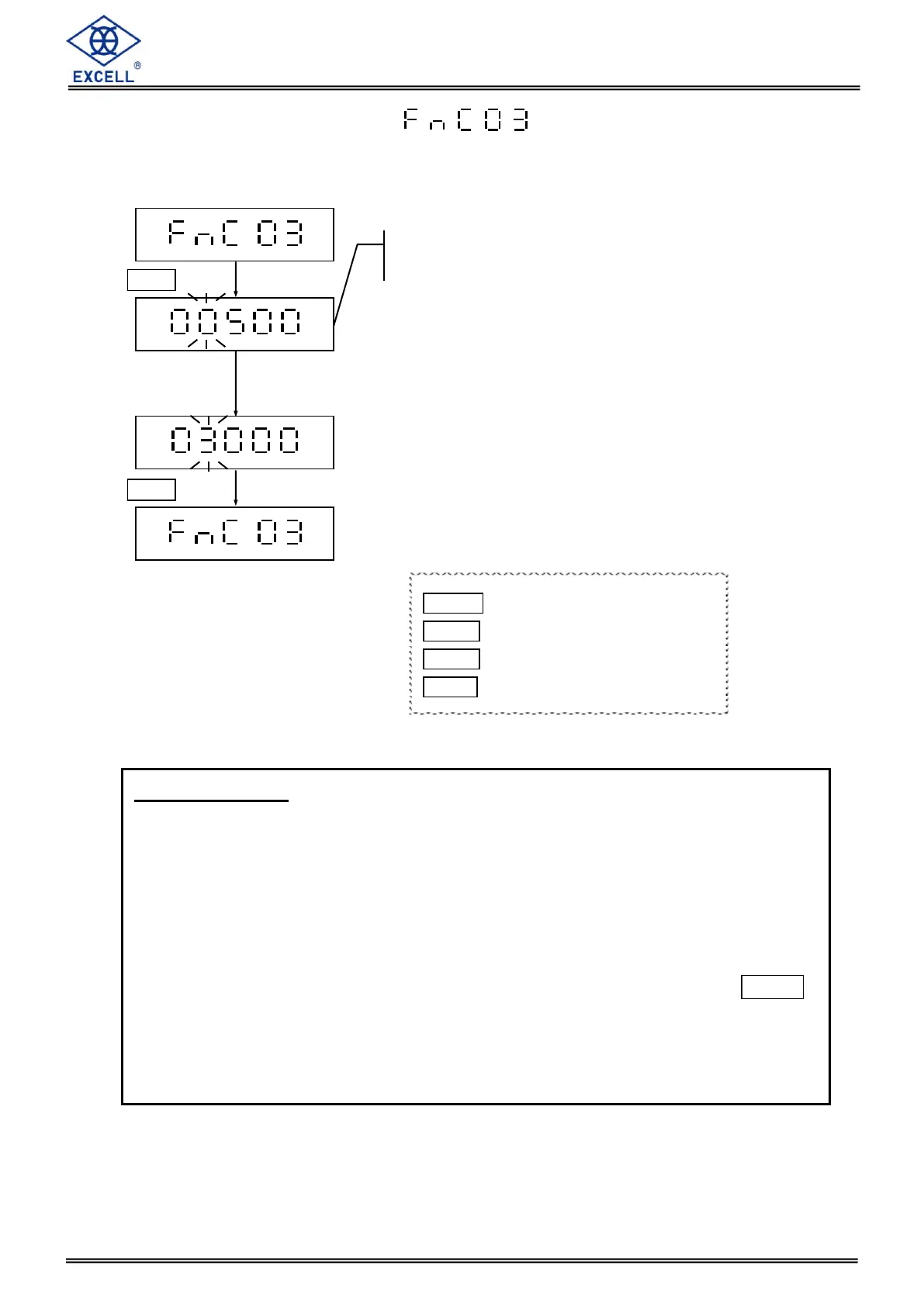
MODE Upward digit selecting (0-9)
HOLD Downward digit selecting (9-0)
ZERO Move the cursor rightward
TARE Confirm
Set point control:
When the weighing value of an object exceeds the value of set point control, the
crane will beep continuously.
When the value of set point control is set as 0, the function of set point control is
disabled.
The value of set point control cannot exceed the maximum capacity of the crane
scale.
When the weight of an object is lighter than set point control value, press HOLD
key manually and the crane will be held in HOLD function. Under the HOLD
function even if you add the additional weights to exceed the set point control
value, the crane will not start set point control function.


 To Next Page