EXCELL PRECISION CO., LTD.
45046
4-2 Linearity Calibration
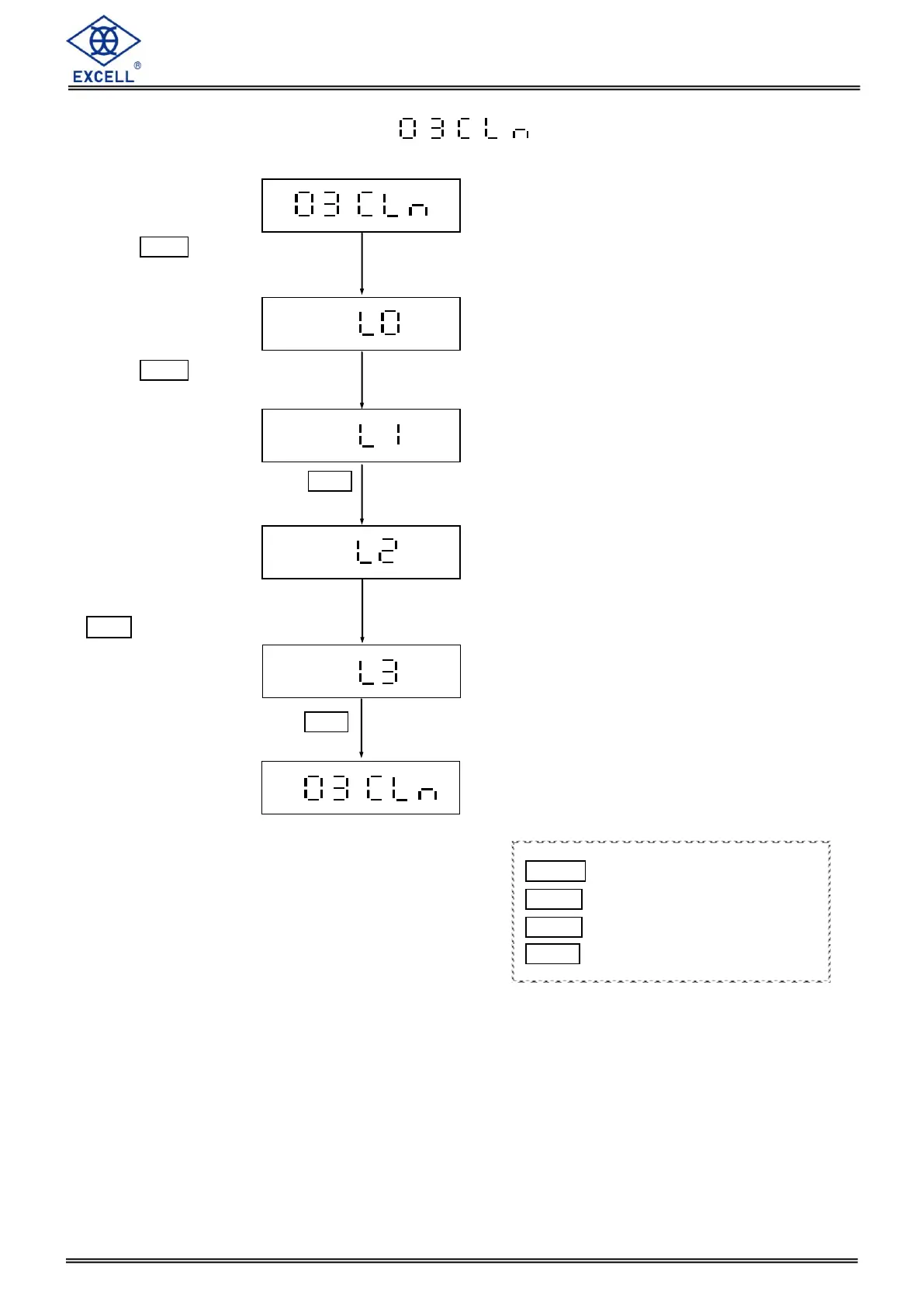
Press TARE key without any
weighing to enter linearity
calibration mode
Press TARE key without any
weighing to record the origin
Put on one weight and Press TARE
key to record the second point.
Put on another weight and Press
TARE key to record the third point.
Put on third weight and Press TARE
key to record the forth point.
MODE Upward digit selecting (0-9)
HOLD Downward digit selecting (9-0)
ZERO No function
TARE Confirm


 To Next Page