EXCELL PRECISION CO., LTD.
45046
4-1 Specification Setting
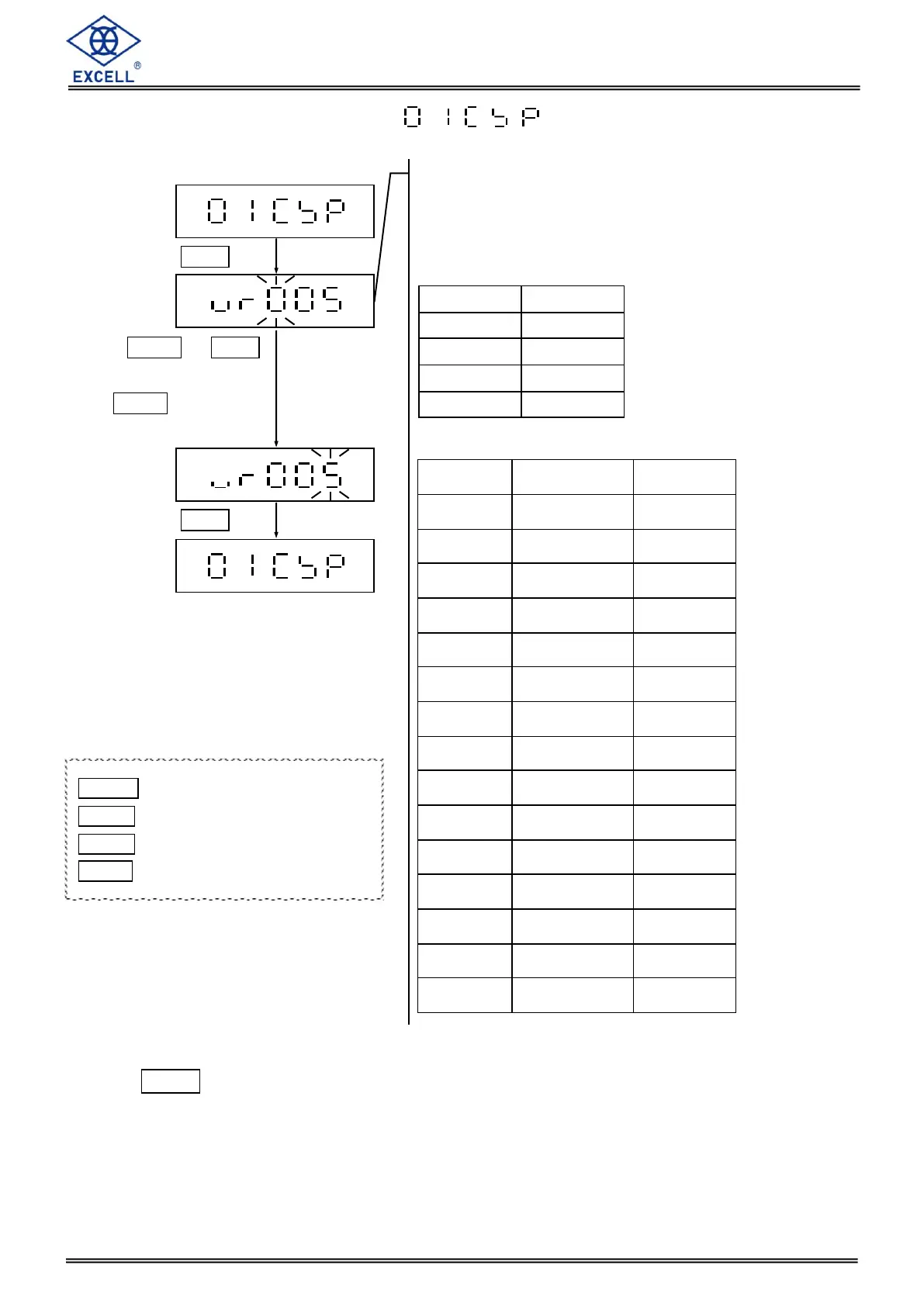
Press MODE key to switch unit setting (the first unit or the second).
The “unit” indication will on when it displays the first unit.
Press MODE or HOLD
key to enter parameters,
use ZERO to move
one step to the right
The three numbers represent three
parameter settings. From left to right:
the first unit, the second unit and the full
load / division setting
Unit setting
the full load / division setting
MODE Upward digit selecting (0-9)
HOLD Downward digit selecting (9-0)
ZERO No function
TARE Confirm


 To Next Page