EXCELL PRECISION CO., LTD.
45046
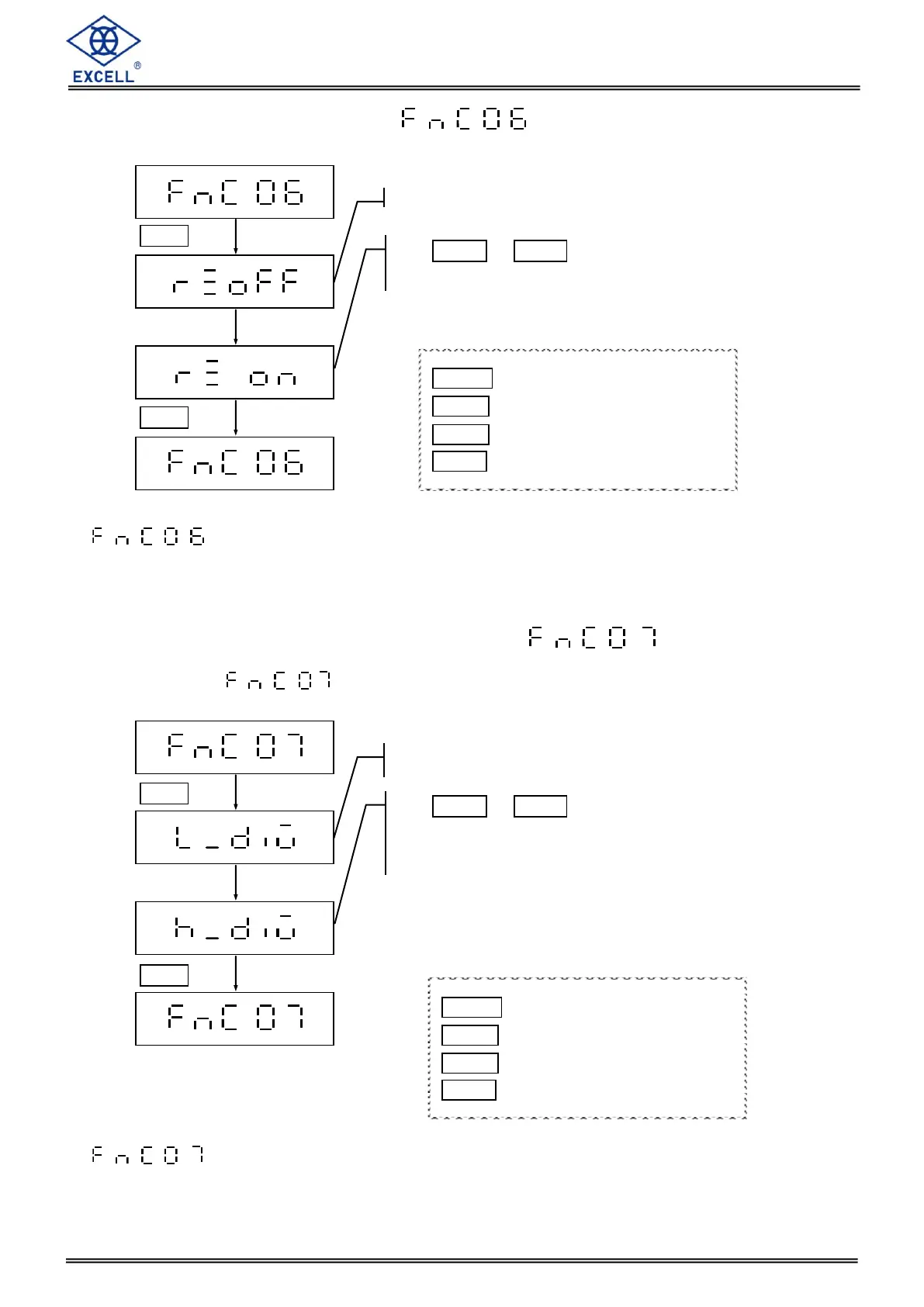
Use MODE or HOLD key to enter a parameter
Set the left parameter “h” or “L”
Default setting = L
2-1-6 Zero Point Record Setting
Setting is only available for non-approval models.
2-1-7 High and Low Resolution Shift Setting
When modify parameter, the resolution 1/3000 will turn into 1/6000 (kg).
Setting is only available for non-approval models.
LCD displays the current configuration
Use MODE or HOLD key to enter a parameter
Default setting = off
MODE Upward digit selecting (0-9)
HOLD Downward digit selecting (9-0)
ZERO No function
TARE Confirm
LCD displays the current configuration
MODE Upward digit selecting (0-9)
HOLD Downward digit selecting (9-0)
ZERO No function
TARE Confirm


 To Next Page