EXCELL PRECISION CO., LTD.
45046
2-2 External Weight Calibration Mode
The crane should be stable, when you press any key during weight calibration.
2-2-1 Weight Calibration
Conditions of external weight calibration:
Condition 1: Put on the mass weight. The changing volume of LOAD CELL internal value must be
more than 10e external value instead of negative value.
Condition 2: Put on the mass weight internal value. The calibration is available to 90% ~ 110%
calibration mass values the user input.
During weight calibration, put on or take off the mass directly until calibration mass value confirms to
the above conditions.
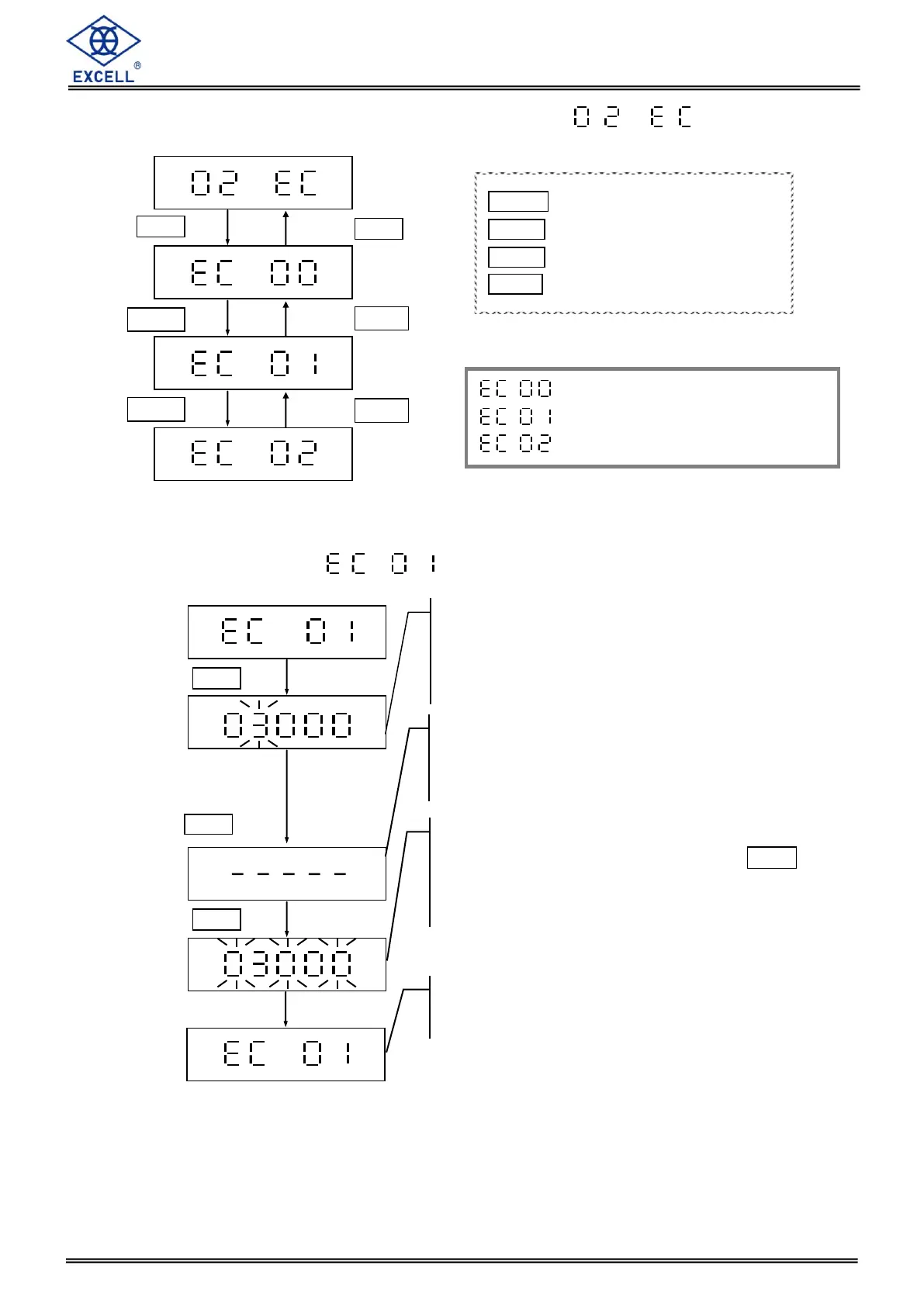
Return to upper level
Weight calibration
Restore the default settings
MODE Upward digit selecting (0-9)
HOLD Downward digit selecting (9-0)
ZERO No function
TARE Confirm
Enter the desired weight, put
on the hook and make sure
there is nothing on the hook.
And then press TARE key
The LCD displays the calibration weight value (the
maximum capacity of the 1
st
weight unit). The digit on
the left keeps flashing.
Revise the calibration weight value if needed.
The crane is calculating the internal value of the
zero point. After stabilization, the LCD shows the
calibration weight value.
When the display shows EC 01,
the calibration has completed.
When the display shows the calibration weight
value, put enough weight and press the TARE
key or wait 30 seconds for automatic calibration.


 To Next Page