EXCELL PRECISION CO., LTD.
45046
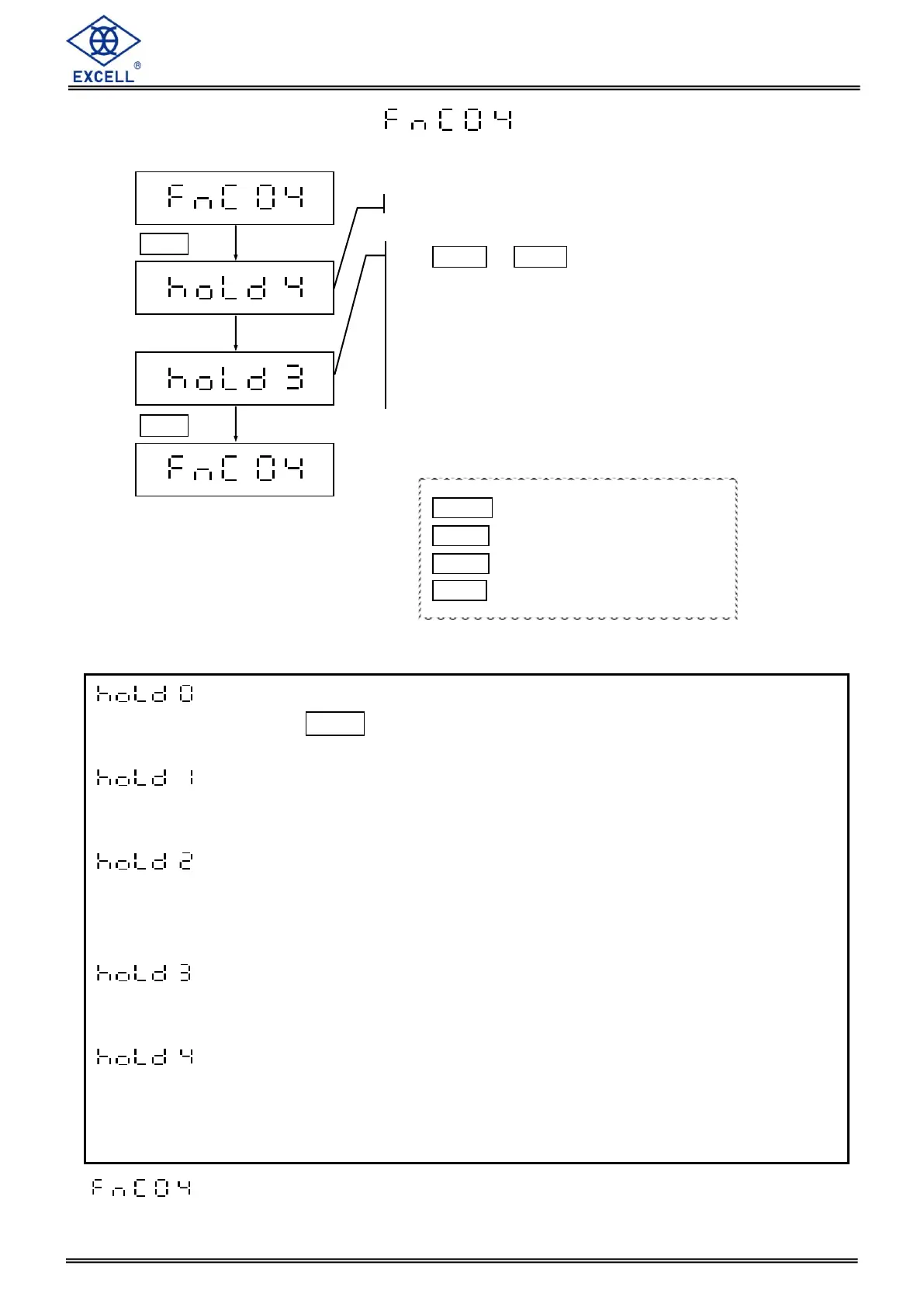
2-1-4 Hold Function Settings
Setting is only available for non-approval models.
LCD displays the current configuration
Use MODE or HOLD key to enter a parameter
Default setting = 0
0 Manual hold
1 “Peak hold” mode 1
2 “Peak hold” mode 2
3 “Manual hold + Stable hold” “mode 1
4 “Manual hold + Stable hold” “mode 2
= Manual hold
Press the HOLD key to hold the weight value, and press any key to exit
the hold function.
= “Peak hold” mode 1
The scale shows and holds the maximum weight value detected from the
continuously changing weight. Press any key to exit the hold function.
= “Peak hold” mode 2
The scale shows and holds the maximum weight value detected from the
continuously changing weight. The scale exits the hold mode automatically
after removing the weight or if reducing the weight value is less than 10d.
= “Manual hold + Stable hold” mode 1
After the scale is stable, the display shows and holds the current weight
value. Press any key to exit the hold function.
= “Manual hold + Stable hold” mode 2
After the scale is stable, the display shows the current weight value. The
scale exits the hold mode automatically after removing the weight or if the
weight value is less than 10d.
MODE Upward digit selecting (0-9)
HOLD Downward digit selecting (9-0)
ZERO No function
TARE Confirm


 To Next Page