FPM-600/FLS-600 24
Measuring Power or Loss (FPM-600)
Referencing Your Power Meter to a Source
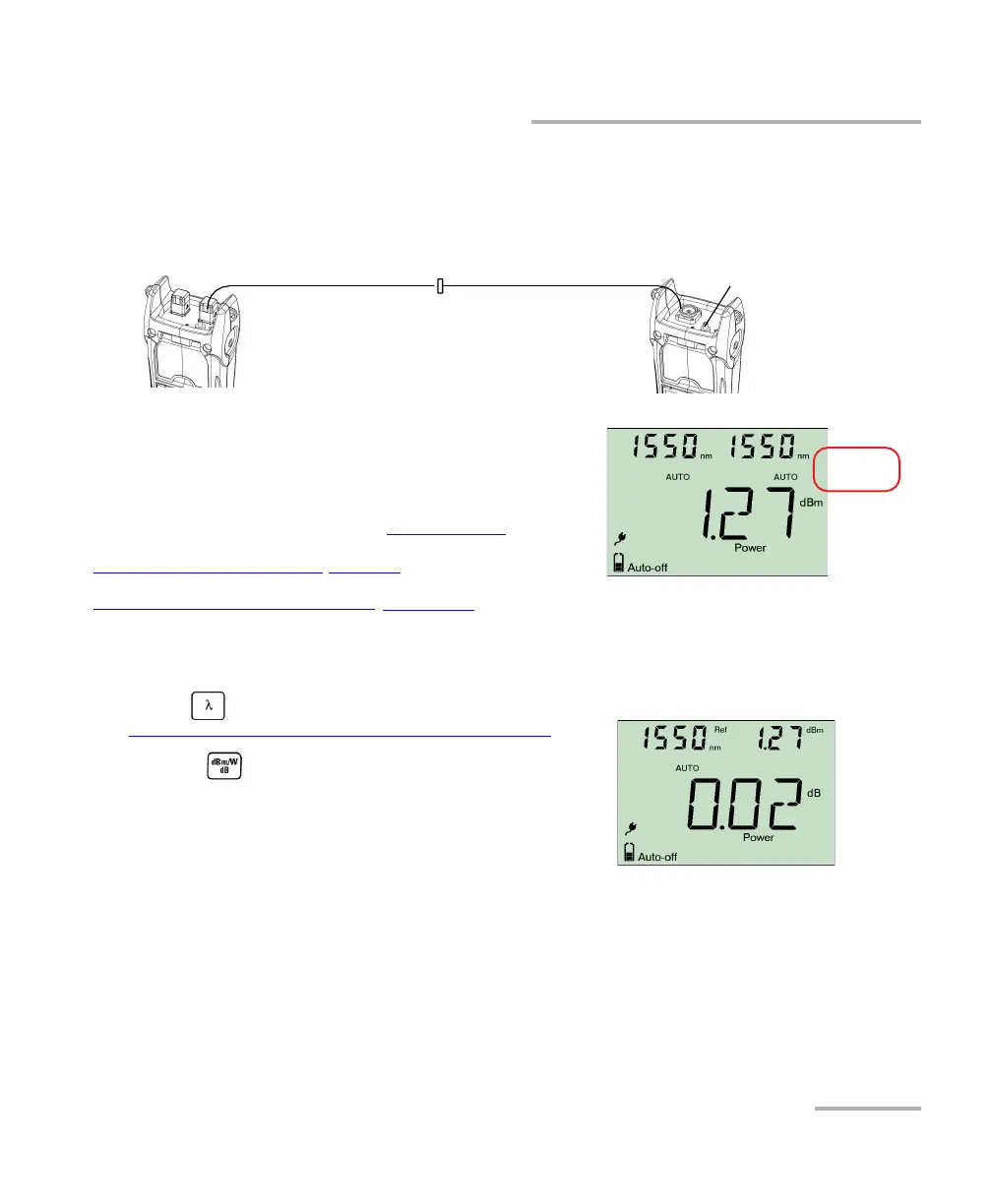
To reference the power meter to a source manually:
1. Using the proper adapter, connect a light source (such as FLS-600) to the detector port of your
power meter.
2. Activate the source at the desired wavelength.
3. Match the source and power meter wavelengths:
If the source emits an auto-wavelength signal or is
in auto-switching mode (see Automatically
Detecting Wavelength on page 28 and
U s i n g A u t o- S w it c hi n g M o d e on page 34), the pow e r meter
automatically matches the source wavelength.
OR
Press to switch between pre-selected wavelengths (see
Defining a List of Favorite Wavelengths on page 21).
4. Hold down for a few seconds. The power meter
stores the currently detected power as the new reference
power.
Reference power is displayed in the top right corner (in dBm) and
current loss reading is automatically switched to dB.
Light source Power meter
Reference
test jumper
Reference Adapter
test jumper
Bulkhead
connector



 To Next Page