Maintenance
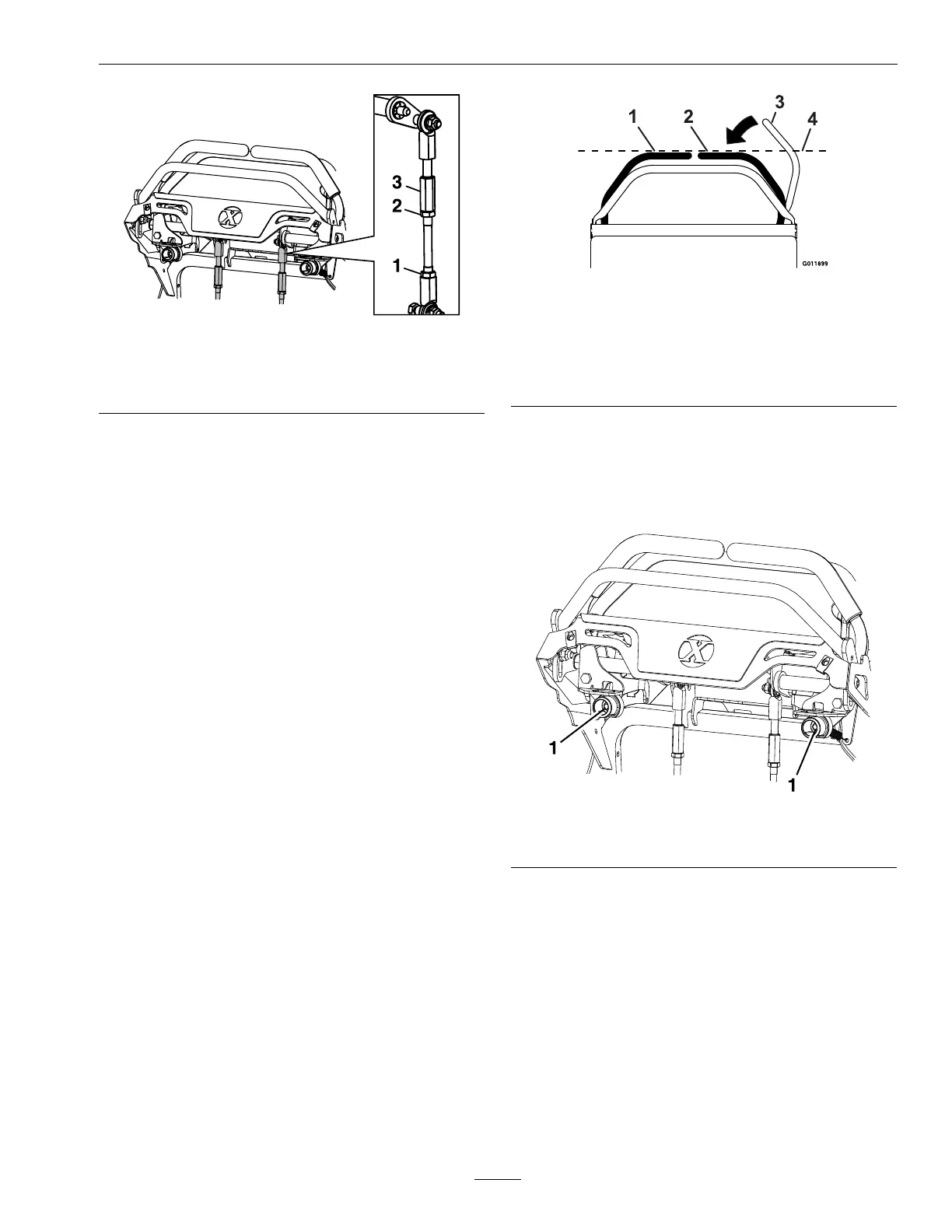
g267312
Figure29
1.Lowernut3.Links
2.Uppernut
5.Shutoffunit.
6.Removethejackstands.
7.Checkthatthemachinedoesnotcreepinneutral
withtheparkbrakesdisengaged.
AdjustMotionControl
HandlePosition
Ifthemotioncontrolleversdonotalignhorizontally,
adjustoneorbothlevers.
Note:Adjustthehorizontalalignmentbeforethe
fronttobackalignment.
1.Stopengine,waitforallmovingpartstostop,and
removekey.Engageparkingbrake.
2.Pushtherightmotioncontrolleverdownoutof
thePTOdisengageposition.
3.Checkiftherightmotioncontrolleveraligns
horizontallywiththeleftmotioncontrollever.
g012878
Figure30
1.LHMotioncontrollever
2.RHMotioncontrollever
3.RHMotioncontrolleverinPTOdisengageposition
4.Checkthehorizontalalignmenthere
4.Toadjusttherightmotioncontrollever
horizontally,thecamneedstobeadjusted.
5.Releasethecushionfromtherearofthemachine.
6.Loosenthenutholdingthecam(seeFigure31).
g267325
Figure31
1.Camnut
7.Adjustthecamuntilitalignswiththeleftmotion
controlleverandtightenthenutforthecam.
Note:Movingtheatportionofthecam
clockwiselowersthehandle,whilemovingit
counterclockwiseraisesthehandle
Important:Makesuretheatportionofthe
camdoesnotgoaboveaverticalposition
(rightorleft),ordamagemayoccurtothe
switch.
8.Tightentheswitchscrews.
41




 To Next Page