ExRobotics B.V.
ExR-2 Robot
Operating Guide
Document No.:
20220412IP1
Version No.: 3
This document is considered an uncontrolled copy when printed. Always ensure that you print and use a current version.
Copyright 2023 ExRobotics B.V.
Sometimes there might be temporary items in the surroundings, e.g. people, cars or scaffolding.
These should be minimised as far as possible because they will be incorporated into the 3D model.
However, provided there aren’t too many temporary items the robot will still be able to localise its
position using the other information in the map.
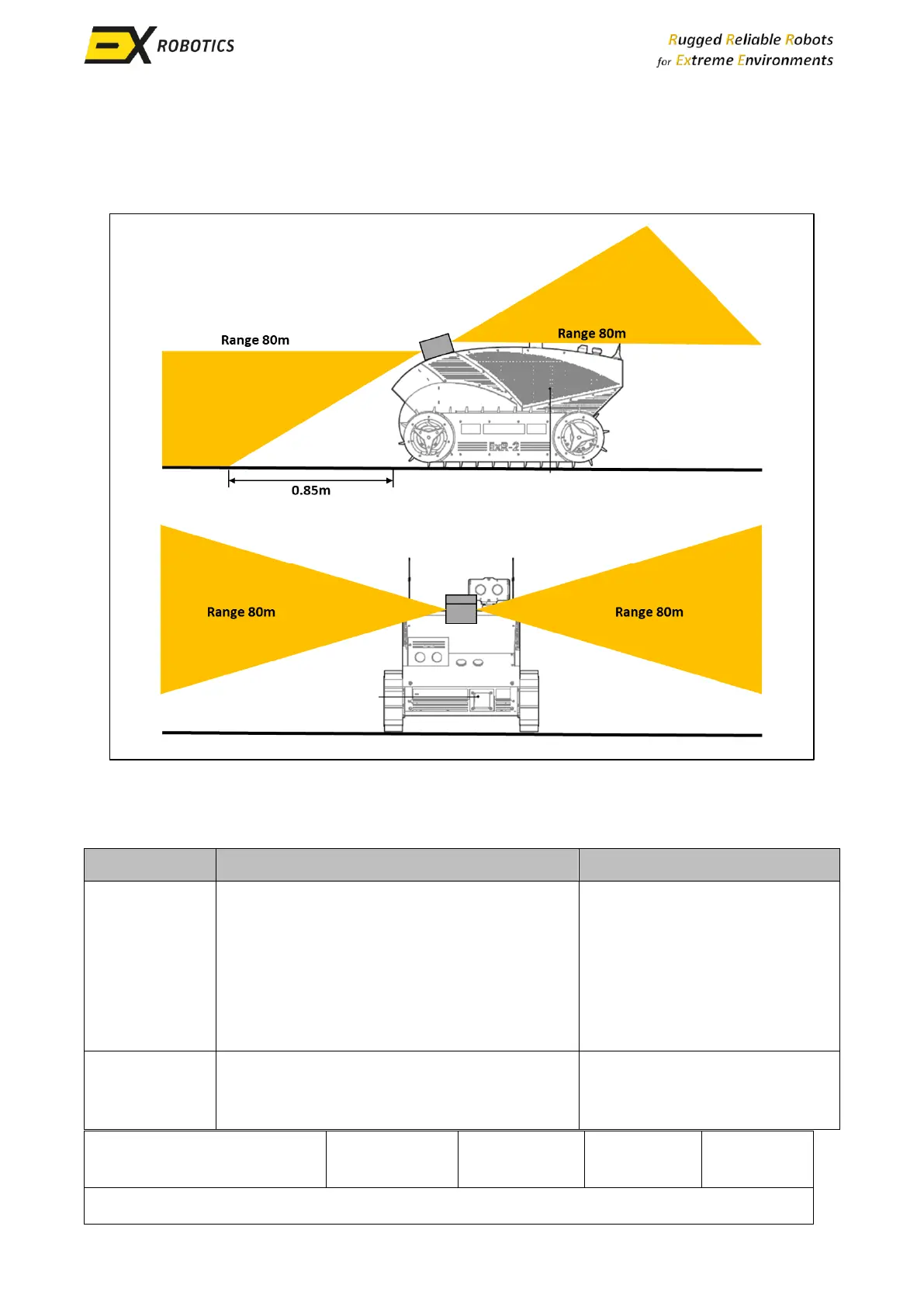
Temporary items do not affect object avoidance because this is based on live LiDAR data that is
gathered during the ongoing mission. However, it should be remembered that object avoidance
isn’t perfect. The following conditions can hamper performance.
Drop-offs are more difficult to detect than
obstacles because if the ground is very
reflective (for instance in heavy rain) there
might be false positives and steep downward
ramps cannot be reliably distinguished from
drop-offs using LiDAR alone.
Drop-offs are usually
permanent features and it’s
very serious if the robot drops
from a height. Robot routes
should avoid drop-offs or
barriers should be erected
around them.
The robot will usually interpret these ramps
as an obstacle and stop.
Contact your account manager
to see if the software can be
adjusted.



 To Next Page