9.8. Maintaining Robots
Robots can be maintained by any company that complies with the requirements of NEN-EN-IEC
60079-17. Key aspects of this standard are that the company should use parts from ExRobotics and
should follow our procedures.
We strongly recommend that maintenance technicians are trained by one of our Field Engineers
who will then issue a certificate indicating which components each technician is trained to
maintain.
9.9. Handling & Transporting Robots
ExRobotics packs ExR-2 robots and docking stations in custom-built flight cases with lockable
wheels. They are packed in a way to minimise the risk of damage to the robot and especially its
gearboxes. We recommend that Customers use the same approach when moving robots between
locations. Transport guidelines are provided in Reference 5.
ExR-2 robots typically weigh between 120 and 140kgs so it’s best to transport them in their flight
cases, to drive them in and out of those flight cases, and to drive them around the site. Flight cases
and robots have been shipped offshore in containers and cages.
In some situations it can be useful to purchase a simple hand-drawn trolley onto and off of which
the robot can be driven using steel car ramps. If a robot must be hand-lifted, never do so with less
than 4 people and comply with local lifting regulations.
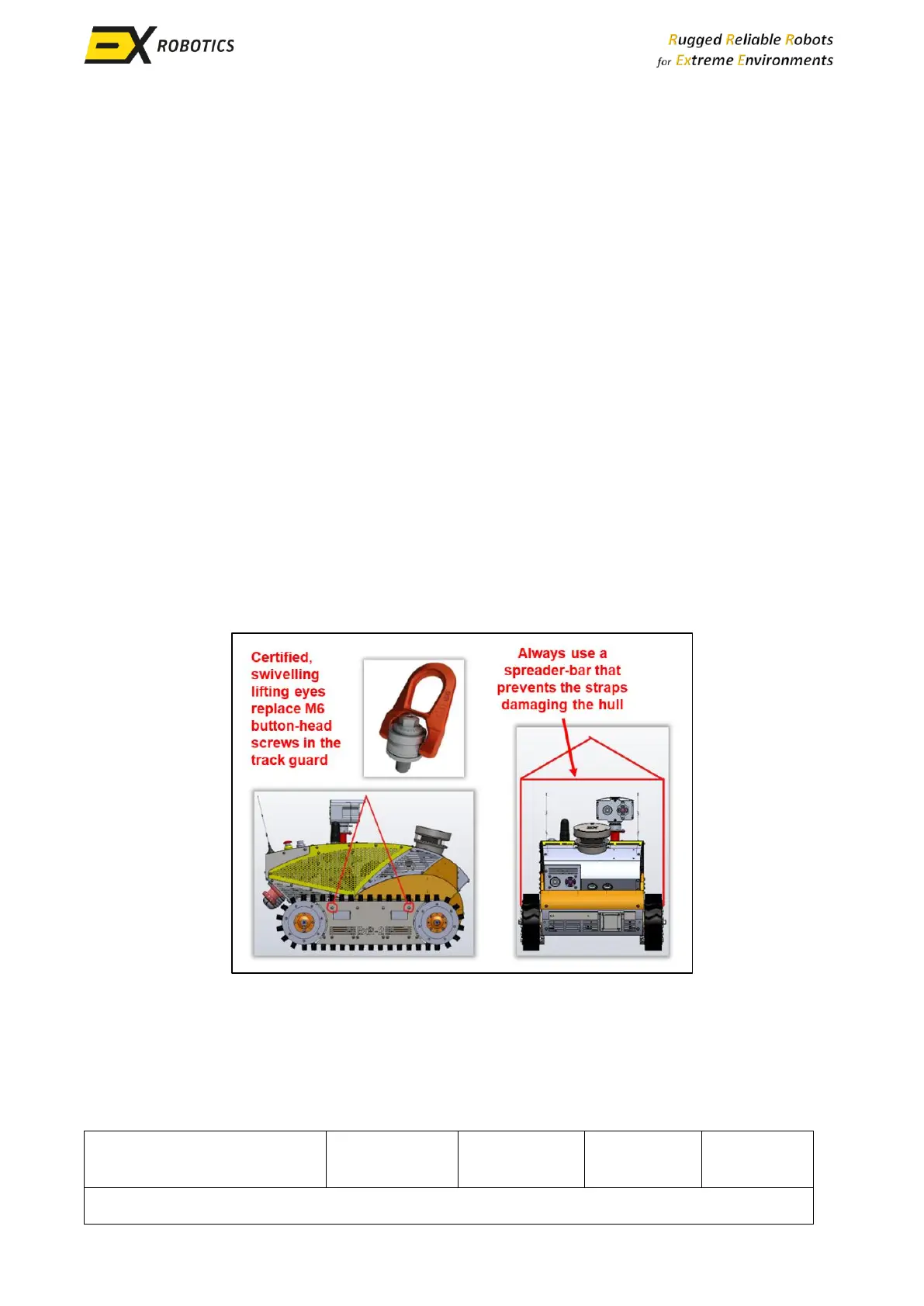
For special situations, lifting eyes can be installed as follows. This approach should only be deployed
by certified lifting specialists.



 To Next Page