This document is considered an uncontrolled copy when printed. Always ensure that you print and use a current version.
Copyright 2023 ExRobotics B.V.
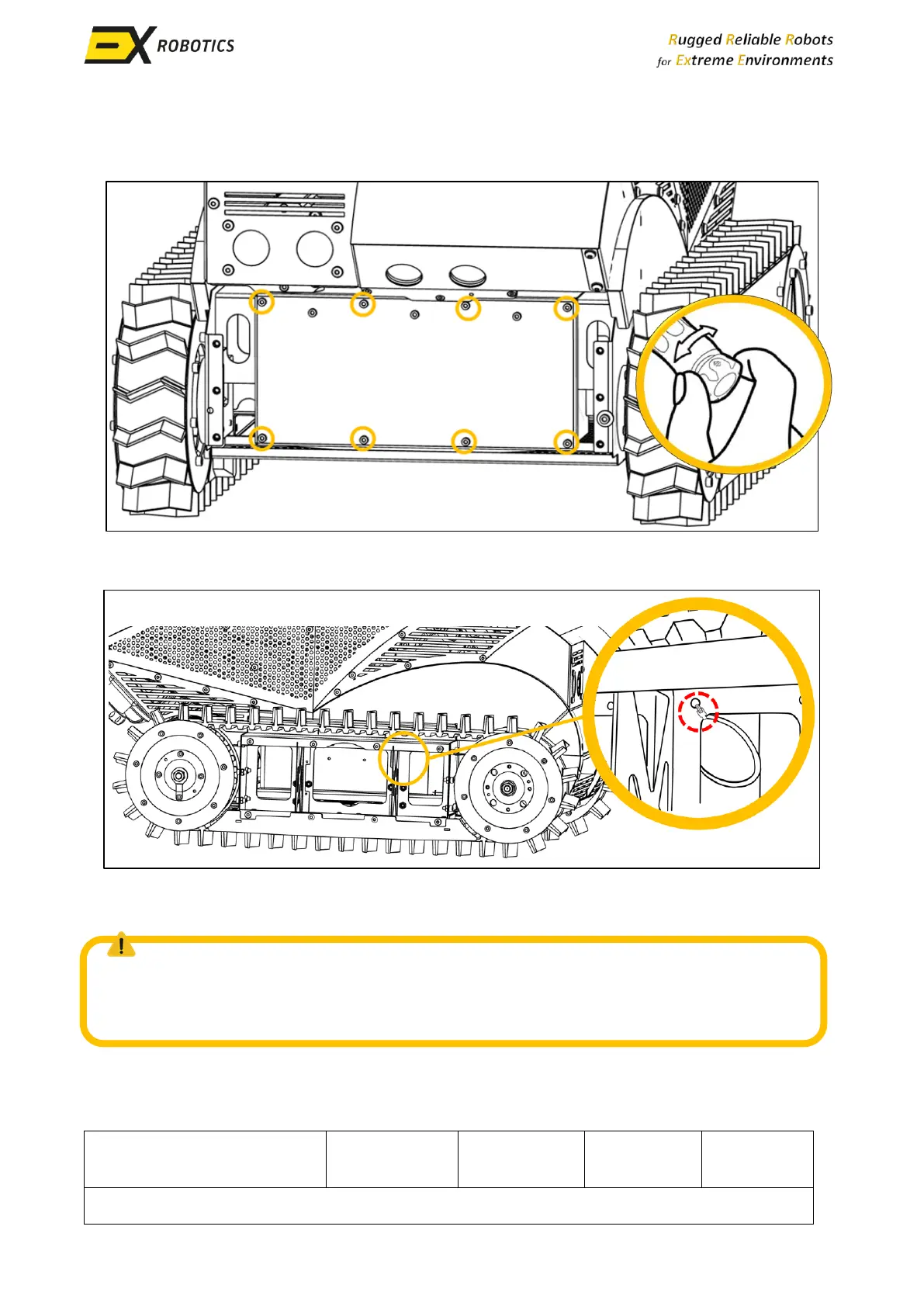
▪ When reinstalling the battery pack lid, tighten each screw slightly before moving on to the
next. Finally torque each screw to 7 Nm using a calibrated torque wrench. Ensure the lid is
installed with the three additional bolts towards its top edge.
▪ After reinstalling the front panels, loop the microphone cable and install a cable tie to attach
it to the track guard frame. Then reinstall the track guard.
NOTE: Be careful when placing the lid on the battery box. No wire should get between the
cover and the box, if in doubt; remove the lid immediately and check whether the cable tie
you installed is doing its job properly.



 To Next Page