ExRobotics B.V.
ExR-2 Robot
Operating Guide
Document No.:
20220412IP1
Version No.: 3
This document is considered an uncontrolled copy when printed. Always ensure that you print and use a current version.
Copyright 2023 ExRobotics B.V.
10. Questions & Answers
10.1. What is my Robot’s Status
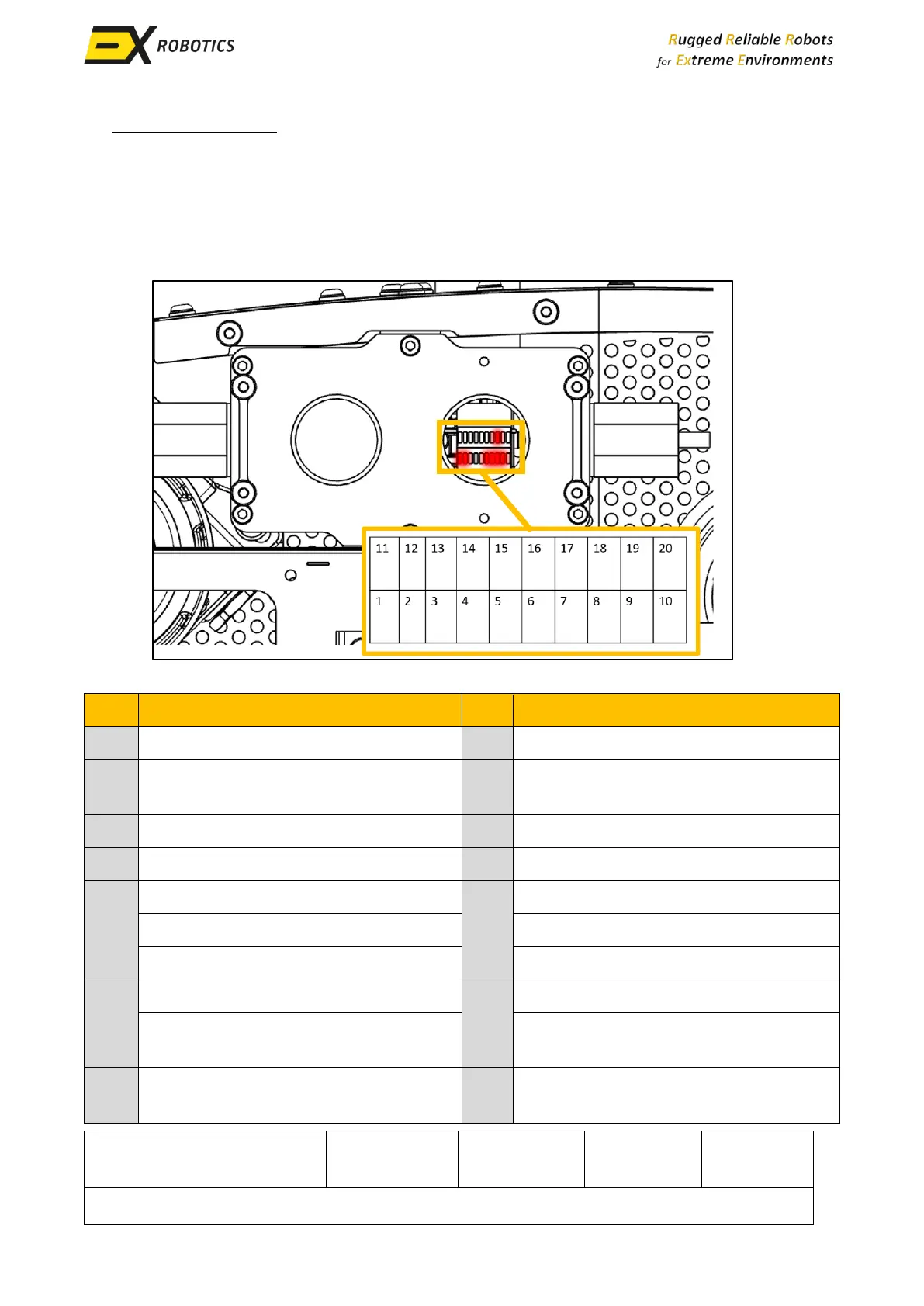
Robots are equipped with indicators that display the current status of the robot. These indicators
are situated within the communications module and can be observed through the slots present in
the right-hand side panel.
Xavier PC booted successfully
MicroSom is reachable over internal
network
Connected to Energy Robotics’ server
Minimal software is running
Panning inspection module is enabled
36V panning inspection module is
enabled
4G/5G LTE modem is powered (blinking
= transmitting)
Wi-Fi modem is powered (blinking =
transmitting)



 To Next Page